
Vandaag of morgen in huis

Kwaliteit gegarandeerd

Welkomstaanbiedingen ontgrendelen: GRATIS bezorging | Tot 80% korting | Gratis 30 dagen JoyPlus-proefperiode
Download de app
An older car does not necessarily need a new car stereo to give you access to navigation, music and hands-free calling. With a wireless CarPlay screen, you can add a separate touchscreen display to the dashboard. However, not all models are equally practical. A large screen, wireless connectivity and a low price do not, on their own, say much about everyday use.
Pay particular attention to these three common pitfalls:
A practical choice therefore starts not with the screen size, but with the connection options, smartphone compatibility and how the sound is delivered in your car.
Before buying, check whether the device supports wireless Apple CarPlay and Android Auto if several drivers use the car. Some models work with CarPlay only, while others also offer Android Auto, AirPlay, Miracast or their own screen-mirroring function.
Also check the required software version. The ESSGOO 10.26-inch version states that it supports iOS 12 and above and Android 11 and above. The ESSGOO 11.3-inch version states iOS 10+ and Android 11+. Always check that this information matches your phone. Support for a particular function does not guarantee that every app will work in exactly the same way.
A larger display is not automatically more convenient. In a compact car, a 10.26 or 11.4-inch screen can restrict your view if it is positioned incorrectly. So check:
A resolution of 1600 × 600 on a 10.26-inch car screen is suitable for clear route information, while the OTTOCAST ScreenFlow uses an 11.4-inch screen with 1920 × 720. These figures indicate the level of sharpness, but readability also depends on reflections and positioning.
A portable CarPlay display usually works via the cigarette lighter or a USB connection. Check that your car has a suitable 12V socket and that the supplied cable is long enough to route the screen neatly.
There are several audio options:
Bluetooth or AUX will generally provide a direct connection to your existing audio system, provided your car supports these connections. An FM transmitter can be useful in older cars, but sound quality and susceptibility to interference may vary depending on the surroundings. Only use the screen when it is safe to adjust the settings; navigation and voice control are intended to reduce the need for interaction while driving.
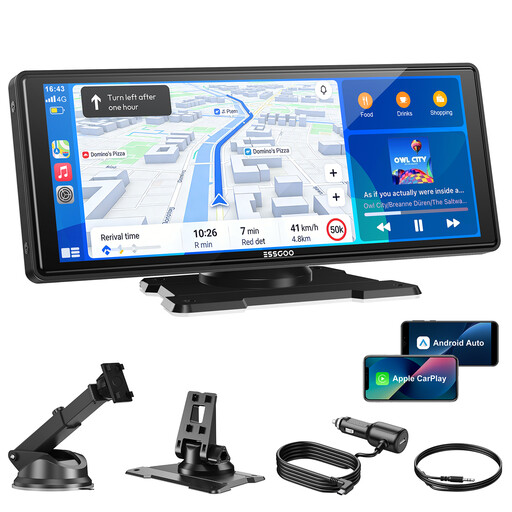
Why it suits this profile: This plug-and-play CarPlay screen is designed for drivers who want to upgrade an older car without replacing the factory stereo. According to the product description, installation simply involves mounting and connecting the device.
The product information lists four audio outputs and support for both wireless CarPlay and Android Auto. A reversing camera is not included and must be purchased separately.
10.26-inch display, Bluetooth 5.3, dual-band Wi-Fi, FM transmitter and AUX connection. Brightness and day/night mode can be adjusted manually.
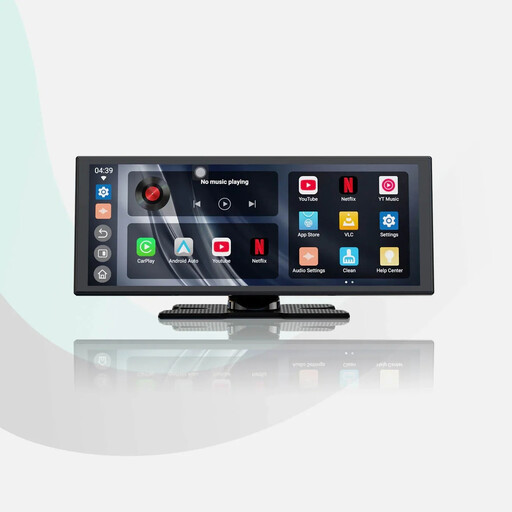
Why it suits this profile: Suitable for drivers who want a larger CarPlay navigation screen and value extra features, such as an included camera and built-in apps.
The product description mentions a 1080p reversing camera, dual Wi-Fi and dual Bluetooth. Before installation, check that the selected audio connection works with your car stereo.
11.4-inch HD screen with 1920 × 720 pixels, wireless CarPlay and Android Auto, built-in apps and a hardwired 1080p reversing camera, according to the product information.
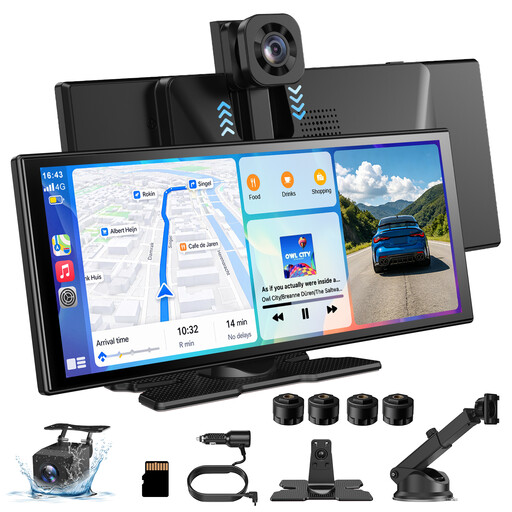
Why it suits this profile: This model combines a CarPlay screen with camera and recording functions. It is suited to drivers who want more than navigation, including image recording and flexible camera use.
The camera and audio functions are described in specific terms. However, check the required cable route, mounting position and local regulations before installing a camera permanently.
11.3-inch touchscreen, wireless CarPlay and Android Auto, 4K front camera, 1080p rear camera and support for Bluetooth, FM or AUX, according to the product description.
Most portable models follow roughly this sequence:
A reversing camera may require additional cabling to the rear of the car. If in doubt, have it installed by someone familiar with automotive electronics. Also check that the screen remains firmly in place when braking and cornering.
We have put together a complete, up-to-date list of products that fully meet these strict selection criteria and the applicable European safety regulations.
Not necessarily. The car usually does not need built-in CarPlay, but it must have a suitable power connection. For audio, you may need Bluetooth, AUX, FM or the built-in speaker, for example. Also check whether your iPhone or Android phone is supported.
A portable model is usually easy to connect yourself. Installing a reversing camera requires more work, as cables need to be routed to the rear of the car. Follow the instructions and make sure the screen does not obstruct your view.
The screen draws power from the car and may use your phone’s mobile data via Wi-Fi. Navigation, music and streaming can therefore affect the data allowance on your mobile plan. The exact cost depends on your plan, app usage and chosen audio connection.
