
Vandaag of morgen in huis

Kwaliteit gegarandeerd

Welkomstaanbiedingen ontgrendelen: GRATIS bezorging | Tot 80% korting | Gratis 30 dagen JoyPlus-proefperiode
Download de app
You don’t need to replace an older dashboard to enjoy wireless navigation, hands-free calls and music. A wireless CarPlay screen for your car adds a touchscreen without requiring you to replace the entire built-in audio system. However, these systems vary considerably in compatibility, audio connections and installation.
Look out for these three common pitfalls:
There are two product categories that are often confused:
A standalone Apple CarPlay screen or Android Auto screen is therefore often more practical if your car doesn’t have built-in smartphone integration. Also check the required operating system version for your phone. Some models specify iOS 10 or later and Android 11 or later; always check the latest product specifications.
A 10.26-inch CarPlay screen gives you a wide display for maps, music and phone calls. Resolution varies by model. Examples in the range use 1024 × 600 or 1600 × 600 pixels.
A larger screen of 11 inches or more can make maps easier to read, but it also takes up more space. Check:
A high resolution alone says nothing about the viewing angle, brightness or quality of the mount. So check the full product details rather than just the screen size.
A plug-and-play CarPlay screen usually gets its power from the cigarette lighter socket. Some models work with 12–24V, making them suitable for cars, motorhomes, vans and lorries. Check that the cable and adapter supplied are suitable for your vehicle.
There are usually several audio options:
AUX often provides a direct connection, while Bluetooth is more convenient if your car supports it. An FM transmitter can be a solution for older radios, but sound quality depends on the availability of clear FM frequencies in your area.
If you want a CarPlay screen with dash cam, check the resolution of the front and rear cameras, the viewing angle, storage and loop recording. A camera can record footage, but it doesn’t guarantee a particular outcome in the event of an incident. Only use the screen and entertainment features when safely parked.
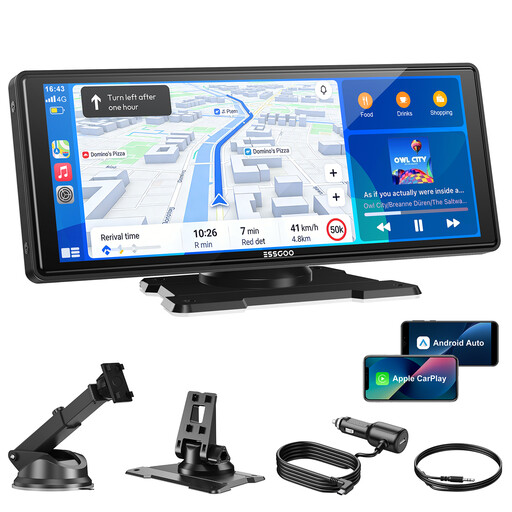
Why it suits this buyer: This universal car screen uses a 12V–24V connection and mounts on the dashboard or windscreen. That makes it a good choice for drivers who want to upgrade an older car without major modifications.
The product specifications list wireless CarPlay and Android Auto, four audio options and plug-and-play power. This means you don’t need to have a modern built-in infotainment system already installed.
10.26-inch screen, wireless CarPlay and Android Auto, 1600 × 600 pixels and a 64GB TF card included for the dash cam.
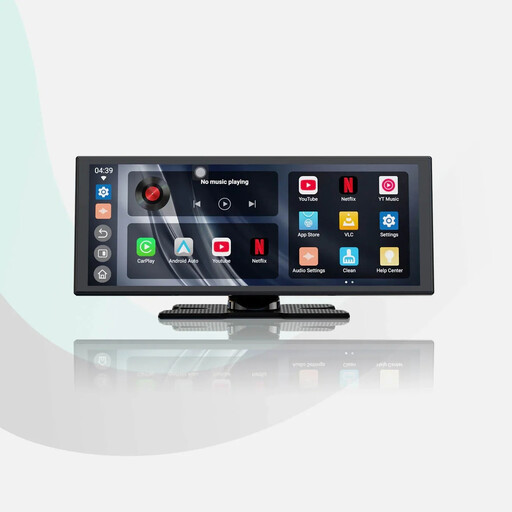
Why it suits this buyer: The large HD screen is designed for drivers who want a spacious display for maps, phone calls and media without replacing the factory-fitted radio.
The description mentions dual Wi-Fi and Bluetooth connections, audio mixing and a separate 1080p reversing camera. Check in advance how the camera will be wired into your car.
11.4-inch screen with 1920 × 720 pixels, wireless CarPlay and Android Auto, built-in apps and a reversing camera included.
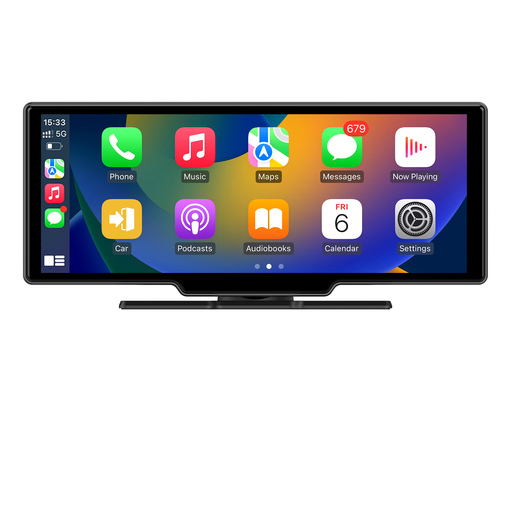
Why it suits this buyer: This model combines navigation, wireless smartphone integration and cameras for drivers of cars, motorhomes, vans and other vehicles who want extra recording and parking features.
The product information lists plug-and-play installation, a 4K front camera, a 1080p rear camera and several audio outputs. Installation still depends on the rear camera being fitted correctly.
10.26-inch IPS touchscreen, wireless CarPlay and Android Auto, GPS module, 4K front camera and 1080p rear camera.
We’ve put together a complete, up-to-date list of products that meet these strict selection criteria and current European safety regulations.
A standalone screen often works in cars with a suitable 12V or 24V socket. The wireless CarPlay or Android Auto feature also depends on your smartphone. An adapter for your existing radio usually requires factory-fitted wired CarPlay or Android Auto. So always check the compatibility list.
It depends on the model. Some systems come with a camera and connecting cable. Others only have an input for a camera that you buy separately. When fitting a reversing camera to your car, you’ll need to consider cable routing, mounting and, if necessary, connection to the reversing signal.
After purchase, there are generally no ongoing subscription costs for the screen’s basic features. However, navigation, music and online services use your smartphone’s mobile data or a Wi-Fi hotspot. A dash cam may also need a memory card; some models include one.
