
Vandaag of morgen in huis

Kwaliteit gegarandeerd

Welkomstaanbiedingen ontgrendelen: GRATIS bezorging | Tot 80% korting | Gratis 30 dagen JoyPlus-proefperiode
Download de app
You don’t always need to replace an older infotainment system. A wireless CarPlay screen with a dash cam adds navigation, music, hands-free calling and video recording without removing your car’s built-in system. However, portable car screens vary considerably in their connections, camera quality and ease of use.
Look out for these three common pitfalls:
First, check that your phone is compatible with wireless Apple CarPlay or wireless Android Auto. According to their product descriptions, some systems work with iOS 10 or later, while others require iOS 12 or Android 11. The initial pairing usually happens over Bluetooth and Wi-Fi; after that, the connection may reconnect automatically.
An Android Auto screen is particularly useful if you want to use Google Maps, Spotify and voice control from an Android phone. CarPlay gives you access to compatible iPhone apps such as Apple Maps, messaging and music. Also check that your phone supports wireless CarPlay or Android Auto: the screen can’t always add this functionality to an incompatible smartphone.
A car touchscreen of around 10 inches is easy to read, but it also takes up space on your dashboard. Before you buy, measure where the suction cup or mount can go without obstructing your view or access to other controls.
Check how the sound is sent to your car. Many models offer several options:
According to the product description, AUX or Bluetooth may provide a direct audio connection. An FM transmitter can be more flexible in older cars, but sound quality may depend on the frequency selected and local radio interference.
A built-in dash cam records continuously using loop recording. This overwrites older files when the storage is full. A G-sensor can lock a clip if a collision occurs, preventing it from being deleted automatically. Check whether a memory card is included and what capacity the system supports.
A reversing camera is handy when parking, but check the following first:
The product descriptions for the models below list certain camera resolutions and features as specified by the brands. Treat these as product specifications, not a guarantee of readable number plates, faultless detection or improved road safety. Use your dash cam in line with privacy rules and local regulations; don’t publish footage of other road users without good reason.
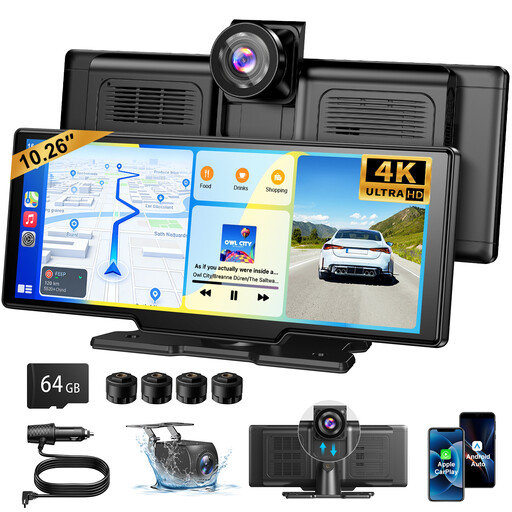
Why it suits this profile: This portable CarPlay screen for your car combines wireless Apple CarPlay, wireless Android Auto and a camera setup in one device. The included 64GB TF card means you may not need to buy extra storage straight away.
The product description lists a 4K front camera, 1080P rear camera, loop recording and an included memory card. Check that the card’s capacity is sufficient for how you plan to record.
10.26-inch screen, 1600 × 600 resolution, 140° viewing angle and audio via Bluetooth, FM, AUX or the built-in speaker.
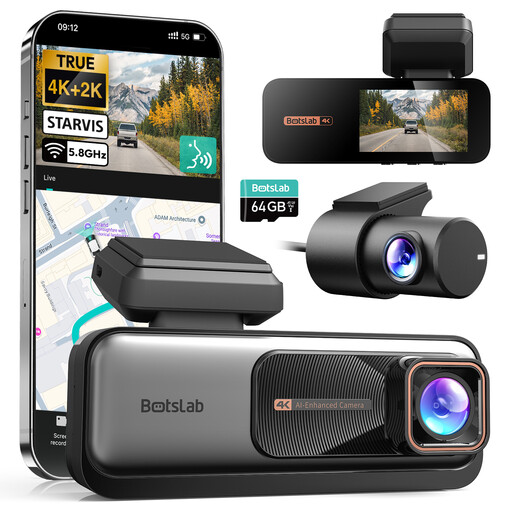
Why it suits this profile: A good choice for drivers who prioritise comprehensive front and rear recording, route information and access to footage over Wi-Fi.
The specifications list a 4K front camera, 2K rear camera, loop recording and incident locking. According to the product description, parking mode requires a separate hardwire kit.
Sony STARVIS sensor according to the product description, built-in GPS, 5.8GHz Wi-Fi, 64GB card and wide viewing angles.
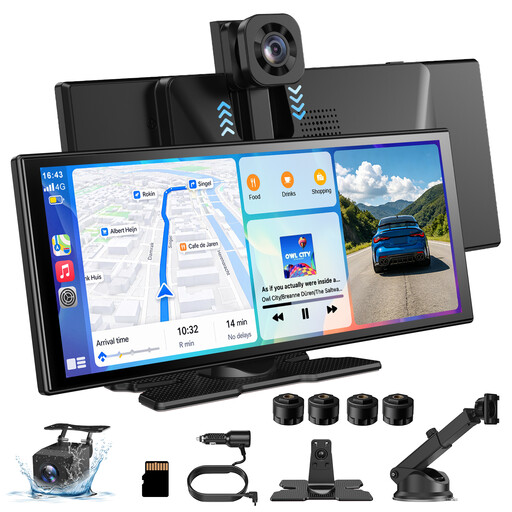
Why it suits this profile: The larger display and rotating front camera are ideal for drivers who navigate frequently, need different viewing angles or use the screen in a van, campervan or company car.
According to the product description, the front camera can rotate through 360 degrees. This gives you more flexibility when positioning it, but make sure it won’t be obstructed when you install it.
11.3-inch touchscreen, wireless CarPlay and Android Auto support, 4K front camera, 1080P rear camera and AirPlay/Miracast.
We’ve put together a complete, up-to-date list of products that meet these strict selection criteria and the applicable European safety regulations.
A portable model usually works in cars with a 12V socket, but smartphone compatibility and audio connections vary. Also check that there’s enough room to install it and whether your car stereo supports Bluetooth, AUX or FM.
The screen usually displays navigation apps from your smartphone. Whether you need mobile data, offline maps or a subscription depends on the app you choose. The built-in screen doesn’t automatically provide a standalone GPS service.
Its lifespan depends on capacity, recording quality, temperature and how often files are overwritten. Use a suitable card, format it according to the instructions and regularly check that footage is still being saved correctly. If you use it heavily, replacing it periodically may be a good idea.
