
Vandaag of morgen in huis

Kwaliteit gegarandeerd

Welkomstaanbiedingen ontgrendelen: GRATIS bezorging | Tot 80% korting | Gratis 30 dagen JoyPlus-proefperiode
Download de app
Having Apple CarPlay or Android Auto is convenient, but the need to constantly connect your phone with a cable can feel outdated. It leads to a cluttered centre console and unnecessary hassle on short trips. A wireless adapter is the logical solution, but the market is flooded with options. The wrong purchase can result in an unstable connection, lag, or compatibility issues.
This article will help you make the right choice. We'll cover the key selection criteria and highlight several models based on their specifications and intended use cases. The goal is simple: to take your wired CarPlay or Android Auto wireless, with no surprises down the road.
Before choosing an adapter, it's important to assess your specific needs and preferences. Functionality can range from a simple wireless connection to a full-fledged media system.
wireless Android Auto adapter, support both systems. Consider whether you need a solution just for your own phone or require flexibility for other users.CarPlay dongle will suffice.watch YouTube in your car or stream Netflix on your car screen, you'll need a CarPlay AI box. This is a more advanced adapter with its own operating system (usually Android) that allows you to install apps.Based on the criteria above, we have selected a range of products that cater to different needs. These recommendations are based on manufacturer-provided specifications.
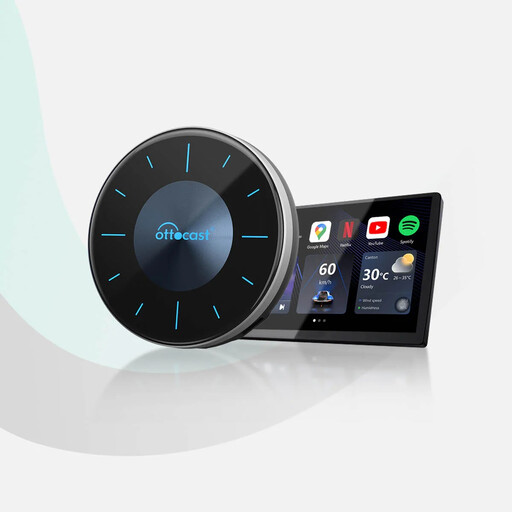
CarPlay AI box that transforms your infotainment system into an Android tablet. With an Android 12 operating system, a Qualcomm Snapdragon 665 processor, 8GB of RAM, and 128GB of ROM, this device allows you to use apps like YouTube, Netflix, and Disney+ directly on your car's screen. A standout feature is its HDMI output, which lets you share the display with a screen for rear passengers.
The models above represent popular choices for specific use cases. If you're looking for a different solution or want to explore a wider range of options, you can find more in our car cable connectors category. There you'll find various adapters and connectivity solutions for different car models and needs.
1. Does a wireless CarPlay adapter work in any car? No. A fundamental requirement is that your car must be factory-equipped with wired Apple CarPlay or Android Auto. The adapter uses this existing functionality to create a wireless bridge. Cars without this feature (or those with only a Bluetooth connection for calls and music) are not compatible.
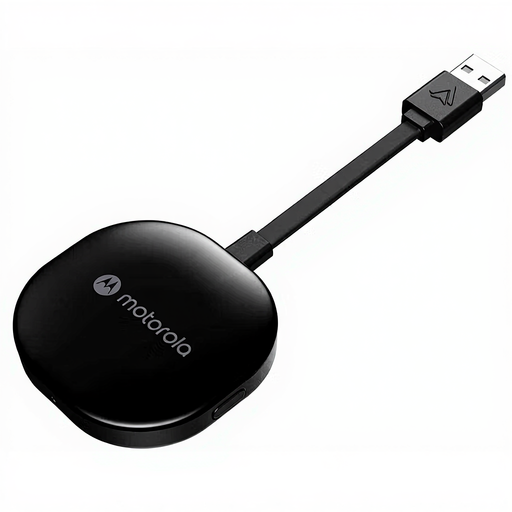
2. Can I watch YouTube or Netflix with any wireless adapter? No. Only an advanced CarPlay AI box, like the Ottocast P3, offers this capability. These devices have their own Android operating system and access to an app store. A standard CarPlay dongle, such as the Motorola MA1 or Ottocast Mini, only mirrors the standard CarPlay or Android Auto interface and does not support video apps.
3. What is the difference between a CarPlay dongle and a CarPlay AI Box? A dongle is a simple adapter with a single purpose: to make your wired CarPlay or Android Auto connection wireless. It does not add any new features. An AI Box is a mini-computer that plugs into your car's USB port. It runs its own operating system (usually Android), allowing you to install apps and stream video, in addition to providing a wireless CarPlay/Android Auto connection.
