
Vandaag of morgen in huis

Kwaliteit gegarandeerd

Welkomstaanbiedingen ontgrendelen: GRATIS bezorging | Tot 80% korting | Gratis 30 dagen JoyPlus-proefperiode
Download de app
A wireless Bluetooth headset may seem straightforward to choose at first glance. However, small differences in fit, battery life and connectivity can quickly become noticeable after purchase. A model that feels comfortable during a short train journey may not be suitable for long phone calls, sport or gaming.
The following three pitfalls are common:
Battery life without a clear usage context
The stated playtime usually applies under specific conditions, such as a particular volume level. So check whether the stated duration refers to the earbuds themselves, the charging case or a combination of both.
Water resistance is confused with waterproofing
An IPX rating indicates protection against water, but not every level is suitable for showering, swimming or prolonged exposure to rain. IPX5, for example, means protection against water jets, not immersion.
The Bluetooth version does not tell you everything about the experience
A higher Bluetooth version number does not, by itself, guarantee better sound or a more stable connection. The Bluetooth profiles used, distance, smartphone and surroundings also play a role. For gaming, latency is also more important than the version number alone.
In-ear headphones partially seal the ear with an ear tip. This can provide a direct listening experience, but choosing the right size is important for comfort and a secure fit. Extra ear tips are therefore useful when several people in the household use the product or when you want to adjust the fit.
For sport, sports earbuds or a neckband model may be more practical than separate earbuds. A charging case prevents true wireless earbuds from getting loose in your bag. Also check whether the controls use touch or physical buttons. Touch controls are compact, while buttons can sometimes be easier to operate while walking.
If you use headphones for work or phone calls, you need to look beyond sound reproduction. Check the number of microphones and whether the product description mentions a noise or echo reduction function. With a gaming headset with microphone, the microphone’s position and adjustability are also relevant.
A wired USB-C headset can provide a stable plug-and-play connection for office work. The Logitech H650e Stereo Wired, for example, uses a USB connection, has volume controls on the cable and lists acoustic echo control and a noise-isolating microphone in the product information. This is a different usage choice from a wireless model, but it can be practical for long meetings.
Pay attention to the charging standard. USB Type-C is now widely supported and means you do not need a different cable for every device. However, check whether an AC adapter is included; the Liberty 4 Pro models state that one is not supplied.
The terms noise cancelling headset and noise reduction should be read carefully. Some products refer to microphone noise reduction for calls, while active noise cancellation for the listening signal is a different function. So look at the specific product description and do not buy solely on the basis of a marketing term.
For home use, a Bluetooth speaker can be an alternative to headphones. The Xiaomi Mi Portable Bluetooth Speaker (16W) lists an IPX7 rating, up to 13 hours of playtime at 50% volume and USB-C charging. The stated IPX7 protection and usage time come from the product information; do not connect the speaker for charging near water.
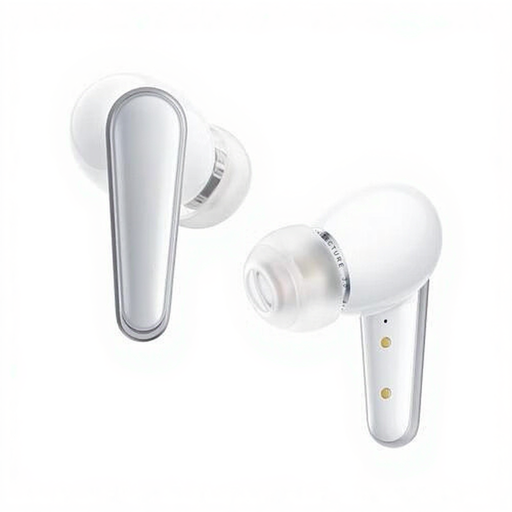
Why it suits this profile: This model is designed for music and everyday use, combining TWS, Bluetooth and USB Type-C in a compact design.
The specifications state 9 hours of continuous playback, touch controls, a charging case and additional support for LDAC Bluetooth profiles. However, check whether your smartphone supports LDAC.
Dynamic driver, USB-C charging port, touch controls and charging case.
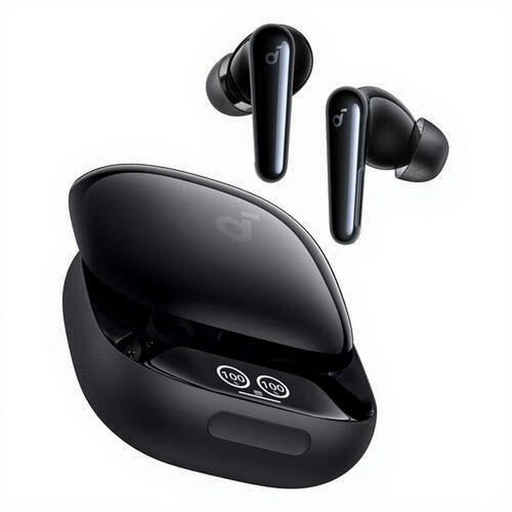
Why it suits this profile: The combination of calls, music, sport and everyday use makes this model suitable for anyone looking for one set of earbuds for a range of situations.
The product information lists six built-in microphones, IPX5 and up to 10 hours of continuous playback. IPX5 is suitable for water jets, but not immersion.
Touch volume control, six microphones, extra ear tips, charging case and USB Type-C.
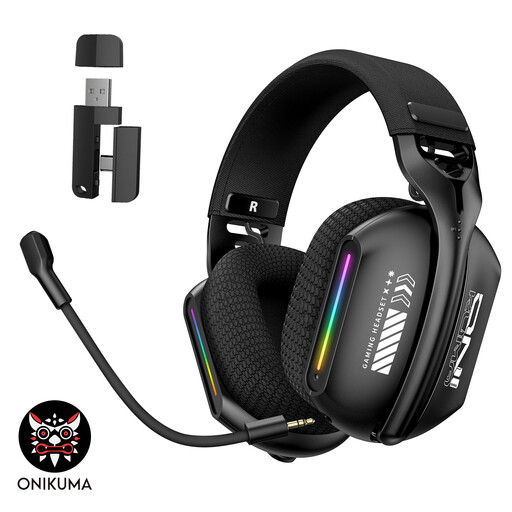
Why it suits this profile: This wireless gaming headset is designed for PC and laptop use and offers Bluetooth 5.3, 2.4 GHz wireless and a wired mode.
The triple connectivity options mean you do not need a separate headset for every application. The adjustable microphone can be adapted to suit the use and position.
2.4 GHz, Bluetooth 5.3 and wired mode; soft memory foam ear cushions and adjustable headband.
We have put together a complete, up-to-date list of products that fully meet these strict selection criteria and the applicable European safety regulations.
A robotic lawn mower, such as the Roborock RockNeo Q105 or Q110, falls under smart garden equipment and has different selection criteria, such as mowing capacity, navigation and climbing ability. So do not use the same checklist for it as you would for a Bluetooth headset.
First charge the headphones and place the earbuds in the charging case if instructed to do so in the manual. Then open your phone’s Bluetooth settings, activate pairing mode and select the product name. If the device has been paired before, it will often reconnect automatically.
Usage time per charge varies by model and volume. For example, the reference products state 9 or 10 hours of continuous playback. Overall service life also depends on charging habits, storage, temperature and wear on the built-in battery. Keep the product dry and charge it using a suitable USB-C power supply.
That depends on the connection. Bluetooth can be practical for music and everyday use, but latency can be a factor when gaming. A model with 2.4 GHz, such as the ONIKUMA GT808, or a wired headset may therefore be better suited to games where immediate sound reproduction is important.
