
Vandaag of morgen in huis

Kwaliteit gegarandeerd

Welkomstaanbiedingen ontgrendelen: GRATIS bezorging | Tot 80% korting | Gratis 30 dagen JoyPlus-proefperiode
Download de app
Wireless Bluetooth headphones might seem easy to choose at first. However, models can vary considerably in comfort, connectivity, battery life and features. A low price doesn’t always mean a better overall experience, while a long list of features doesn’t automatically mean you’ll need them.
There are three common pitfalls to watch out for:
Over-ear headphones completely cover your ears. They can be comfortable for travelling, working or listening for long periods, but are usually larger and can feel warmer around your ears. On-ear headphones sit on your ears and are often lighter and more compact for taking out and about.
Look out for:
Lightweight headphones aren’t automatically comfortable. The combination of weight, cushions and clamping force determines how comfortable they feel.
Bluetooth is useful for phones, laptops and tablets. As well as checking the Bluetooth version, look at the supported codecs, such as SBC and AAC. These partly determine how audio is transmitted, but compatibility with your source device is still important.
Multipoint lets you keep two devices connected at the same time, such as a smartphone and laptop. The Sony WH-CH720N and WH-CH520 list this feature in their product specifications.
Bluetooth isn’t always the most suitable connection for gaming. A wireless gaming headset with a 2.4GHz receiver may have different latency from Bluetooth. Check platform compatibility too. According to the ONIKUMA GT806 product information, Bluetooth doesn’t connect directly to PS4 and PS5; the 2.4GHz connection is intended for these consoles.
Don’t just look at the highest figure. Check whether the stated battery life applies:
Headphones with long battery life are particularly handy for commuting, travelling and everyday office work. USB-C is now a useful standard for charging. If you often forget to charge your headphones, fast charging may be more important than maximum battery life.
If you make calls regularly, you’ll need headphones with a microphone that picks up voices clearly. Check whether the microphone is fixed, foldable or detachable. For gaming, a dedicated microphone is often designed for communicating with other players.
With Bluetooth headphones with noise cancelling, it’s important to distinguish between active noise cancellation and passive noise isolation. Soft ear cushions and a closed-back design can already help block out some external noise. According to Sony, the WH-CH720N has active noise cancelling with adjustable levels through the Sony app. Treat this kind of brand information as a product specification, not a universal guarantee.
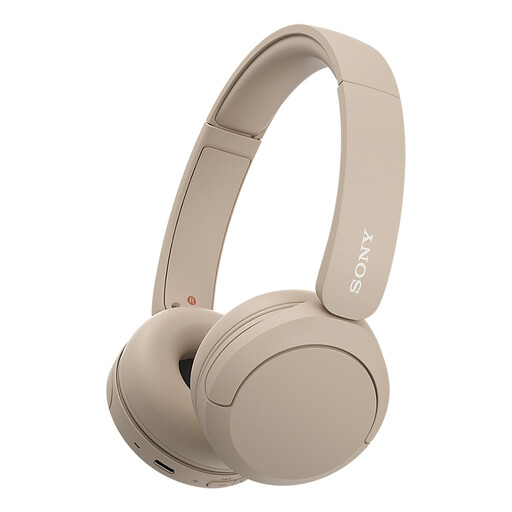
Why it suits this profile: Lightweight on-ear headphones for everyday listening, calls and use with a smartphone or laptop.
The product specifications list Bluetooth, a microphone and multipoint. Make sure you find an on-ear fit comfortable, and don’t expect active noise cancelling.
147 grams, USB-C, multipoint and, according to the product description, up to 50 hours of battery life.
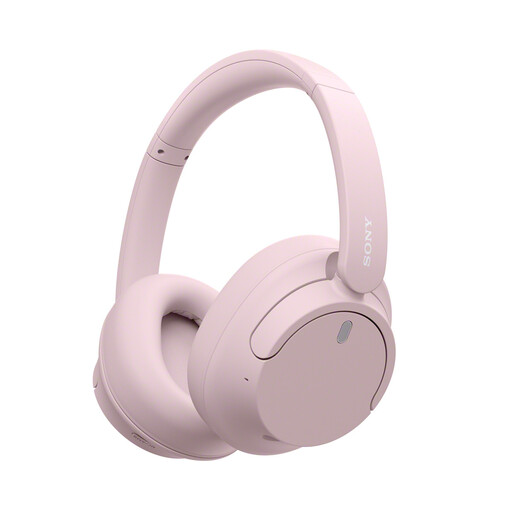
Why it suits this profile: Over-ear headphones for travelling, working and listening to music, with active noise cancelling and multipoint connectivity.
According to Sony, you can adjust the ANC settings in the app. Check the fit and expected usage time, as battery life is lower with ANC switched on.
Over-ear design, active noise cancelling, Bluetooth 5.2, multipoint and USB-C. The product information states up to 35 hours with noise cancelling.
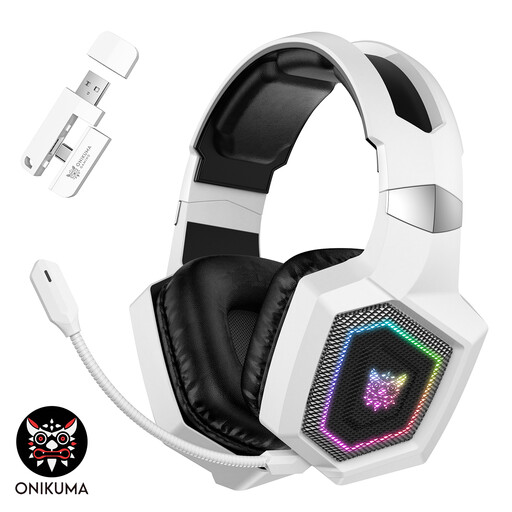
Why it suits this profile: Designed for gamers who want to switch between 2.4GHz, Bluetooth and a wired connection.
The product information distinguishes between Bluetooth and 2.4GHz, so you can check in advance which connection you’ll need to use with a console.
50mm drivers, detachable microphone, Bluetooth 5.4, 2.4GHz and stated battery life of up to 60 hours without lighting.
We’ve put together a complete, up-to-date list of products that meet these strict selection criteria and comply with current European safety regulations.
Switch on the headphones and activate pairing mode. Then open the Bluetooth settings on your smartphone and select the model name. With some Sony models, Fast Pair or Swift Pair can speed up the initial connection. If pairing doesn’t work, remove an old connection from the list and try again.
Battery life depends on the battery, volume and features such as ANC or RGB lighting. Battery capacity usually decreases over time. Charge your headphones with a suitable USB-C cable, avoid extreme heat and store them somewhere dry. When buying, also check the warranty terms and information about repairs or servicing.
They can be, but check the microphone and how background noise is handled. ANC is mainly designed to reduce certain background sounds; it’s no substitute for a quiet place to work. For many video calls, multipoint, a clear microphone and easy-to-use controls are just as important as ANC.
