
Vandaag of morgen in huis

Kwaliteit gegarandeerd

Welkomstaanbiedingen ontgrendelen: GRATIS bezorging | Tot 80% korting | Gratis 30 dagen JoyPlus-proefperiode
Download de app
Wireless audio equipment makes listening easier, but a high price or eye-catching product claim doesn’t automatically mean it’s right for you. A commuter has different needs from a gamer, a sports enthusiast or someone who mainly plays music in the living room.
The most common disappointing purchases stem from three pitfalls:
Don’t just compare the number of hours: consider how you’ll use the device, too. A portable speaker with a stated playtime of 12 to 20 hours could suit a working day or a weekend away. Also check:
With wireless earbuds, distinguish between the battery life of the earbuds themselves and that of the charging case. The Soundcore Aeroclip, for example, is listed with up to 8 hours of playback time. The Anker Liberty 4 Pro is listed with up to 10 hours and comes with a charging case. Treat these figures as product specifications based on the manufacturer’s testing conditions, not as a guarantee for every use.
For long train journeys, office work or everyday calls, fit matters more than driver size alone. In-ear earbuds seal off the ear canal and may feel secure for some users, while open-ear earbuds let in more surrounding sound. This can be useful when walking, but it also means that sounds around you may affect your music.
When choosing TWS earbuds, look at:
An open-ear model isn’t designed to block out traffic completely. Don’t use headphones while driving or cycling if they reduce your awareness, and always follow local traffic rules.
An IP54 rating offers different protection from IP67. Check the exact code rather than looking only for the word “waterproof”. The Edifier ES20 and Bose SoundLink Plus are listed as IP67 in the product information. This may make them worth considering for rain, the beach or use near a swimming pool, but always follow the instructions and avoid charging them when the ports are wet.
For home use, having more than Bluetooth can be useful. The Edifier ES300 supports Bluetooth 5.3, Wi-Fi, USB and AUX, according to the product information. This makes it more flexible for streaming, TV, computers and multi-room use. For a gaming setup, USB and AUX may be more important than long battery life.
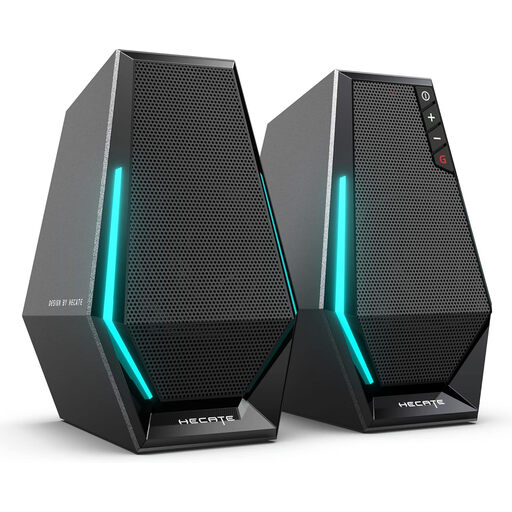
Why it suits this profile: This compact set is designed for a computer desk and combines Bluetooth with USB and 3.5mm AUX. That lets you switch between a laptop, phone and other audio sources.
The multiple inputs mean you’re not reliant on Bluetooth alone. The stated 10-watt peak power is more specific than a vague claim of “powerful” sound.
Bluetooth 5.3, USB power, AUX connection and RGB lighting, according to the product information.
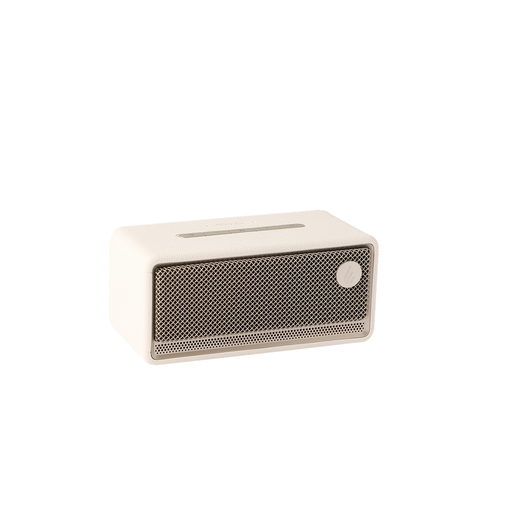
Why it suits this profile: This speaker is designed for home use, with Wi-Fi, Bluetooth, USB, AUX and AirPlay 2. It’s a good fit if you want to play music, films and games from multiple sources.
You’re not limited to a single wireless protocol. The USB and AUX inputs provide a direct connection when Wi-Fi or Bluetooth isn’t practical.
60 watts RMS, according to the product information, plus Wi-Fi, Bluetooth 5.3, LDAC, AirPlay 2 and a stated battery life of up to 12 hours.
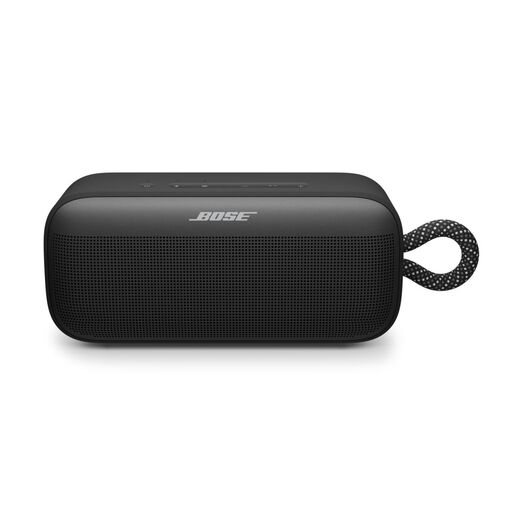
Why it suits this profile: For outdoor use, relaxing in the garden and listening on the go, features such as size, a carry loop and protection are worth considering.
The product information specifies IP67 protection against dust and water. That’s more precise than a general label such as “outdoor speaker”.
Up to 20 hours of battery life, an IP67 rating, USB-C and app control, according to the product information.
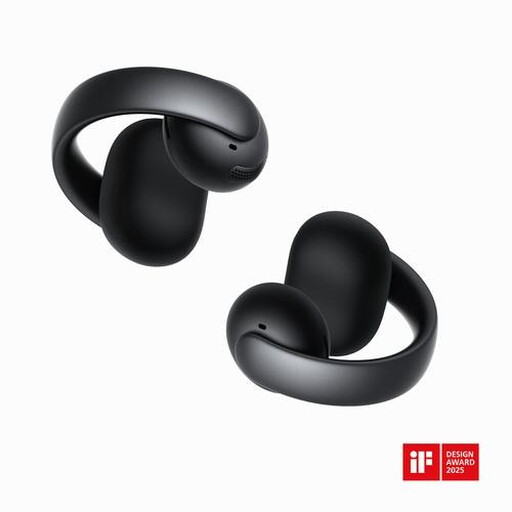
Why it suits this profile: According to the product information, the open-ear clip design is intended for walking, exercise, calls and everyday use without sealing off the ear canal.
The open design means you don’t have to rely on a snug, sealed fit. However, check beforehand that you can hear enough of your surroundings while wearing them.
Bluetooth 5.4, four microphones, touch controls and a stated playback time of up to 8 hours.
We’ve put together a complete, up-to-date list of products that meet these strict selection criteria and comply with current European safety regulations.
First, charge the earbuds, open your phone’s Bluetooth settings and put the earbuds into pairing mode. Then select the product name from the list. If the device has been paired before, it will usually reconnect automatically. If that doesn’t work, remove the old pairing and follow the instructions again.
Lifespan depends on battery use, charging cycles, moisture, drops and storage. Keep earbuds in their charging case, avoid extreme heat and charge speakers and earbuds with suitable cables. Over time, a battery that drains noticeably quickly can limit how long you can use the device in practice.
The electricity used during charging is generally minimal. The main ongoing costs are more likely to come from battery wear or replacing the device. So choose a model with suitable battery life, a USB-C connection and clear warranty and returns information. This helps you avoid paying for features you’re unlikely to use.
