
Student recording alone
You want to record your voice and can stay close to your phone or recorder. In that case, a compatible connection and good mic placement may matter more than freedom of movement.


If you’re only speaking and staying close to your phone or recorder, a wired lavalier microphone is a sensible option, provided the connection is compatible. If you want to move around while speaking, or you’re recording with someone else, consider a suitable wireless set. Check the connection, recording app and exactly what’s included in the bundle. It’s also worth making a short test recording in the rehearsal room, as noise cancellation doesn’t guarantee that music or other voices will disappear.
You want to record your voice and can stay close to your phone or recorder. In that case, a compatible connection and good mic placement may matter more than freedom of movement.
You’re explaining a summary while moving around the room and don’t want a cable running to your recording device. Check that the receiver and app work with your device, and that the battery will last for your recording session.
You’re both speaking and want a microphone close to each of you. Check that the bundle you choose actually includes two transmitters and that your device can record both signals.
A good fit if: you’re speaking alone, won’t move around much and have a compatible input or adapter.
Bear in mind: the cable can get in the way; the BOYA BY-M1 also requires an LR44 battery.
A good fit if: you want to move around without a cable to your recording device, and the receiver or required app works with your device.
Bear in mind: charging and app compatibility; for other mobile apps, Shure MoveMic requires a separate MV-R receiver.
A good fit if: two people are speaking at the same time and each needs a microphone close to their mouth.
Bear in mind: check what’s included in the bundle; two transmitters don’t automatically prevent background noise from being recorded.
| What to consider | What should you check? | Who should pay extra attention? |
|---|---|---|
| Clarity | Attach the microphone to your chest, around 20–30 cm from your mouth, as recommended by RØDE, and keep it clear of rustling clothing. Make a test recording while the room is in use. | If I want to listen back to my summaries, I need to be able to hear my voice clearly despite music or other voices. Around 36% of consumers put clarity first. |
| Connection and app | Check the input on your phone or recorder, the type of plug or receiver, and whether the recording app accepts external audio. Shure MoveMic connects directly to your phone using the MOTIV apps; according to Shure, you’ll need an MV-R receiver to use other mobile apps. | If I want to be sure the microphone works with my device and recording app, I check that combination before buying. Around 29% of consumers make compatibility their top priority. |
| Freedom of movement | Compare the cable length with the distance to your recording device, or, for a wireless set, check the receiver and battery life against the length of your planned session. | If I want to walk around while recording, I don’t want to be tied to my device by a cable. Around 21% of consumers choose freedom of movement as their main consideration. |
| Two speakers | Check that the bundle includes two transmitters and that your recording device can record both signals. DJI says the Mic Mini receiver can pair with two transmitters; do check which transmitters are included in the bundle. | If we’re recording together, we both want a microphone close to us rather than sharing one from a distance. Around 14% of consumers make recording with two speakers their top priority. |
According to BOYA, the BY-M1 has a 3.5mm connection. That doesn’t automatically mean every phone can use the microphone directly.
Check the port, whether you need an adapter and whether your recording app uses the microphone signal.
DJI describes noise cancellation on the Mic Mini, but that doesn’t prove the feature will remove music or other voices in your rehearsal room.
Position the microphone carefully and make a short test recording in the room. Compare the available settings before recording a longer summary.
RØDE lists two transmitters for the Wireless Micro Camera Kit. Check what’s included in the specific bundle, especially if you want to record two speakers. To use Shure MoveMic with certain other mobile apps, you’ll need a separate MV-R receiver.
Before buying, confirm which transmitters and receivers are included with the version you’ve chosen.
The BY-M1 is a wired 3.5mm lavalier microphone for one speaker who stays within cable range.
The Wireless Micro Camera Kit is designed for wireless recording with a phone or camera.
The Mic Mini is a wireless system worth comparing if you want to record two speakers or are considering adjustable processing of background noise.
MoveMic One is a wireless, single-channel option for anyone who wants to use Shure’s mobile recording apps.
These products are wireless microphone options for recording on the go. For each model, check that the connection is compatible with your phone or recorder and that the set suits the number of speakers.
 No image available
A wireless option worth comparing if you want to record with a smartphone or camera.
The product name lists two microphones and a camera receiver; the description also mentions a USB-C receiver. RØDE specifies two transmitters, but check what’s included in the bundle you choose.
 No image available
A wireless USB-C option to consider if you want to record with a compatible smartphone.
The product description lists a switchable noise cancellation feature; this isn’t a test result for your room. For Android phones with Type-C, the description says OTG must be enabled.
 No image available
A wireless set for one speaker, provided the USB-C connection is compatible with your device.
The product name lists one transmitter and one receiver. Check the connection on your specific phone before ordering.
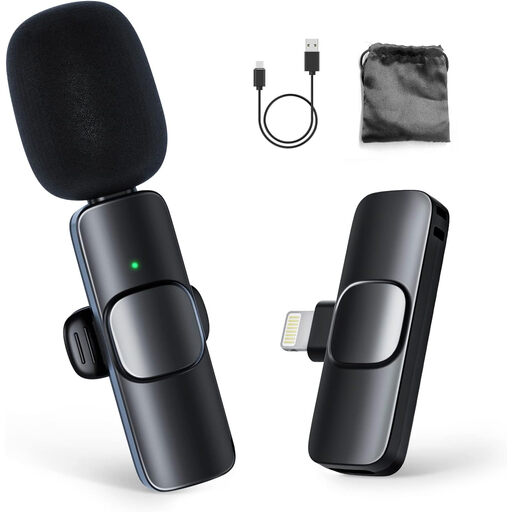 No image available
A wireless option for one speaker if you’re recording with a compatible iPhone or iPad.
The product name lists one transmitter and one receiver. The description gives a wireless range of up to 65 ft; check that the connection is compatible with your device.
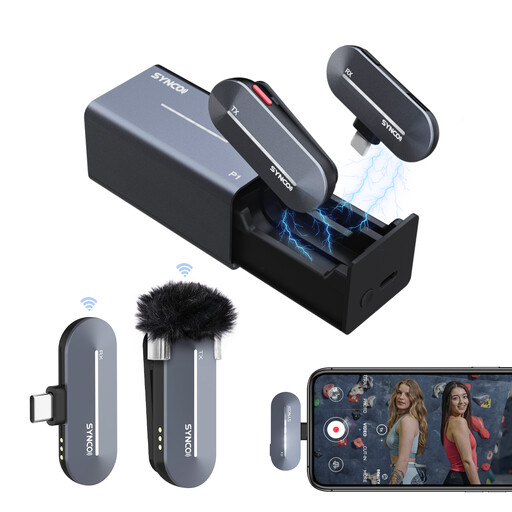 No image available
A wireless lavalier microphone worth comparing if you want to record with a compatible USB-C device.
The product description lists one transmitter, one receiver, a charging case and up to 5 hours of use per full charge. The stated noise cancellation is a product feature, not a test result from your rehearsal room.
As a starting point, RØDE recommends attaching the microphone to your chest, around 20–30 cm from your mouth. Keep the capsule clear of clothing that might rub against it, listen back to a short test recording and adjust the position if needed.
No, it depends on the model. Shure says MoveMic works directly with the MOTIV apps on your phone; you’ll need an MV-R receiver to use the default camera app or other mobile apps. Check the requirements for your model and app.
You may need a compatible adapter, receiver or replacement battery, so check what’s included in the bundle you choose and which connection your device has. According to the Dutch government, when buying online from a business, you’re usually entitled to a statutory 14-day cooling-off period, although exceptions apply. This cooling-off period is different from a retailer’s voluntary guarantee.
Not for every wireless microphone. The Dutch Authority for Digital Infrastructure says a licence is usually not required, but you must use the correct frequency band. Some frequency bands require a licence, so check the frequency used by the specific system.
That depends, among other things, on the recording and how you use it. If other people can be identified in the recording, or you share it, consider the purpose and the applicable privacy rules. The Dutch Data Protection Authority states that processing personal data covered by the GDPR requires a lawful basis; this doesn’t mean that consent is required for every private audio recording.