
Story-focused RPG player
You want to follow dialogue, music and ambient sounds, and would rather adjust the sound yourself than rely on a surround-sound claim alone. Logitech G states that some G432 audio features require Windows and G HUB.


Start with a headset that connects to your PC or console and feels comfortable during your gaming sessions. Wired gaming means you don’t have to charge a battery, while wireless gives you more freedom to move but requires you to choose the right model variant, receiver and battery life. Only prioritise a microphone or virtual surround feature if you’ll use it and it works with your platform.
You want to follow dialogue, music and ambient sounds, and would rather adjust the sound yourself than rely on a surround-sound claim alone. Logitech G states that some G432 audio features require Windows and G HUB.
You may play for hours at a time, so you’ll want to consider the fit, ear cushions and the practicalities of using a cable or battery. HyperX describes the materials used for the Cloud III, but comfort is a personal matter.
You switch between devices such as a PC, console and phone, and check which connections and features work with each exact model variant. Logitech G and SteelSeries specify model-specific connections and platform requirements.
Choose this if: you usually play in one place and don’t want to charge a battery. Check that the connection is compatible with your controller or device.
Bear in mind: the cable may restrict your movement; USB adapters and software features don’t necessarily work with every console.
Choose this if: you want to play without a cable and have the right receiver and USB port available. Check the console version of the exact model.
Bear in mind: you’ll need to charge the headset and keep the receiver handy; stated battery life depends on usage and volume.
| What to consider | What should you check? | Who should pay extra attention? |
|---|---|---|
| Dialogue and game audio | Check the EQ settings and which devices or software they work with. | If I want to adjust dialogue, music and ambient sounds to suit my taste, sound quality comes first; around 36% of consumers prioritise sound. |
| Comfort during long sessions | Compare the cushion materials and adjustability; try the headset on if possible. | If I play for several hours, I want to know how the headset fits my head and whether the ear cushions feel comfortable; around 29% of consumers prioritise comfort. |
| Connection and platform | Check your exact PC or console, the available port and the model variant. | If I switch between devices, I want to know before buying which features work with my console or PC; around 21% of consumers prioritise compatibility. |
| Microphone and team chat | Check how to mute the microphone and whether it can be detached or flipped up. | If I talk to others while playing, I want a microphone that’s easy to use; around 14% of consumers prioritise team chat. |
Logitech G states that the G432’s DTS Headphone:X 2.0 and EQ features require Windows and G HUB. So, having a surround feature doesn’t necessarily mean it’s available on your console.
Check the platform and software requirements for the exact headset before factoring an audio feature into your decision.
SteelSeries describes the Nova 5 as switching between 2.4 GHz and Bluetooth. PlayStation, by contrast, states that the PULSE Elite can play PlayStation Link and Bluetooth audio simultaneously.
Look specifically for simultaneous playback if you want to hear audio from your phone while gaming.
SteelSeries identifies the Nova 5X as the Nova 5 variant designed for Xbox. HyperX also distinguishes between the Cloud III S Wireless and the Cloud III Wireless.
Check the full model name, the receiver required and the supported platforms before placing your order.
The Cloud III is a wired model, while the Cloud III S Wireless is designed for wireless use via 2.4 GHz or Bluetooth.
The Arctis Nova 5 range is an option for players who want wireless gaming and a choice of audio presets.
The G432 is a wired option with a 3.5 mm connection; the PRO X 2 LIGHTSPEED is a separate wireless and Bluetooth model.
The PULSE Elite is worth considering if you use PlayStation Link and also want to listen to Bluetooth audio.
The Kraken V4 is designed for players who want to choose between 2.4 GHz, Bluetooth and a wired USB connection.
This selection includes wired headsets and wireless models for console and PC gaming. Check the connection, platform support and microphone features you need for each version.
 No image available
A wired headset for PS5 and PS4 when you’re using a 3.5 mm connection.
The product information lists 50 mm drivers, a detachable microphone and a 1.2 m cable. The stated weight is 253 g.
 No image available
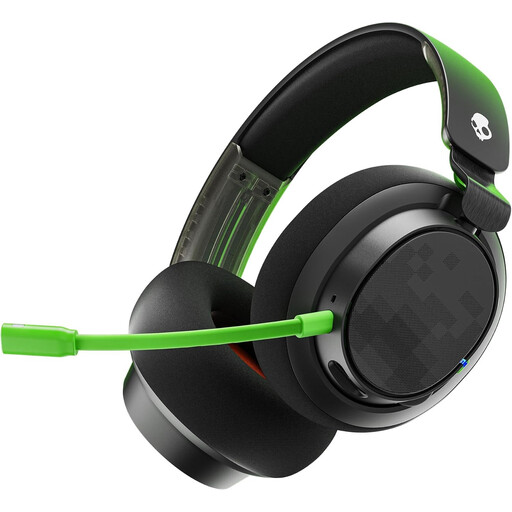
A wireless Xbox version for anyone looking for a headset with a 2.4 GHz connection and team chat.
The product information lists Bluetooth 5.2, a 10-band equaliser via the Swarm II app and a flip-up microphone for muting. The connections are used one at a time; simultaneous playback from both sources has not been confirmed.
 No image available
A wired option for anyone looking for a detachable microphone and multiple connection options.
The product information lists 50 mm drivers, 3.5 mm and USB cables, and a mute button. Compatibility is listed for PC, PlayStation, Xbox and Switch, among others.
 No image available
A wired USB headset for PC gaming if you want to use the stated Windows surround-sound feature.
The product information lists 40 mm drivers and a weight of 285 g. According to that information, the 7.1 surround-sound feature is only available on Windows.
 No image available
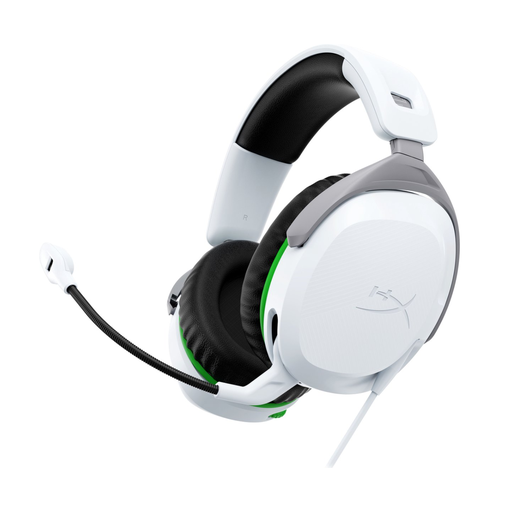
A wired headset for Xbox Series X|S and Xbox One with a 3.5 mm connection.
The product information lists 50 mm drivers, memory foam ear cushions and a flip-to-mute microphone. The cable is 1.2 m long and the headset weighs less than 300 g.
No. SteelSeries identifies the Nova 5X specifically as the Nova 5 variant designed for Xbox. Also check the dongle’s switch position.
First, check which connection your console or controller has. Logitech lists a 3.5 mm cable for using the G432 with consoles; the Windows surround-sound feature won’t work with it automatically.
Follow the instructions for the exact model. For the Nova 5, SteelSeries recommends connecting the USB-C dongle directly. For the 5X, select the correct dongle position and, if necessary, pair the headset and dongle again.
According to ACM ConsuWijzer, online purchases generally come with a cooling-off period of up to 14 days after delivery, subject to statutory exceptions. Check the returns policy before trying the headset, and don’t assume that a particular exception applies to its packaging.
No. According to ACM ConsuWijzer, statutory warranty depends on what you could reasonably expect from the product with normal use. The seller is responsible for putting things right if the product is faulty; a separate manufacturer’s warranty does not determine your statutory rights.