
Shooter player with few power sockets
Wants to hear game audio and team chat without needing a dedicated place to charge the headset. A suitable wired connection means the headset itself doesn't need charging; wireless gaming does.


A wired headset with a suitable 3.5 mm or USB connection is a practical choice if you don't want to charge a headset battery. Wireless gaming gives you more freedom to move, but requires a supported USB receiver and time to recharge. Before you buy, check the connection and exact variant for your PC or console. Product specifications don't prove that a headset will improve your aim.
Wants to hear game audio and team chat without needing a dedicated place to charge the headset. A suitable wired connection means the headset itself doesn't need charging; wireless gaming does.
Needs to check that the connection and exact headset variant work with each system. This is especially important when using a wireless headset with Xbox.
Look for a comfortable fit and easy-to-reach microphone mute controls. Also check that the headset feels comfortable for the way you'll use it; product descriptions can't test personal comfort for you.
Best for: a device with a suitable headset socket and anyone who doesn't want to charge a headset.
Keep in mind: the cable may limit your movement. Also check that the microphone works through this connection.
Best for: a setup with a spare, supported USB port and no need for a headset battery.
Keep in mind: features may depend on the connection, platform and any software required.
Best for: anyone who doesn't want an audio cable while gaming and has a supported USB port available.
Keep in mind: the receiver uses a USB port, and the headset needs to be recharged periodically. For wireless use with Xbox, SteelSeries specifically recommends the Nova 5X.
| What to consider | What should you check? | Who is this important for? |
|---|---|---|
| No extra charging point | Check that your device has a suitable 3.5 mm or USB connection and see which cable or adapter is included. | If I don't want to set aside a dedicated place to charge my headset, I'd rather choose a suitable wired connection. Around 26% of consumers prioritise gaming without needing an extra charging point. |
| Distinguishing game audio | Check whether any EQ or surround features work with your model, connection and platform. | If I mainly want to pick out relevant in-game sounds while playing shooters, I'll check which audio features are available on my system. Around 26% of consumers put this goal first. |
| Platform compatibility | Compare the full model name, receiver and connection with your PC or console. | If I play on different systems, I want to be sure the headset connects to every platform I need. Around 21% of consumers say compatibility is their main consideration. |
| Comfort and team chat | Check the fit, ear cushions and location of the microphone mute controls. | If I play in long team sessions, I'll look for a comfortable fit and easy-to-use microphone controls. Around 16% of consumers prioritise this combination. |
| Purchase and aftercare | Check which parts are included, who the seller is and what any additional cover offers. | If I want to weigh up my purchase carefully, I'll check the connections included and my rights if the product develops a fault. Around 11% of consumers prioritise the purchase and aftercare. |
Available audio features may depend on the connection, platform and software. Product specifications don't prove that a feature will improve your aim.
Check the requirements for EQ and surround features, and assess game audio separately from your aiming ability.
For wireless use with Xbox, SteelSeries specifically recommends the Arctis Nova 5X; the Nova 5 and Nova 5P aren't necessarily interchangeable.
Before you buy, compare the full model name and included receiver with your console.
If the variant isn't compatible, you may need a different headset.
Wireless use removes the audio cable, but the headset still needs a battery and a suitable receiver.
Choose wired if you don't want to charge a headset battery. Choose wireless if freedom of movement matters more and you can plan time to recharge.
With wireless use, you'll need to allow for charging and a USB port occupied by the receiver.
According to the Dutch government, you have the right to a product that works as it should; the Netherlands has no fixed statutory warranty period. Paid-for additional cover is separate from your statutory rights.
Check what extra rights additional cover provides, and contact the seller if the product develops a fault.
The G432 is a wired option with a 3.5 mm connection and an included USB DAC; the G733 is wireless.
The Arctis Nova 5 family is a wireless option with a USB-C receiver and Bluetooth.
HyperX describes the wired Cloud III as having connections for a range of devices.
The Quantum 200 is a wired 3.5 mm option for devices with a suitable connection.
This Joybuy selection focuses on wired gaming headsets with a 3.5 mm connection, so you can compare headsets that don't need charging themselves. Before you buy, check that the connection and any adapter are suitable for your device.
 No image available
A wired 3.5 mm headset for anyone who doesn't want to charge a headset battery.
The product description mentions a detachable microphone, volume and mute controls, and 50 mm drivers.
The title states that it is officially licensed for PS5; check that the connection is suitable for your device.
 No image available
A wired 3.5 mm headset for anyone who doesn't want to recharge a headset while gaming.
The title mentions a flip-to-mute microphone and compatibility with Nintendo Switch, PC and mobile devices.
The product description lists 40 mm speakers; check the connection on your own device.
 No image available
A wired option for anyone who doesn't want to charge a headset battery and wants to mute the microphone by flipping it up.
The product description mentions a 3.5 mm connection, on-cable controls and memory foam ear cushions.
The title lists PS5 and PS4; the product description gives a weight of less than 300 grams.
 No image available
A wired headset for anyone who doesn't want to charge a headset battery; the description mentions 3.5 mm and a USB DAC.
The product description lists 50 mm drivers, volume controls and a microphone that mutes when flipped up.
According to Logitech, DTS Headphone:X 2.0 and EQ presets require Windows and G HUB; don't assume these features are available on all consoles.
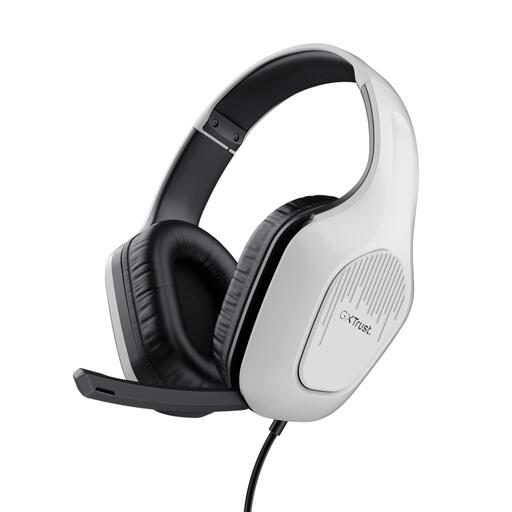 No image available
A wired 3.5 mm headset for anyone who doesn't want to recharge a headset while gaming.
The product description mentions connections for PC and consoles, 50 mm drivers, and volume and mute controls.
It also lists a foldable microphone and a weight of 244 grams.
Not for a wired headset that connects to an available 3.5 mm or USB port on your device. A wireless headset has a battery that needs recharging periodically; check in advance which charging cable is included and where you can plug it in.
No. PlayStation says Bluetooth audio devices may not be compatible with the PS5. Check whether the headset has a supported USB connection, or use a suitable analogue headset through the DualSense controller's 3.5 mm socket.
According to SteelSeries, the Nova 5X is the variant for wireless use with Xbox. Before you buy, check the full model name and the USB receiver's mode.
Don't keep turning the volume up to hear quiet in-game sounds. VeiligheidNL warns that listening at high volume can damage your hearing; the figures VeiligheidNL discusses about gaming relate to young people in the Netherlands aged 10 to 15, not all headset buyers.
For online purchases from a business, you generally have a 14-day cooling-off period, according to the Dutch government. The Netherlands has no fixed statutory warranty period: you have the right to a product that works as it should, and the seller is your point of contact if it develops a fault. Check the terms before taking out additional cover.