
Replay viewer with limited sockets
You want to listen to replays without adding another permanent charger or charging station to your setup. Distinguish between spare mains sockets and spare audio or USB ports.


If you have a suitable 3.5mm socket and don’t want to charge a headset, wired listening is a practical option for replays. Choose wireless if freedom of movement matters more, but check that you have a spare USB port, that the headset is compatible with your platform and that you have a way to charge it. Consider replay audio quality and comfort in the context of how you’ll use it.
You want to listen to replays without adding another permanent charger or charging station to your setup. Distinguish between spare mains sockets and spare audio or USB ports.
You listen to clips repeatedly to assess direction and detail. The playback chain and your own listening experience matter more than a surround-sound label alone.
You watch or discuss longer replays, so you pay attention to fit, ear cushions and how clearly you can be heard in conversations.
Start by checking which connections you actually have available. Then weigh freedom of movement, platform support and comfort against the way you listen to replays.
| What to consider | What should you check? | Who is this important to? |
|---|---|---|
| Connections and power | Check separately whether you’re short of a mains socket, USB port or 3.5mm socket. For wireless models, also check how you charge the headset. | If you don’t want to add another permanent power connection to your setup, first check which connection is available. Around 33% of consumers put available connections first. |
| Detail in replays | Assess familiar clips using the same playback settings, and check whether any audio profiles work on your platform. | When listening back repeatedly, I want to judge for myself which sounds I can distinguish; around 27% of consumers give replay audio the highest priority. |
| Platform compatibility | Check the full model and variant name, the connection and whether both game and microphone audio work on your device. | If you watch replays on a particular console or PC, the connection needs to work with it; around 20% of consumers put platform support first. |
| Comfort and communication | Consider the ear cushion material, headband pressure, and the microphone’s controls and position. | For long sessions or conversations, I want a comfortable headset with a practical microphone; around 20% of consumers give session comfort the highest priority. |
A wireless dongle means there’s no audio cable running to your head, but it still uses a device port. A model with a charging station may also need a permanent place and power supply.
Count your mains sockets, spare USB ports and available 3.5mm sockets separately before choosing how to connect.
Variants within a headset range can differ. Tweakers reported that the tested Cloud III Wireless did not work with Xbox Series X|S, and identified the 7X as the Xbox-compatible variant in the Nova 7 range.
Before buying, compare the full variant name with the platform information for your console.
Usage settings and testing methods affect battery life. A music test at a particular volume doesn’t automatically tell you how long a headset will last during your replay routine.
Keep manufacturers’ claims separate from results measured in individual tests, and think about how you’ll charge the headset.
The wired BlackShark V2 X is worth considering if your device has a suitable 3.5mm socket and you don’t want to charge a headset.
The Cloud III Wireless is an example of a wireless option with a USB dongle and a battery life quoted by the manufacturer.
The Arctis Nova 7 Gen 2 is an option if you want to use USB dongle audio and Bluetooth audio at the same time.
The INZONE H5 is worth considering for PC and PS5 users who want the choice of a dongle or wired listening.
The PRO X 2 LIGHTSPEED offers several connection options, while the Astro A50 X is designed for switching between multiple systems.
These models include wired and wireless options for listening back to replays. Check which connection and platform suit your setup for each model.
 No image available
The wired connection is a good fit if you want to listen to replays without charging a headset battery.
The description lists a 3.5mm connection, USB DAC and flip-to-mute microphone. The Logitech G HUB software is required for the stated 7.1 surround feature.
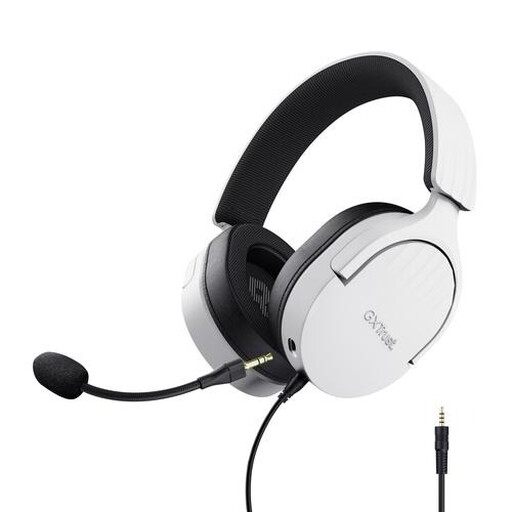 No image available
The wired connection suits anyone who wants to listen to replays without charging the headset.
The description lists 50mm drivers, a 3.5mm connection and a detachable microphone. The headset remains connected to your device while in use.
 No image available
The 3.5mm connection is an option if your device is compatible and you don’t want to charge a headset battery.
The description lists 50mm drivers, a cardioid microphone and a weight of 240 g. Razer states that the 7.1 surround feature is available only on Windows 11.
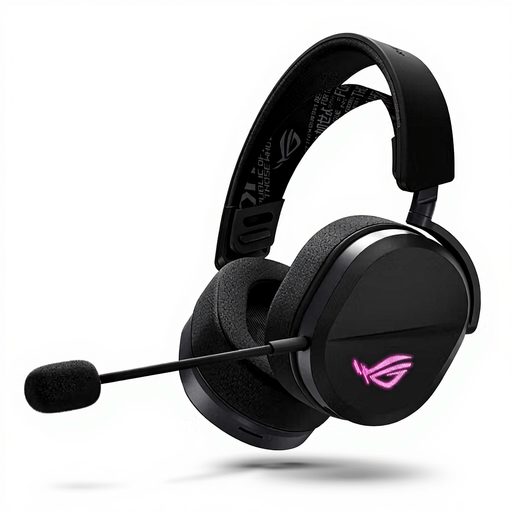 No image available
The different connection options are useful if you want to switch between wireless and wired listening.
The description lists 2.4 GHz via USB, Bluetooth and wired use via USB-C. Wireless use requires charging, and the USB receiver uses a USB port.
 No image available
The wireless connection could suit you if freedom of movement matters while listening back and charging fits into your routine.
The description lists 2.4 GHz, Bluetooth, wired listening and up to 50 hours of battery life. The battery needs charging, and the USB-C dongle uses a device port.
Not necessarily while listening: the dongle models mentioned run on a battery. However, you do need to charge them periodically, and the dongle uses a compatible device port. A model with a permanently connected charging station needs a different setup.
No. First check whether the feature is available on your platform. Razer lists the BlackShark V2 X’s 7.1 surround feature for Windows 11 only; then assess familiar clips using the same playback settings.
Keep the volume low and limit your exposure to loud sounds. The World Health Organization suggests a maximum of 60% of your device’s volume as a practical rule of thumb, not as a measured safe limit for every headset.
For an applicable consumer purchase made at a distance, you generally have a 14-day cooling-off period, according to the Dutch government. This is separate from your right to a product that meets the required standards: the Netherlands has no fixed statutory warranty period, and a manufacturer’s warranty does not replace that right.
Since 28 December 2024, EU common charger rules have also applied to headsets within scope that can be charged via a cable. For a specific model, check the charging details and whether an applicable exemption applies; a wired headset without a battery doesn’t need a charging port.