
Vandaag of morgen in huis

Kwaliteit gegarandeerd

Welkomstaanbiedingen ontgrendelen: GRATIS bezorging | Tot 80% korting | Gratis 30 dagen JoyPlus-proefperiode
Download de app
A stuttering wireless mouse during an important presentation, a dead battery in the middle of a gaming session, or a nagging pain in your wrist after a long workday. Sound familiar? Sometimes, the most reliable solution is the simplest one. A good wired mouse offers a stable, direct connection without lag or battery worries.
But which wired mouse is right for you? The market is vast, ranging from simple models for daily use to a specialised ergonomic mouse or a lightning-fast gaming mouse. In this article, we'll help you understand the specifications and provide concrete recommendations so you can make an informed choice.
Before you buy a mouse, it's wise to consider a few key features. This ensures you choose a model that perfectly matches your needs.
Do you spend a lot of time at your computer? Then comfort is essential. A standard mouse can, over time, lead to strain in your wrist and forearm. An ergonomic mouse is designed to keep your hand in a more natural position. A popular variant is the vertical mouse, where your hand rests in a "handshake" position. This can significantly reduce the load on your muscles and tendons. Pay attention to the shape (symmetrical for both left- and right-handed use, or contoured for one hand) and the size.
A mouse's specifications determine how accurately and quickly it responds.
USB mouse often has a polling rate of 125 Hz. A gaming mouse can go up to 1000 Hz or even 8000 Hz, resulting in a virtually instantaneous response.A standard PC mouse has two buttons and a scroll wheel. However, many models offer extra programmable buttons. These can be useful for gamers (to assign actions) or for productivity (to set up functions like copy/paste or forward/back in your browser). Consider whether you need this extra functionality. Most wired mice are plug-and-play: you connect the USB cable and can get started immediately.
Based on specifications, functionality, and intended use, we have selected some popular choices for different users.
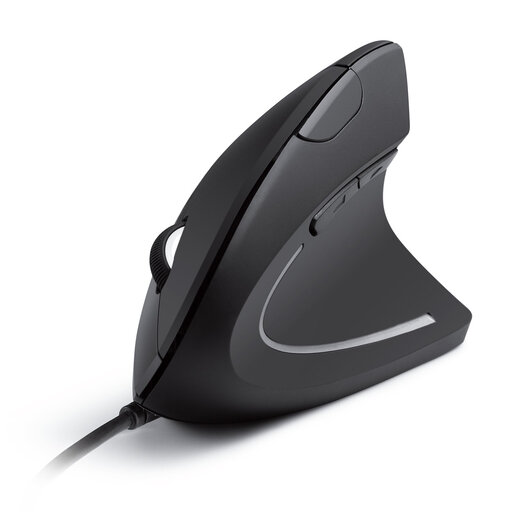
Why it stands out: The vertical "handshake" design is intended to reduce strain on your wrist and arm, making it an interesting choice for those seeking comfort during long work sessions.
Pros:
Who is it for? This is an excellent option for office workers, remote professionals, and students who spend many hours at their computer and are looking for a more comfortable mouse experience.
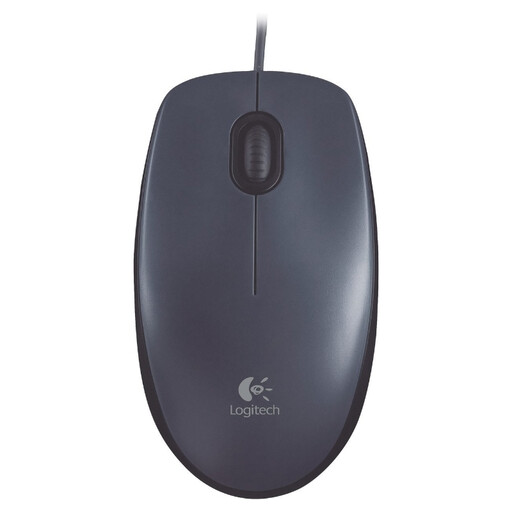
Why it stands out: Simplicity and reliability. This mouse does exactly what it's supposed to do, without unnecessary extras. It's a workhorse that won't let you down.
Pros:
USB mouse, and you're ready to go.Who is it for? Ideal for students, use in offices or shared workspaces, and for anyone looking for an affordable and reliable PC mouse that just works, every time.
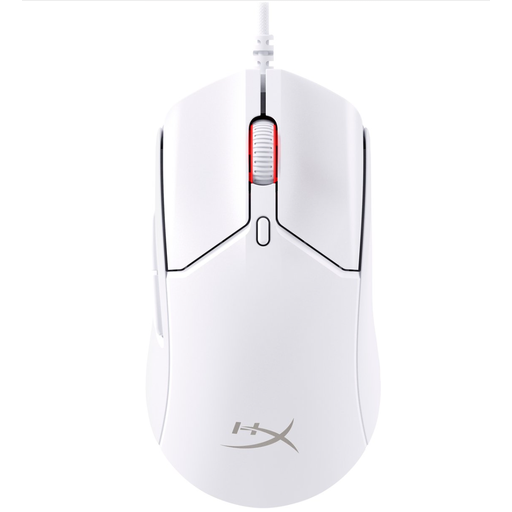
Why it stands out: This mouse is built for pure speed and performance. With its extremely low weight and high-end sensor, it's designed to give competitive gamers an edge.
Pros:
lightweight mouse, allowing for faster movements and less fatigue.Who is it for? This is the mouse for serious gamers seeking maximum precision, speed, and responsiveness. It's also suitable for users who demand the highest accuracy for professional tasks, such as graphic design.
If you haven't found the perfect match or simply want to compare more choices, there are many other models available to suit specific needs and budgets.
? Explore our full range of wired USB mice
1. Why should I choose a wired mouse over a wireless one? A wired mouse has several clear advantages. You never have to replace batteries or charge the mouse. The connection is direct and interference-free, resulting in lower latency (delay). This is especially crucial for gaming. Furthermore, wired mice are often more affordable.
2. What is DPI and why is it important for a mouse? DPI stands for "Dots Per Inch" and measures the sensitivity of the mouse sensor. A higher DPI means the cursor on your screen moves more with a small physical movement of the mouse. For general use, 800-1200 DPI is fine. Gamers or users with 4K monitors often prefer a higher, adjustable DPI for fast movements and precision work.
3. Is an ergonomic mouse really better for your wrist? An ergonomic mouse, such as a vertical mouse, is designed to place the hand, wrist, and arm in a more neutral, natural posture. This can reduce muscle strain compared to a traditional flat mouse. While it's not a medical guarantee against conditions like RSI, many people who spend long days at the computer experience more comfort and less strain when using an ergonomic model.
