
Vandaag of morgen in huis

Kwaliteit gegarandeerd

Welkomstaanbiedingen ontgrendelen: GRATIS bezorging | Tot 80% korting | Gratis 30 dagen JoyPlus-proefperiode
Download de app
A wired gaming headset might seem easy to choose at first. But terms such as “7.1 surround”, “noise cancelling” and “gaming-grade” can be confusing. A high price doesn’t automatically mean a headset will suit your setup. On the other hand, an affordable model can be unnecessarily limiting if you choose the wrong connection.
The most common pitfalls are:
A wired headset for PC and console usually uses an analogue 3.5mm connection, USB, or both.
A PS5 gaming headset with a 3.5mm connection is a practical choice if you want to plug it straight into the controller. Features such as 3D audio are then managed through the console settings. You won’t get the full benefit of a model that only works with Windows software when using it with a console.
A headset with two drivers delivers stereo sound. That’s enough for many games, films and music. A 7.1 surround sound headset often uses virtual audio channels to simulate direction and distance through software.
Check the following:
A larger driver size, such as 40 or 50 mm, doesn’t necessarily mean better sound. Tuning, fit and the source device also play a part. Treat frequency ranges and impedance as technical information, rather than a guarantee of quality in their own right.
For team chat, an adjustable or detachable microphone is useful. A flip-to-mute feature or mute button on the ear cup means you don’t have to keep opening software.
Also check:
A comfortable gaming headset should feel soft, but it should also stay in place without putting you under too much pressure. Fit is personal, so check the dimensions and materials before you order.
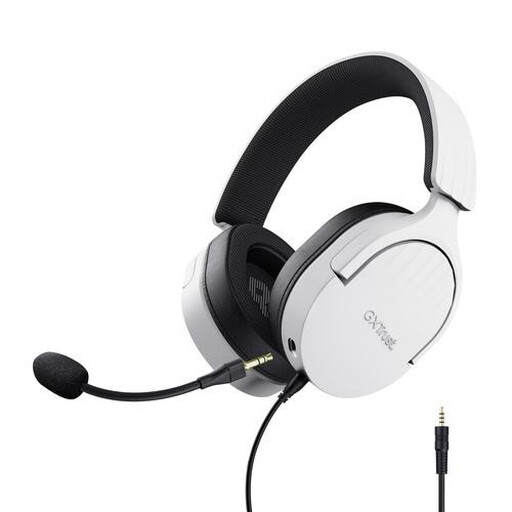
Why it suits this user: The 3.5mm connection works with PCs, laptops, PlayStation, Xbox and Nintendo Switch. This makes the headset a good first choice for use with different devices.
The product description clearly states that this is a stereo headset without virtual 7.1. So you’re not paying for a surround feature you won’t use.
50mm drivers, over-ear cushions, a detachable microphone and on-ear cup controls. The cable is 1.2 metres long, with an extension cable for PC.
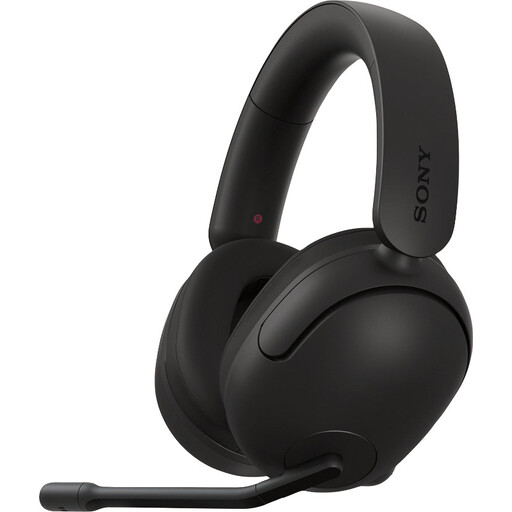
Why it suits this user: This model is aimed at PC and PS5 gamers who value software-based spatial audio and a tuned system.
The product information explains that 360 Spatial Sound is enabled on PC via INZONE Hub. The feature isn’t presented as a universal console feature.
299 grams, 40mm drivers, a 3.5mm cable with USB audio box, and a unidirectional microphone with a flip-to-mute function.
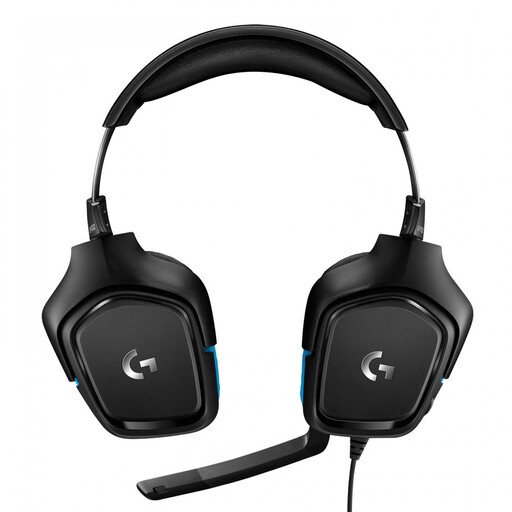
Why it suits this user: With 3.5mm, a USB DAC and compatibility with PC, Mac, PlayStation, Xbox and Nintendo Switch, this headset is a good fit for gamers who use multiple systems.
The product information states that DTS Headphone:X and 7.1 are available via Logitech G HUB and the USB DAC. Stereo remains available when using the 3.5mm connection.
50mm drivers, rotating ear cups, a flip-to-mute microphone, volume control and a weight of 259 grams.
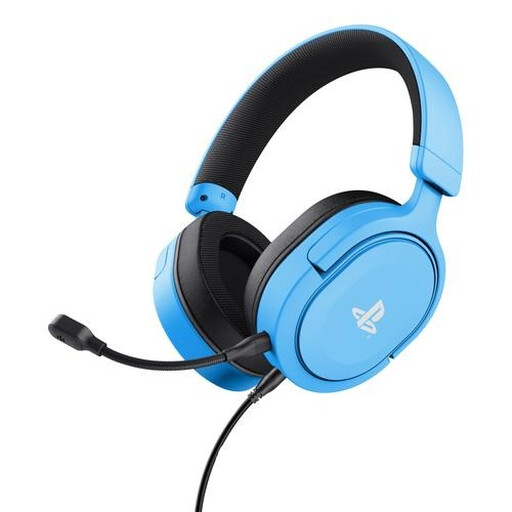
Why it suits this user: The headset is officially licensed for PS5 and also works with PS4. It connects via the controller using the included 3.5mm cable.
The description distinguishes between stereo and 3D audio on PS5. It doesn’t promise a true surround feature that isn’t listed in the specifications.
50mm drivers, a detachable microphone, rotating ear cups, on-ear cup controls and a weight of 253 grams.
We’ve put together a complete, up-to-date list of products that meet these strict selection criteria and current European safety regulations.
A wired model doesn’t need charging and receives sound directly through the cable. That’s handy for long gaming sessions. A wireless model gives you more freedom to move, but needs a battery and may require a wireless receiver. The right choice depends on how you use it, not just on the price.
A headset with a 3.5mm connection usually works through the headphone socket on a controller or device. Check that the microphone is supported, and whether you need a Y-splitter or extension cable for PC. Compatibility can vary between Xbox controllers and connections.
Lifespan mainly depends on strain on the cable, hinges, ear cushions and how often you use it. Don’t pull the headset out of the device by its cable. Store it somewhere dry and clean the ear cushions carefully. A detachable cable or microphone can be useful if you need to replace a part later. Keep the volume at a safe level, too, and take breaks during long sessions.
