
Vandaag of morgen in huis

Kwaliteit gegarandeerd

Welkomstaanbiedingen ontgrendelen: GRATIS bezorging | Tot 80% korting | Gratis 30 dagen JoyPlus-proefperiode
Download de app
A wired gaming headset might seem straightforward: plug it in, start your game and play. Yet many gamers end up buying a model that doesn't work well with their console, becomes uncomfortable after an hour, or has a microphone that's barely audible in team chat. What's more, marketing terms like "surround", "noise cancelling" and "gaming sound" don't always reflect what you'll actually get in practice.
These checks will help you avoid a bad purchase and find a gaming headset for PS5, PS4, PC or other devices that suits your needs.
A stereo gaming headset uses two audio channels: left and right. That can still deliver a spacious in-game sound, but it's different from virtual 7.1 or software-based surround. On some models, that feature only works on PC after installing software.
For example, the Trust GXT 498P Forta and Trust GXT 498W Forta are stereo headsets with 3D audio on the PS5. They don't offer true multi-channel sound. With the Logitech G432, 7.1 surround is tied to the USB DAC and Logitech software. So always check which platform the advertised sound feature works on.
A 3.5 mm connection usually works with devices that have a suitable headphone port, but that doesn't automatically mean all features are available on every platform. A PC with separate audio and microphone jacks, for instance, may need a splitter.
When looking at a gaming headset for PS5 or gaming headset for PS4, pay attention to how it connects. A model that plugs directly into the controller is often more practical for consoles. For PC, a USB connection or included adapter might be more convenient.
A lightweight headset isn't automatically a comfortable gaming headset. The pressure of the headband, the shape of the ear cups and the cushion material all affect how pleasant a model feels during long sessions. Over-ear cups seal off your ears but can feel warmer. On-ear models are often lighter but rest directly on your ears.
First, choose the right connection:
A wired model doesn't need a battery. That saves you from charging and can keep setup simple. On the flip side, you'll need to consider cable length and how you route the cable around your desk or chair.
The driver diameter, for example 40 mm or 50 mm, gives an indication of the speaker unit's size, but it doesn't solely determine sound quality. Also look at the type of reproduction, impedance and platform support.
A stereo gaming headset can work well for shooters, racing and role-playing games, especially if your console handles spatial audio itself. If you want virtual surround on PC, check whether software, an activation code or a USB audio adapter is required.
A gaming headset with microphone shouldn't just pick up sound – it should also be practical to use. Look for:
A product description might mention noise reduction. Treat this as a manufacturer's specification, not a guarantee that all background noise will disappear. Your room's acoustics, microphone placement and chat settings also play a part.
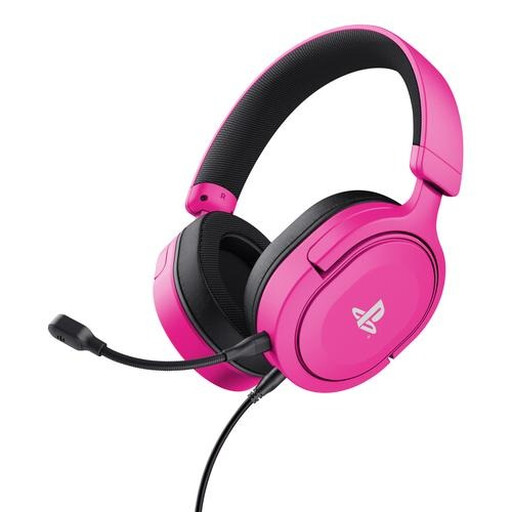
Why this fits the profile: This over-ear gaming headset is aimed at PS5 and PS4 gamers who want a simple wired connection and a relatively lightweight design.
The 3.5 mm cable is detachable and the headset uses stereo with 3D audio on PS5, so the sound feature is more clearly defined.
50mm drivers, detachable microphone, on-ear cup controls and a weight of 253 grams.
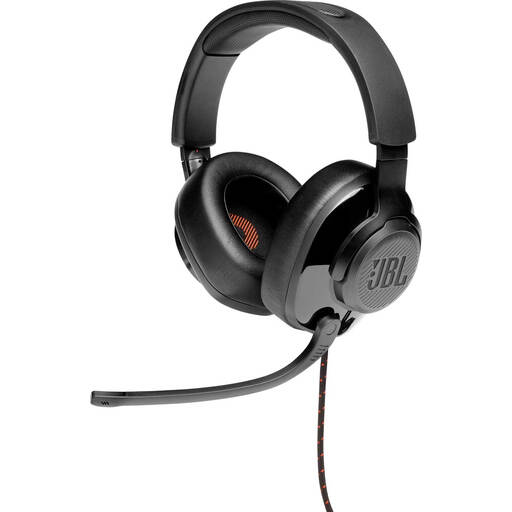
Why this fits the profile: A great choice for PC gamers who want an over-ear design, software features and multi-platform use.
The product information states that JBL QuantumSURROUND via JBL QuantumENGINE is only available on PC. It's important to know this limitation upfront.
50mm drivers, memory foam ear cushions, flip-up microphone and support for 3.5 mm plus a USB audio adapter.
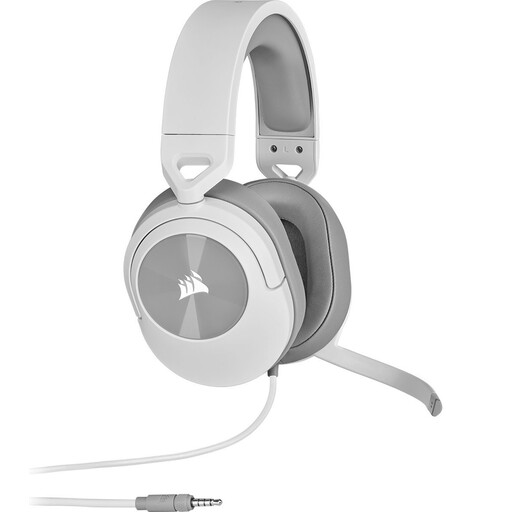
Why this fits the profile: Ideal if you regularly play on multiple platforms and want a longer cable with clear on-ear cup controls.
The specifications explicitly mention stereo and state compatibility with PC, Mac, PS5, PS4, Xbox, Nintendo Switch and mobile devices via 3.5 mm.
50mm neodymium drivers, 1.8 metre cable, flip-to-mute microphone and a weight of 273 grams.
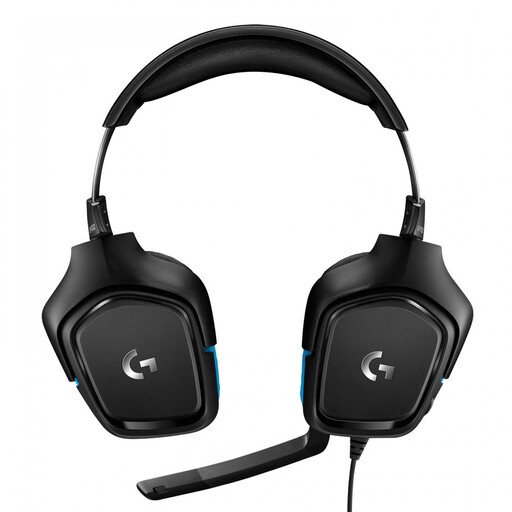
Why this fits the profile: This model suits PC and console users who want to use a USB DAC alongside 3.5 mm for the advertised surround feature.
The connection, USB DAC and required Logitech G HUB software are all listed in the product information. That lets you check compatibility before buying.
50mm drivers, 7.1-channel specification, flip-to-mute microphone and multi-platform support.
We've put together a full, up-to-date list of products that fully meet these strict selection criteria and comply with current European safety regulations.
That depends on the connection. A headset with a 3.5 mm jack can usually be plugged into the PS5 controller. Also check whether the microphone function and any surround software are available on the PS5. A USB headset isn't automatically compatible with the controller.
Lifespan mainly depends on cable use, hinges, ear cushions and storage. Don't pull the cable out by the connector, don't wrap it tightly and store the headset in a dry place. A detachable cable or microphone can be handy if you want to replace or remove parts.
It can be, but don't just look at the price. Check the weight, the shape of the ear cushions, the headband and the microphone controls. Also, don't keep the volume high for long periods and take regular breaks to avoid unnecessary strain on your hearing.
