
Vandaag of morgen in huis

Kwaliteit gegarandeerd

Welkomstaanbiedingen ontgrendelen: GRATIS bezorging | Tot 80% korting | Gratis 30 dagen JoyPlus-proefperiode
Download de app
A wired gaming headset may seem simple at first glance: choose a model with a microphone, connect the cable and start playing. However, small differences in connectivity, fit and microphone design can become irritating after purchase. For example, a headset that appears suitable for all devices on the product page may not work without an adapter on an older PC.
As a Joybuy Product Recommendation Officer, I filter the key product specifications out of the marketing language for you. This helps you see what really matters when choosing a gaming headset with microphone, and which type suits the way you play.
You will often see terms such as 50mm drivers or powerful speakers. The driver diameter tells you something about the speaker’s size, but not, by itself, about the sound balance, clarity or sense of space. A 40mm model may sound perfectly good for your needs, while a 50mm model will not automatically deliver more detail.
Also check whether the headset uses stereo or virtual surround technology. A stereo gaming headset delivers sound through the left and right channels. This is suitable for general gaming, music and chat. Virtual 7.1 or other spatial audio may require additional software, a USB adapter or a specific platform.
A gaming headset for PS5, Xbox, Nintendo Switch and PC often uses a 3.5mm connection. Consoles usually work through the controller’s headphone port. On a PC, however, audio and microphone connections may be separate. In that case, you will need a splitter or extension cable.
Also check the product description for your specific console and controller. An additional adapter may be required for wireless controllers, mobile devices without a 3.5mm port or PCs with USB-only connectivity. A wired connection does not need charging, but the physical connection remains decisive.
A lightweight headset can be more comfortable during longer sessions, but weight is only one factor. Also look for:
A fixed cable is practical, but more difficult to replace if it becomes damaged. A detachable cable or microphone offers greater flexibility, but can also introduce an additional connection point that needs to be maintained carefully.
For plug-and-play use with many consoles, a gaming headset with a 3.5mm connection is a sensible choice. A 1.2 to 1.5-metre cable is usually suitable for use via a controller. For PC gaming, a longer cable of around 1.8 to 2 metres may be more convenient.
A USB connection can support additional features, such as software-based equaliser settings or virtual surround sound. That does not mean USB is more practical for everyone. If you want a simple connection without a battery or software, an analogue 3.5mm model is often the best option.
For multiplayer gaming, it is not only the presence of a microphone that matters. Consider how you mute and store it:
Brands may claim improved clarity or noise reduction. Treat this as a brand claim and focus primarily on the microphone technology, controls and user experiences that are relevant to you.
A lightweight gaming headset weighing around 230 to 275 grams can be comfortable during longer sessions. Fit is personal: soft cushioning and an adjustable headband are useful indicators, but they do not guarantee that every head will experience the same fit.
Also pay attention to the sound reproduction. A model with 40mm drivers can be a practical choice for chat and casual gaming. A headset with 50mm drivers offers a larger driver on paper and is often marketed as providing more powerful stereo sound. Always check whether surround sound is genuinely built in or only available through software and on a particular platform.

Why it suits this profile: This model is aimed at gamers looking for a simple, affordable wired gaming headset for use with multiple devices.
The 3.5mm connection and fixed cable make setup straightforward. The product information specifies stereo audio rather than virtual 7.1 surround sound.
244 grams, over-ear design, 50mm drivers, 2-metre cable and folding microphone according to the product specifications.
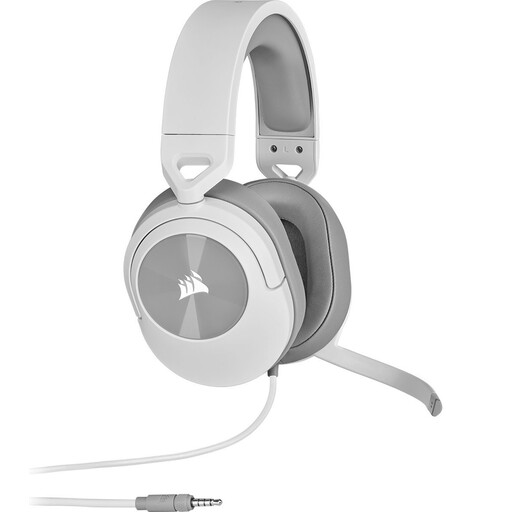
Why it suits this profile: Suitable for players who value comfort, a simple connection and direct microphone controls.
The specifications explicitly mention stereo audio and an included Y-adapter for PCs with separate ports.
273 grams, 50mm drivers, memory-foam ear cushions, 1.8-metre cable and flip-to-mute microphone.
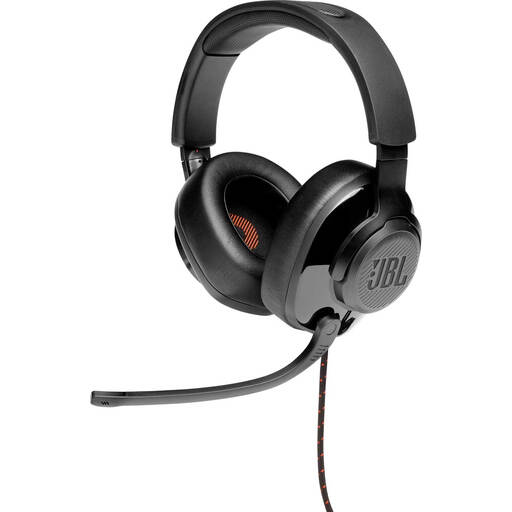
Why it suits this profile: An option for PC players who want to use USB audio and software settings alongside 3.5mm connectivity.
The product information distinguishes between the 3.5mm connection and features available via the USB adapter; surround functionality is specified for PC.
50mm drivers, 245 grams, flip-up microphone, over-ear design and USB audio adapter according to the product specifications.
We have put together a complete, up-to-date list of products that fully meet these strict selection criteria and the applicable European safety regulations.
Often, yes, provided the model has a 4-pole 3.5mm connection and you connect it to the controller or console port. Always check the compatibility list. A Y-adapter may be required for PCs with separate audio and microphone ports.
An analogue headset connected via 3.5mm does not need a battery. This is convenient when you want to start playing straight away. With models that have USB features, USB may be required for lighting, software or additional audio functions. Check what the USB connection is used for before placing your order.
Its lifespan mainly depends on how you use the cable, hinges and ear cushions, as well as how you store it. Do not pull the headset out of the device by the cable, bend the microphone beyond its normal range or store it somewhere damp. Keep the volume at a comfortable level and take regular breaks during prolonged use. The statutory guarantee in the European Union for the products mentioned is at least two years; additional rights may apply.
