
Watching behind one thick wall
You mainly want to use one TV or streaming device, and can place a repeater somewhere that still gets a good signal from your router. TP-Link explains how obstacles such as concrete walls can affect the Wi-Fi signal.


For one viewing spot, a wireless repeater may do the job, but only if it receives a usable signal from your router where you place it. If the signal is already weak, consider an Ethernet cable with an access point or, if running a cable isn’t practical, a powerline adapter. TP-Link explains how obstacles can interfere with a wireless connection, so test the stream on your TV or streaming device rather than relying on the Wi-Fi indicator alone.
You mainly want to use one TV or streaming device, and can place a repeater somewhere that still gets a good signal from your router. TP-Link explains how obstacles such as concrete walls can affect the Wi-Fi signal.
Your viewing spot is behind walls, and even a midway point gets a weak signal from the router. You’re therefore considering a wired connection or powerline; the best option depends on what you can connect at home.
You want Wi-Fi in more than just the room where you watch films, and need to work out where several access points could go and whether they’ll work well with your router. The Consumers’ Association explains how to place Wi-Fi boosters where you need extra coverage.
| What to consider | What should you check? | Who is this most important for? |
|---|---|---|
| A stable stream where you watch | Test on your TV or streaming device; Netflix recommends 15 Mbps or higher for its own 4K streams. | If I mainly want to watch a nature documentary without interruptions, I want to know what connection my device actually gets. Around 40% of consumers prioritise a stable stream. |
| Getting connected through thick walls | Check the signal at the midway point and whether Ethernet or suitable power sockets are available. | When thick walls separate the router from where I watch, I want to know whether a midway point still gets a signal or whether I need a different connection. Around 33% of consumers prioritise getting connected through walls. |
| Coverage in several rooms | Map out the rooms with problems and check that the planned mesh feature is supported. | If several rooms have weak Wi-Fi, I don’t just want to improve the connection where I watch films; I also want to check where extra access points could go. Around 17% of consumers prioritise coverage in several rooms. |
| Set-up and running costs | Check which cables or adapters you’ll need, whether the devices are compatible with your router, and how much power they use. | If an easy set-up matters to me, I want to know in advance which connections and extra components my set-up will need. Around 10% of consumers prioritise set-up and additional costs. |
A repeater needs to receive a usable signal itself. Concrete and other obstacles can interfere with the connection between the router and repeater.
Check the signal at the spot you’re considering before choosing wireless repeating.
If there’s no usable signal there, you may still need a cable or a suitable adapter set-up.
The connection on your playback device also depends on placement, obstacles and your internet connection.
Test the connection on your TV or streaming device and compare it with your streaming service’s requirements.
Mesh features may depend on your router model and software version. A device working as a repeater doesn’t automatically mean all mesh features are available.
Check your exact router, the feature it supports and, where applicable, the software version required.
A particular mesh feature may require a compatible router or an additional suitable Wi-Fi access point.
A powerline kit may include several adapters; a mesh set-up may need several Wi-Fi access points to be switched on.
Check the complete set, connections, compatibility and power consumption of the model you choose.
Your set-up may need extra adapters or access points, and connected devices use electricity.
TP-Link offers repeaters, powerline products and mesh systems, among other options. The RE705X is a Wi-Fi 6 repeater with gigabit LAN and access point mode.
The FRITZ!Repeater 1200 AX has Wi-Fi 6 and gigabit LAN. FRITZ! describes using it via LAN with a FRITZ!Box.
devolo describes the Magic 2 WiFi 6 next as combining powerline over your home’s electrical wiring with Wi-Fi and LAN at the receiving adapter.
ASUS’s global product information describes the RP-AX58 as a repeater with access point mode and AiMesh.
These Joybuy picks include mesh kits with several Wi-Fi access points and wired access points. Choose the first option if you want to use several access points, and the second if you can run Ethernet to the installation spot. For the wireless model you choose, also check that it has the correct CE marking; this says nothing about the range you’ll get in your home.
 No image available
A mesh kit with three stations for anyone who wants Wi-Fi in several areas; wireless access points need a usable connection to the network themselves.
The product name specifies dual-band Wi-Fi 5 (802.11ac) and 2.4 GHz/5 GHz.
 No image available
A mesh kit with three stations that work together for anyone who wants Wi-Fi in several areas; placement and the connection between access points still matter.
The product name specifies dual-band Wi-Fi 5 (802.11ac) and 2.4 GHz/5 GHz.
 No image available
A mesh kit with three units for anyone who wants Wi-Fi in several areas; a wireless mesh access point needs a usable connection to the network itself.
The product name specifies dual-band Wi-Fi 6 (802.11ax) and 2.4 GHz/5 GHz. The product description mentions gigabit Ethernet ports on each unit.
 No image available
A wired access point for a viewing spot you can connect via Ethernet; the access point needs a network connection where it’s installed.
The product information specifies Wi-Fi 6, Ethernet and PoE. Check which power supply and components are included with the model you choose.
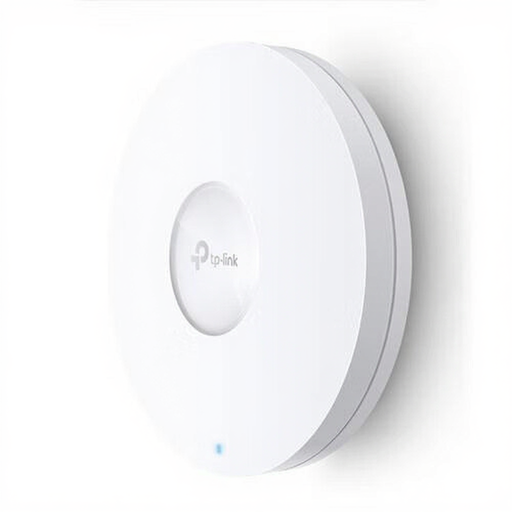 No image available
An access point for a wired connection to your viewing spot; this option is only suitable if you can get a network connection there.
The product information specifies Wi-Fi 6, Ethernet and PoE. Check which power supply and components are included with the model you choose.
Place a repeater somewhere between your router and viewing spot where it still gets a good signal from the router. Don’t automatically put it next to the TV in a dead zone. If possible, use the signal indicator, then test the connection on your playback device.
No. A Wi-Fi 6 label alone doesn’t tell you what connection your TV or streaming device will receive. Check the connection on your playback device and the requirements of the service you use. Netflix recommends 15 Mbps or higher for its own 4K streams; this isn’t a universal requirement for every provider.
Check the operating mode, placement and compatibility with your router. Keep the firmware for your chosen model up to date, and test the connection again where you watch after installation; the exact steps vary by model.
In the Netherlands, statutory warranty applies alongside any manufacturer’s warranty. According to ACM ConsuWijzer, the seller is responsible for providing a suitable solution if the product doesn’t do what you could reasonably expect; this right isn’t automatically limited to the stated manufacturer’s warranty.
Radio equipment must meet the applicable European requirements and carry the correct CE marking. The Dutch Authority for Digital Infrastructure advises against using a device with a missing or incorrect marking and recommends contacting the seller. A CE marking doesn’t prove that Wi-Fi will pass through thick walls in your home.