Start by looking at the connection between your router and your study. A wireless repeater only works where it can still receive Wi-Fi from the router, while a wired access point can avoid having to carry the signal through the wall wirelessly. If you can’t run a cable, mesh and powerline are possible alternatives, but test the connection where you plan to use it in your own home. If other websites work but your study portal doesn’t, check the service or your login details too.
Which solution is right for you?
Student with one room where the Wi-Fi is weak
You mainly want a connection in one fixed location. Check whether there’s a socket between the router and the thick wall where a repeater can still receive Wi-Fi. NETGEAR Support recommends placing it within the router’s range.
Student who can run a cable
You can run a network cable to your workspace and want Wi-Fi there via a wired access point. TP-Link Netherlands lists access point mode for the RE605X and RE705X.
Resident with no way to run a cable
You want to reach more than one area or need an alternative to sending Wi-Fi through thick walls. Mesh or powerline may be suitable, but check router compatibility or test the connection using the sockets you plan to use.
What should you consider when choosing?
| What to consider |
What should you check? |
Who should pay extra attention? |
| Reception near the wall |
Check whether the repeater can still receive Wi-Fi from the router at the chosen midway point. NETGEAR Support suggests starting roughly halfway, within the router’s range. |
If I mainly want to reach one study, I’ll first check whether there’s a suitable spot before the wall. Around 42% of consumers cite range as their main concern when buying. |
| Installation and connection |
Check whether you can run an Ethernet cable and whether your chosen device has access point mode. TP-Link Netherlands lists this mode for the RE605X and RE705X. |
If running a cable is difficult, I’ll want to know whether wireless placement or powerline is feasible. Around 25% of consumers prioritise how practical the installation will be. |
| Multiple rooms and mesh |
Check the exact router model: TP-Link OneMesh requires a compatible OneMesh router, while ASUS AiMesh requires an AiMesh-compatible router. FRITZ! describes mesh functionality with a FRITZ!Box. |
If several rooms need coverage, I’ll want to know whether the units work with my router. Around 17% of consumers prioritise coverage in more areas and router compatibility. |
| Purchase and support |
Check whether you need a complete starter kit and, when buying online, check the applicable cooling-off period with ACM ConsuWijzer. If there’s a fault, ask the seller about your statutory guarantee. |
If I’m unsure how well it’ll work at home, I’ll also consider whether the set is complete and what help is available if something goes wrong. Around 16% of consumers make purchase risk and after-sales support their main concern. |
Common buying mistakes
-
Putting a repeater somewhere with almost no Wi-Fi
The repeater relies on the existing wireless signal to connect to the router. A socket in your study won’t automatically fix a weak connection to the router.
First, find a spot between the router and the room where there’s still reception. If you can’t, look into running a cable or test powerline.
-
Assuming mesh features work with every router
The TP-Link OneMesh, ASUS AiMesh and FRITZ! mesh features described here require compatible routers; they aren’t automatically interchangeable.
Compare the exact make and model of your router with the compatibility information for the mesh feature you want to use.
-
Mistaking a single powerline adapter for a complete set
A new powerline connection may need adapters at both ends. The devolo Magic 2 WiFi 6 next Starter Kit is described as a set containing a LAN adapter and a Wi-Fi adapter.
Check what’s included in the box and test the sockets you actually plan to use. devolo recommends plugging powerline adapters directly into a wall socket, not into a multi-socket adaptor or extension lead.
You may need an extra adapter to connect the router to the mains wiring too.
Brands to compare
TP-Link
According to TP-Link Netherlands, the RE605X and RE705X offer wireless extension and access point mode for a wired connection.
- Both models have a gigabit Ethernet port, according to the manufacturer.
- The OneMesh features described require a compatible OneMesh router. The quoted wireless speeds don’t tell you how the signal will perform behind the walls in your home.
FRITZ!
The FRITZ!Repeater 1200 AX is worth considering if you use a FRITZ!Box or can connect the access point via LAN.
- FRITZ! describes FRITZ! mesh with a FRITZ!Box and lists a gigabit LAN port.
- The mesh functionality described doesn’t prove how well the connection will work in a particular home.
devolo
The Magic 2 WiFi 6 next Starter Kit uses powerline for the connection and provides Wi-Fi from another socket.
- devolo describes the starter kit as a combination of a LAN adapter and a Wi-Fi adapter.
- devolo warns that some sockets can result in low transfer speeds and that electrical appliances can affect the connection.
ASUS
The RP-AX58 is an option to consider if you already have an ASUS AiMesh network or are looking for a repeater.
- ASUS describes AiMesh functionality with an AiMesh-compatible router.
- The brand’s coverage claim doesn’t guarantee reception behind the walls in your home.
NETGEAR
The EAX15 is a wireless extender with an Ethernet port. It’s worth comparing if there’s a spot where it can receive a signal from the router.
- NETGEAR Netherlands lists a gigabit Ethernet port and compatibility with existing Wi-Fi.
- NETGEAR Support recommends placing the extender within the router’s range.
Joybuy products for this situation
These Joybuy products cover mesh Wi-Fi, powerline, wireless extension and a wired access point. Choose the option that suits the connection you can set up and test in your home.
 No image available
TP-Link Deco BE68, 2-pack
Suitable for a setup with multiple mesh points and a wired or wireless connection.
Wi-Fi 7 mesh system with 2 units. Each unit has 10 Gbit/s, 2.5 Gbit/s and 1 Gbit/s ports.
Joybuy
 No image available
TP-LINK TL-WPA7517 KIT
Suitable if running an Ethernet cable to your study isn’t practical and you want to try powerline.
Powerline starter kit with Wi-Fi. Quoted maximum data transfer rate: 1000 Mbit/s. The actual connection also depends on your home’s electrical wiring and the sockets you use.
Joybuy
 No image available
TP-Link Deco X50, 3-pack
Suitable for a mesh setup that provides Wi-Fi in several areas of your home.
Dual-band Wi-Fi 6 (2.4 GHz/5 GHz), 3 units and 3 gigabit Ethernet ports per unit.
Joybuy
 No image available
TP-Link TL-WA801N
Suitable if you want to use access point mode with a cable or consider repeater mode for your existing Wi-Fi.
2.4 GHz, up to 300 Mbit/s and 2 antennas. The product name mentions WPS and Passive PoE.
Joybuy
 No image available
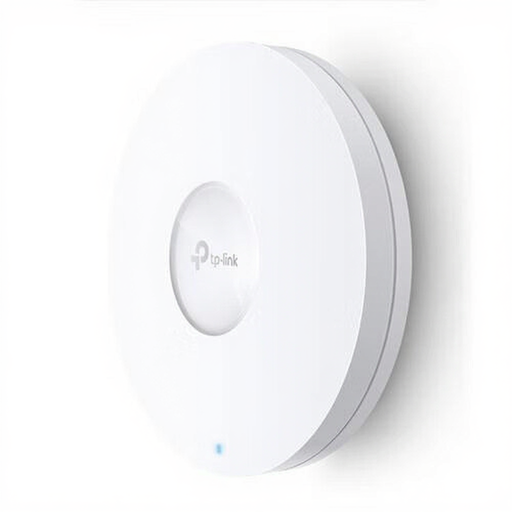
TP-Link Omada EAP620 HD
Suitable for a wired access point setup if you have the right network and power arrangement.
Wi-Fi 6, gigabit Ethernet and PoE. Suitable for wall or ceiling mounting.
Joybuy
Frequently asked questions
Where should I place a wireless repeater?
Place it between the router and your study, somewhere it can still receive Wi-Fi from the router. NETGEAR Support suggests starting roughly halfway; test the connection at your chosen spot before installing the repeater permanently.
Can I get Wi-Fi in my study using a network cable?
Yes, as long as the cable reaches your home network and your chosen device supports access point mode. TP-Link Netherlands lists this mode for the RE605X and RE705X; check the feature for the exact model you’re considering.
Should I plug a powerline adapter into a multi-socket adaptor?
devolo recommends plugging its powerline adapters directly into a wall socket, not into a multi-socket adaptor or extension lead. The manufacturer says electrical appliances can affect data transfer.
What if my internet works but my study portal won’t open?
If other websites work from the same spot, a Wi-Fi booster won’t automatically fix a potential problem with the portal or your login details. Check these separately with the study portal provider.
What purchase and equipment rules apply in the Netherlands?
According to the Dutch Authority for Digital Infrastructure, wireless equipment placed on the market in the Netherlands must meet the applicable radio equipment requirements and carry the required CE marking. ACM ConsuWijzer states that online consumer purchases generally come with a cooling-off period of up to 14 days after delivery. Statutory guarantee rights may also apply if a product doesn’t perform as you could reasonably expect under normal use. Check what applies to your specific purchase.


