
Student with a poor signal in the room where they watch
You attend live classes in a room where Wi-Fi drops out behind thick walls, and want to check whether a cable or an extra Wi-Fi point would suit your situation.


First, check whether the connection is already dropping out at the router or mainly at the place where you attend your lecture: a new router won’t fix a problem with your incoming internet connection. If Wi-Fi drops out mainly behind thick walls, choose a wired access point or mesh with ethernet backhaul where possible. Without a network cable, wireless mesh and powerline backhaul depend on the signal between the points and conditions in your home, as TP-Link and ASUS explain.
You attend live classes in a room where Wi-Fi drops out behind thick walls, and want to check whether a cable or an extra Wi-Fi point would suit your situation.
You can’t run an ethernet cable to your study area and want to know where a wireless mesh point can still get a connection, or whether powerline could be an alternative.
You want to keep your existing connection and find out in advance how to connect a mesh system or access point to it.
First work out where the connection drops out, then decide how to connect the extra point to your existing network.
Choose this if: you can run a network cable to the extra point.
Trade-off: you’ll need a cable and installation, but the connection between the points won’t have to travel wirelessly through thick walls.
Choose this if: running a cable isn’t possible, but you can place the extra point somewhere with a usable signal.
Trade-off: the connection between the points still depends on their position and any obstacles.
Consider this if: walls are interfering with the wireless connection between mesh points and you can use a suitable powerline model.
Trade-off: performance depends on your home’s electrical wiring, so you’ll need to test it there.
| What matters | What to look for | Who is this important to? |
|---|---|---|
| Connection where you watch | Compare the connection by the router with the one where you attend your class. Check the placement and obstacles before relying on a router’s higher advertised speed. | I want to follow the video and audio during a live lecture in the room behind the thick walls; around 36% of consumers prioritise reliable reception in that spot. |
| Connection between the points | First check whether ethernet is an option. If not, see whether you can place an extra point somewhere with a signal, and only look into powerline with suitable models. | If the points have to connect wirelessly, I want to know whether the extra point itself will still get a usable signal; around 29% of consumers prioritise the connection between the router and Wi-Fi point. |
| Compatibility with existing equipment | Check that the system can work with your existing modem or router, and which operating mode suits your network. | I want to keep my internet provider’s router and know in advance how the new Wi-Fi equipment will connect to it; around 21% of consumers make this their top priority. |
| Costs and maintenance | Factor in the number of points you’ll need, any cabling and maintenance support, not just the Wi-Fi generation. | I want to know how much equipment and maintenance my setup will require before I choose; around 14% of consumers prioritise these costs and maintenance. |
The Wi-Fi version alone doesn’t tell you how well the connection will work behind thick walls. The Dutch Consumers’ Association also points to the test environment and how you use the equipment as relevant factors.
First work out where the connection drops out, then compare solutions that can improve it all the way to that spot.
The extra point needs to maintain its own connection to the network. If the signal is already almost gone, placing a point there doesn’t guarantee a better connection.
Test a spot where the point can still receive a signal. If cabling is an option, check whether the equipment you choose supports ethernet backhaul.
TP-Link lists powerline backhaul as an option, but the result depends on the electrical wiring in your home.
Check the exact model and test the connection where you attend your lecture.
If the connection isn’t up to scratch, exchanging the product or reinstalling it could take extra effort.
TP-Link describes Deco models for mesh setups, including options with ethernet backhaul and the Deco PX50 with powerline backhaul.
ASUS describes the ZenWiFi XD5 as a multi-point system that supports ethernet backhaul when network sockets are available.
FRITZ! describes the FRITZ!Repeater 1200 AX as an addition to an existing router; with a FRITZ!Box, it can be part of FRITZ!Mesh.
These product options cover extending your network through the mains, mesh and wired access points. For the specific radio equipment on offer, check for the CE marking: the Dutch Authority for Digital Infrastructure states that equipment sold in Europe must meet the applicable requirements and carry a CE marking.
 No image available
An option for extending Wi-Fi through your home’s electrical wiring when you can’t run a network cable to the room where you watch; you’ll need to see how well it works in your home.
Product type in the name: powerline adapter starter kit.
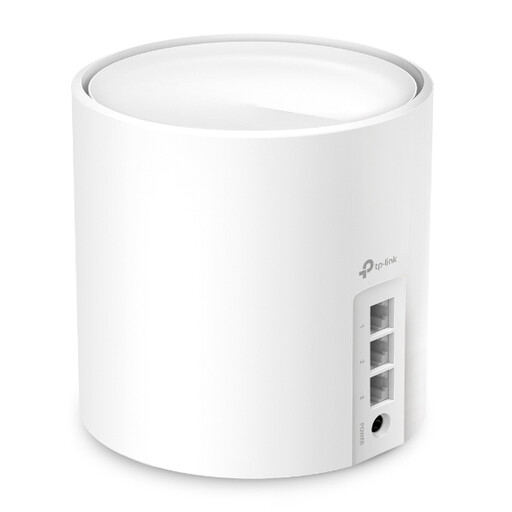 No image available
A mesh option to consider if you can connect the points to each other using cables; check that this version suits the pack and connection you need.
The product name lists AX3000 and WiFi 6.
 No image available
A mesh system with three points to consider if you need Wi-Fi in several rooms; check in advance how the points will connect to your existing network.
The product name lists Tri-Band and Wi-Fi 6E (2.4 GHz/5 GHz/6 GHz).
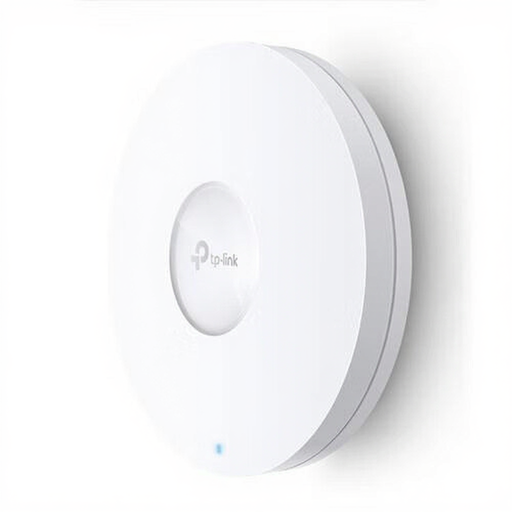 No image available
A wired access point to consider if you can run a cable to the location you want; check what power supply and connection your setup requires.
The product name lists 1201 Mbit/s and Power over Ethernet (PoE).
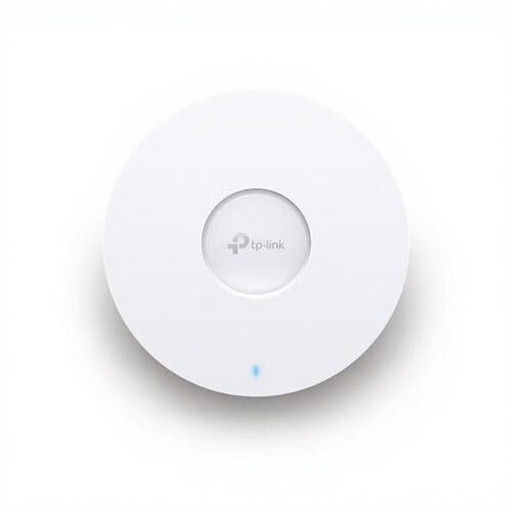 No image available
A wired access point to consider if you can run a cable to the location you want; check what power supply and connection your setup requires.
The product name lists 5400 Mbit/s and Power over Ethernet (PoE).
No, not always. TP-Link explains how to connect Deco behind an existing modem or ONT. If you do want to replace your provider’s equipment, check with your provider to find out which network settings you’ll need; the ACM explains your choice of using your own equipment and the conditions that apply.
Place it somewhere it can still connect to the existing network, then check the reception where you watch. Placing a point behind the same problem walls, where there’s already hardly any signal, is no guarantee; with ethernet backhaul, the connection between the points isn’t wireless.
According to the Dutch Authority for Digital Infrastructure, Wi-Fi is licence-exempt if you use the designated frequencies and follow the conditions of use. Licence-exempt doesn’t mean the connection is guaranteed to be free from interference.
For the specific radio equipment, check that it carries the CE marking and meets the applicable requirements; the Dutch Authority for Digital Infrastructure explains the requirements for equipment sold in Europe. Keep your network equipment up to date. For online consumer purchases, you generally have a statutory 14-day cooling-off period after delivery, subject to exceptions as explained by ACM ConsuWijzer.