First, use an Ethernet cable at the router to measure your upload speed, then compare it with a measurement at your workspace: a Wi-Fi access point won’t fix a slow internet connection. If the Wi-Fi signal is weak through the walls, choose a wired access point or mesh node if you have cabling available. Without a cable, a repeater placed where the router signal is good, or a powerline adapter with Wi-Fi, could be an alternative—but test the connection at home. The Consumers’ Association recommends a wired speed test to help identify whether Wi-Fi is the cause.
Who is this guide for?
Portfolio creator with access to cabling
You want to upload large files from a workspace behind thick walls and can run an Ethernet cable to a Wi-Fi access point. The Consumers’ Association and TP-Link Netherlands describe wired connections as an option when walls weaken the Wi-Fi signal.
Portfolio creator without an Ethernet cable
Your Wi-Fi connection is weak at your workspace, and you want to weigh up whether a repeater placed part-way between the router and your workspace, or a connection through a power socket, is right for you. NETGEAR Support explains that a repeater itself needs to be within range of the router; devolo Netherlands describes powerline as an alternative that uses your home’s electrical wiring.
Uploader who wants to identify the cause first
You want to find out whether Wi-Fi or the internet connection itself is limiting your upload speed before choosing extra equipment. The Consumers’ Association recommends using an Ethernet cable to check.
What should you look for when choosing?
When uploading portfolio files through thick walls, first establish whether Wi-Fi or your internet connection is the limiting factor. The Consumers’ Association recommends measuring the speed with a wired connection at the router.
| What to consider |
What to look for when buying |
Who is this most relevant to? |
| Connection to your workspace |
Check whether an Ethernet cable is available and whether your chosen model has an access point or Ethernet backhaul mode. |
If I can run a cable to or beyond the thick wall, I want the connection between the devices not to rely on Wi-Fi passing through the wall. Around 36% of consumers say a wired connection is their top priority. |
| Extending your wireless network |
Look for a socket part-way between the router and your workspace where the repeater can still receive a usable router signal; check the mesh requirements for your router. |
If I don’t want to run a cable, I need a spot where a repeater can still receive a good signal from the router. Around 29% of consumers say extending their network without an Ethernet cable is their top priority. |
| Powerline with Wi-Fi |
Check what’s included in the kit and test the adapters in the sockets you plan to use. |
If the Wi-Fi signal between the devices is too weak through the walls and running a cable isn’t practical, I want to be able to try a connection over the mains wiring. Around 21% of consumers say this is their top priority. |
| Cause of slow uploads |
Compare the upload speed measured with a wired connection at the router with a measurement at your workspace. |
If I don’t know whether Wi-Fi or my internet connection is limiting uploads, I want to identify the difference before buying equipment. Around 14% of consumers say finding the cause is their top priority. |
Common buying mistakes
-
Placing the repeater straight behind the thick wall
A repeater needs a usable connection to the router where it is placed. If it’s in a spot where the signal is already weak, the connection to the repeater itself could continue to limit your upload speed.
First, try a spot part-way between your workspace and the router, within the router’s range. If you can’t get a good connection there, look into a wired connection or powerline.
Placing it in the wrong spot could mean you have to keep moving it, or that you buy something that doesn’t improve your connection.
-
Assuming the stated Wi-Fi or powerline speed is the same as your upload speed
Your actual upload speed also depends on the connection at your location and your internet package. A product’s stated speed won’t tell you how quickly your portfolio will upload there.
Compare wired and wireless speed measurements, then test your chosen setup at your workspace.
-
Assuming every repeater automatically creates a mesh network
According to TP-Link, the TP-Link RE550’s OneMesh feature requires a compatible OneMesh router. Standard Wi-Fi extension and a brand-specific mesh system are not the same thing.
Check the requirements for the exact model and your existing router before relying on this feature.
You may need to replace other equipment to get the mesh feature you want.
Brands to consider
TP-Link
TP-Link’s range includes the RE550 repeater and Deco PX50, which the manufacturer says uses a powerline connection between Deco devices. The right option for you will depend partly on the cabling and power sockets available.
- According to TP-Link, the RE550 has a signal indicator and access point mode.
- According to TP-Link, the RE550’s OneMesh feature requires a compatible OneMesh router. Its stated Wi-Fi speed doesn’t tell you what upload speed you’ll get at your workspace.
FRITZ!
The FRITZ!Repeater 1200 AX is an option if you’re looking for a repeater that can also connect to a router via LAN.
- According to FRITZ!, this model has one gigabit LAN port and can also be used with other routers.
- Automatic transfer of FRITZ!Box settings applies when used with a FRITZ!Box. Its stated combined Wi-Fi speed is not a measurement of your upload speed.
devolo
The Magic 2 WiFi 6 next Starter Kit is designed for a Wi-Fi access point that connects to another device through your home’s electrical wiring.
- According to devolo, the starter kit contains two adapters and the Wi-Fi adapter has two gigabit ports.
- devolo warns that sockets and electrical appliances can affect powerline transmission. Test the setup at home.
ASUS
The ZenWiFi XD5 is a mesh option if you want to use multiple devices and Ethernet is available between them.
- According to ASUS, the XD5 supports Ethernet backhaul.
- According to ASUS, you need compatible devices to benefit from Wi-Fi 6. Stated coverage doesn’t guarantee a signal throughout a home with thick walls.
Joybuy products for this situation
This selection focuses on mesh and access point setups with wired options, as well as powerline Wi-Fi for a workspace behind thick walls.
 No image available
TP-Link Deco BE68 2-Pack
A good option if you’re considering a mesh system with wired or wireless connections between the devices.
Pack of 2; the description mentions Wi-Fi 7 mesh and hybrid wired and wireless backhaul.
The stated port speeds don’t predict the upload speed you’ll get at your location.
Joybuy
 No image available
TP-Link TL-WPA7517 KIT Powerline Starter Kit
A good option if you want Wi-Fi at a second point and want the connection between the devices to run over your existing electrical wiring.
Powerline adapter starter kit with Wi-Fi; the description says it uses existing electrical wiring.
Joybuy
 No image available
TP-Link Deco X50-POE 2-Pack
A good option if you’re looking for a mesh system with wired connection options at each device.
Pack of 2; dual-band (2.4 GHz/5 GHz), Wi-Fi 6, PoE support and two Ethernet ports per unit.
Joybuy
 No image available
TP-Link TL-WA801N Access Point
A good option if you’re looking for an access point or considering the stated range extender mode.
2.4 GHz; up to 300 Mbit/s; two antennas, WPS and Passive PoE.
The maximum connection speed is not a guaranteed upload speed.
Joybuy
 No image available
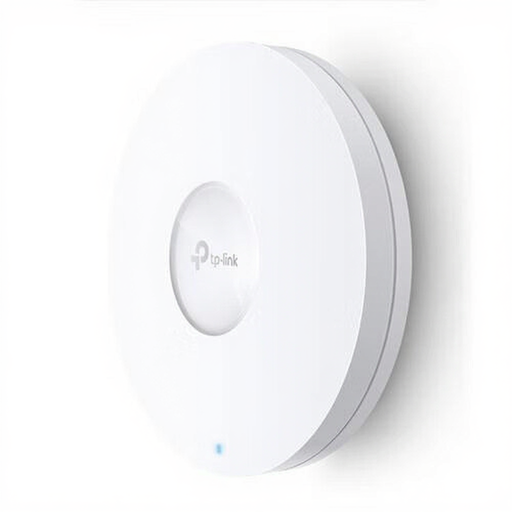
TP-Link Omada EAP620 HD
A good option if you’re looking for a wired access point for a spot where ceiling or wall mounting is suitable.
Wi-Fi 6 access point with dual-band, Ethernet, PoE and ceiling or wall mounting.
Joybuy
Frequently asked questions
Will a Wi-Fi booster help if my portfolio uploads slowly even next to the router?
Not necessarily. First, test the connection at the router using an Ethernet cable. If the result is still poor, look into your internet connection or contact your provider before buying an extra Wi-Fi access point. The Consumers’ Association recommends a wired speed test.
Where should I place a wireless repeater?
Place the repeater part-way between your workspace and the router, still within the router’s range. Check the connection there. If a thick wall weakens the connection between the router and repeater, try another spot.
How do I check a powerline setup after installation?
Test the adapters in the sockets you actually plan to use. devolo recommends plugging its adapters directly into a wall socket where possible, and warns that electrical appliances can affect transmission.
What costs and rights should I bear in mind when buying a kit online?
Check which devices are included in the kit and whether your setup will need any additional equipment. According to ACM ConsuWijzer, when you buy a product online in the usual way, you generally have a statutory cooling-off period of up to 14 days after delivery. Check whether any exceptions apply to your purchase.
What Dutch regulations apply to a Wi-Fi booster?
Wi-Fi boosters are radio equipment and must meet the applicable European requirements. According to the Dutch Authority for Digital Infrastructure, the manufacturer applies the CE mark after carrying out a conformity assessment. The RDI states that the applicable cybersecurity requirements under RED 3.3 have applied since 1 August 2025; which requirements apply depends on the device.


