
Watching and working at the same time
You want to stream a documentary while others are using the same internet connection. Look at the connection on your devices and the ports available, not just the speed figure on the router.


Choose based on Wi-Fi reception where you watch and in your shared workspace. If one well-positioned access point reaches both areas, a single router may be enough. If reception is weak in several rooms, mesh or a wired access point could be a more targeted solution. Also check the connection on your playback device, how many people use the network at once, and how the new equipment connects to your existing modem. An advertised Wi-Fi speed is no guarantee of uninterrupted streaming.
You want to stream a documentary while others are using the same internet connection. Look at the connection on your devices and the ports available, not just the speed figure on the router.
Your viewing area and shared workspace are some distance apart, and Wi-Fi is weak in at least one of them. Compare whether repositioning an access point, using mesh or running a cable is right for your home.
You share your network with others and want to manage guest access and updates without losing sight of coverage.
Start by finding out where the connection is falling short. Only then decide between a new router, extra access points or cabling.
Choose this when: your viewing area and workspace are within range of one well-positioned access point.
Bear in mind: one router won’t automatically fix weak reception in rooms further away.
Choose this when: your measurements show weak Wi-Fi in several areas of your home.
Bear in mind: nodes need to be positioned carefully and require a power supply. Also check whether you can connect the nodes via Ethernet.
Choose this when: your current router and internet connection meet your needs, but a fixed TV, work computer or another area needs a connection.
Bear in mind: this option requires a suitable cable route and may need an additional access point.
| Concern | What to look for when buying | Who is this important for? |
|---|---|---|
| Streaming and working at the same time | Test the connection on your playback device, including while your workspace is active. Netflix Help Center recommends a stable download speed of at least 15 Mbps for one 4K UHD stream. Check the requirements for your service and picture quality. | If I’m also using the same connection for work while watching, I want to know what’s available on my devices. Around 36% of this group prioritise streaming and working at the same time. |
| Coverage in both areas | First, test reception where you watch and work. If you’re considering mesh, check where the nodes can go and whether suitable nodes can be connected via Ethernet. | If my viewing area and workspace are in different rooms, I want to know whether one access point will be enough or whether I need another. Around 29% of consumers prioritise coverage in multiple areas. |
| Access and management | Check whether the exact model offers a guest network that restricts access to the local network, and how firmware updates are managed. | If other people use my network, I want to manage guest access and maintain the router. Around 21% of this group prioritise network management and shared access. |
| Connection and installation | Check the WAN and LAN ports, the settings on your existing modem or provider-supplied device, and whether your chosen solution can operate in router or access point mode. | If I want to keep my existing equipment, I only want to replace what’s necessary for my connection. Around 14% of consumers prioritise easy installation and avoiding unnecessary equipment. |
The stated speed for a Wi-Fi band doesn’t tell you what the connection is like where you watch. Streaming services set requirements for the connection on your playback device.
Test the connection where you watch and check the requirements for your chosen streaming service and picture quality before choosing a solution.
Where you position the nodes and whether the system is set to router or access point mode determine how they connect. TP-Link describes different cabling options for these modes.
Decide where each node will go in advance and whether you can use an existing Ethernet cable. Your chosen setup may require extra cabling or equipment.
According to the product description, the FRITZ!Box 4060 is designed to work with an existing fibre, cable or DSL modem. A standalone router won’t automatically replace the device that handles your provider’s connection.
Before buying, check which equipment you’ll keep and which WAN connection and settings you’ll need.
The Archer AX55 is a standalone Wi-Fi 6 router, while the Deco X50 is a mesh system with multiple nodes. They’re different types of setup, not interchangeable models.
The FRITZ!Box 4060 is a standalone Wi-Fi 6 router worth comparing if you already have a modem and also want to assess wired connections.
The RT-AX58U is a Wi-Fi 6 router worth comparing if management features for a shared workspace matter to you.
These product picks include standalone routers and mesh systems for streaming and working in one or more areas. For a specific router model, check that it carries the required CE marking. According to the Dutch Digital Infrastructure Inspectorate, radio equipment placed on the market in the Netherlands must meet the applicable European requirements and carry a CE marking.
 Image unavailable
This two-unit mesh setup is designed to provide Wi-Fi in multiple areas. Before buying, check where the units can go and how they’ll connect to each other.
The product description lists tri-band Wi-Fi, MLO and wired or wireless backhaul.
Each unit is listed with 10 Gbps, 2.5 Gbps and 1 Gbps WAN/LAN ports.
 Image unavailable
The three mesh nodes are suited to a setup covering multiple areas. Check where to position them and whether you can connect the units by cable.
The product description lists Wi-Fi 6, OFDMA and three gigabit ports per unit.
 Image unavailable
This standalone dual-band Wi-Fi 6 router is worth considering if one access point can reach both your viewing area and workspace.
The product description lists four gigabit Ethernet ports, OFDMA and MU-MIMO.
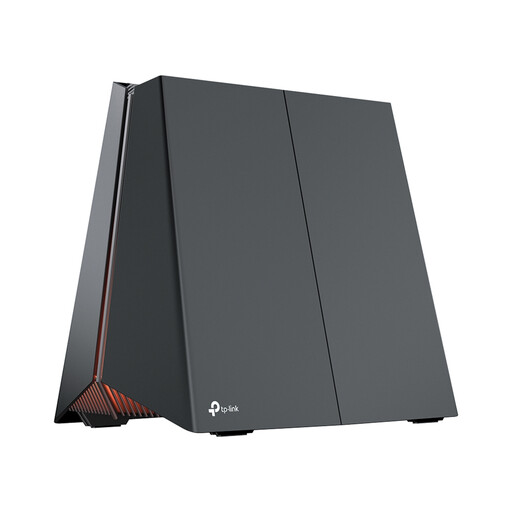 Image unavailable
This router offers Wi-Fi and wired connections. Compare its ports with the devices and internet connection you plan to use.
The product description lists tri-band Wi-Fi 7, MLO and QoS.
It lists one 5 Gbps WAN port and three 2.5 Gbps LAN ports.
 Image unavailable
This three-unit mesh system is an option for Wi-Fi in different areas. Before installation, check what kind of PoE setup you’ll need.
The product description lists Wi-Fi 6, PoE, QoS, guest access and two Ethernet ports per unit.
Test the connection on the device you watch on, preferably while your workspace is also using the internet. Netflix Help Center recommends a stable download speed of at least 15 Mbps for one 4K UHD stream. Also check the requirements for your streaming service and picture quality.
Yes, with a system that can operate in access point mode. TP-Link lists this mode for the Deco X50. Check the right mode and cabling route for your setup, as connection requirements may vary.
Yes. ACM ConsuWijzer says you’re allowed to choose your own router. Check which settings you’ll need to use the equipment with your provider’s connection.
Check that the specific model has the required CE marking and keep your router up to date. VeiligInternetten recommends changing default passwords and, where possible, setting up automatic updates.
In the Netherlands, statutory guarantee applies: with normal use, a product should last for as long as you could reasonably expect. ACM ConsuWijzer says to contact the retailer; the outcome depends on the product and the circumstances.