
Parents who want to manage what gets played
You want to start children’s songs easily and decide which account and content can be accessed. Check the music service and speaker settings separately.


If you don’t already have an audio system, a complete network speaker is a sensible place to start. If you have active speakers or an amplifier, a separate streamer may be enough, while passive speakers without an amplifier need a streaming amplifier. Before buying, check that your music service and child’s account will work with your chosen setup. Bear in mind that product specifications can’t guarantee that music will be equally easy to hear everywhere in your open-plan flat.
You want to start children’s songs easily and decide which account and content can be accessed. Check the music service and speaker settings separately.
You want to hear music where the family gets together, without buying several devices straight away. The best placement and whether you need an extra listening spot will depend on your layout.
You want to use your current audio equipment to play music over your network. First check whether your speakers are active or passive and whether you already have an amplifier.
Choose this option if: you want to play music from a phone and don’t already have speakers. Sonos lists Wi-Fi, Bluetooth and AirPlay 2 for the Era 100 SL; Denon describes the Home 150 NV as a HEOS speaker without microphones.
Bear in mind: an extra listening spot may require a second compatible device. Even without built-in voice control, the account settings for your music source still matter.
Choose this option if: you already have an amplifier or suitable active speakers. WiiM lists AirPlay 2 and Spotify Connect for the Mini; the manual explains how to connect it to existing audio equipment.
Bear in mind: the streamer doesn’t produce sound in the room by itself. Check which input is available and what cable you need; this option won’t work for passive speakers without an amplifier.
Choose this option if: you want to use passive speakers but don’t have an amplifier yet. WiiM specifies that the Amp is for passive speakers.
Bear in mind: you’ll also need space and suitable connection cables. The stated electrical power ratings don’t tell you how loud music will sound in your flat or how far it will carry. WiiM lists AirPlay 2 for the Amp, but not for the Amp Pro.
| Consideration | What should you check? | Who is this important for? |
|---|---|---|
| Content controls | Test the account you intend to use and your chosen playback method. Spotify explains managed accounts and separate settings for explicit content. | I want my child to be able to start the intended songs without other content being freely accessible. Around 33% of consumers put control over children’s songs and content first. |
| Listening spots | Decide where you listen and check whether the chosen system can group speakers or adjust their volumes individually. | I want to hear music in the places where we sit in our open-plan space, but don’t want to buy several devices straight away. Around 27% of consumers put speaker placement and listening spots first. |
| Existing speakers | Check whether you have an amplifier, which inputs are available and whether your speakers are active or passive. | I want to keep using my current speakers and find out first whether a separate streamer will be enough. Around 20% of consumers put reusing existing speakers first. |
| Music app | Check support for the exact model and whether your chosen app can use your account with that playback method. | I want to keep using my usual music app and avoid finding out after buying that my account doesn’t work as expected. Around 20% of consumers put music app compatibility first. |
According to the manufacturer, the WiiM Mini is designed to connect to existing audio equipment; it isn’t itself a speaker that plays sound in the room.
Before buying, check what speakers, amplifier and connections you already have. Passive speakers without an amplifier need a suitable amplifier.
Spotify describes content settings at account level. These are separate from the speaker settings.
Test the account that will actually be used on the speaker and check the terms of the relevant music service.
IKEA Netherlands reported that the SYMFONISK range has not been available since 1 January 2026. So an older buying guide doesn’t necessarily point to products that are still on sale.
Assess any second-hand model separately and check what support is available for it.
The Era 100 SL is a complete speaker without built-in voice control, designed for anyone starting out without an existing setup.
The Home 150 NV is a HEOS speaker for a complete playback setup, without built-in microphones or voice assistants.
The Mini is a streamer for existing audio equipment; the Amp is a streaming amplifier for passive speakers.
The PULSE FLEX is a complete BluOS speaker; the NODE is designed as a source for an amplifier or active speakers.
Joybuy product options for speakers in this listening scenario. Check for each model that the stated playback method works with your music service and account.
 No image available
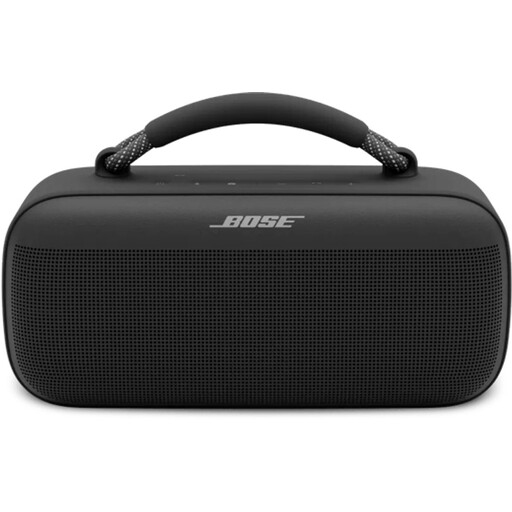
The product name describes this model as a Bluetooth speaker. The product information lists Spotify Connect, AirPlay and control via a mobile app; check that your preferred account and playback method will work.
 No image available
This is a complete speaker for anyone who isn’t looking for a separate streamer. The product information lists Wi-Fi, AirPlay 2, multi-room synchronisation, and USB and AUX inputs; the product name states 60W. Check that your chosen account and app work with your preferred playback method.
You do with a separate WiiM Mini: according to the manual, you connect it to existing amplified audio equipment. A complete network speaker produces sound itself; passive speakers without an amplifier need a suitable amplifier, such as the WiiM Amp, which is specified for passive speakers.
Set up the music source you use and, where available, the speaker separately. Spotify describes settings for managed accounts and explicit content. For the parental controls described by Google, you need, among other things, a managed child account in the family group and the child as a member of the Google Home household. Check that the feature works with your device and playback method.
Check your privacy settings and secure your accounts and router. The Dutch Data Protection Authority also recommends regularly updating connected devices. A microphone mute button, if your model has one, is a separate device feature and doesn’t replace these steps.
Compare the cost of the complete setup, including any speakers, adapter or music service; there’s no fixed total cost for every option. According to the Dutch government, consumers buying at a distance generally have a 14-day cooling-off period. When you buy a product, you’re entitled to a legal guarantee; check the terms that apply to your specific purchase.
The Dutch Authority for Digital Infrastructure states that radio equipment placed on the EU market must meet the applicable requirements and that equipment must carry the CE marking. Check the marking and product information for the exact model.