
Housemates whose rooms are out of Wi-Fi range
You want to know whether one centrally positioned point will be enough, or whether rooms elsewhere in the house need extra Wi-Fi points.


A centrally positioned Wi-Fi 6 router may be enough if it reaches the rooms you use. If rooms are separated by walls or floors, several Wi-Fi points may be a better option. Choose wireless mesh if running cables isn’t practical, or wired access points if suitable Ethernet cables are already in place. Also check your internet connection, what equipment you’ll need and the exact product version: advertised Wi-Fi speeds don’t guarantee performance in a shared student house.
You want to know whether one centrally positioned point will be enough, or whether rooms elsewhere in the house need extra Wi-Fi points.
You share the connection for activities such as studying, streaming and gaming, and want to weigh up what the router can do without confusing Wi-Fi speed with internet speed.
You arrange the connection and look after the equipment, so you want to know in advance what equipment, cabling and settings the setup will need.
A good fit if: a centrally positioned point reaches the rooms and you want to share one connection.
Bear in mind: walls and floors can weaken the signal; a higher advertised speed won’t automatically solve range problems.
A good fit if: rooms are spread out and you can’t run a network cable to every Wi-Fi point.
Bear in mind: you’ll need several devices, and the connection between the points also needs to work well in your home. TP-Link lists Ethernet backhaul as an option for the Deco X50.
A good fit if: suitable Ethernet cables run to the rooms or floors where you want to put Wi-Fi points.
Bear in mind: an access point such as the UniFi U6+ doesn’t replace a router or gateway; Ubiquiti also says it needs PoE power.
Walls, ceilings and distance can weaken a Wi-Fi signal, so the Consumentenbond recommends checking the connection in the places where you’ll actually use it. The percentages below show which purchasing priority is central to each group in this breakdown.
| What to consider | What should you look at? | Who should pay particular attention? |
|---|---|---|
| Coverage in rooms and on different floors | Test the connection in the rooms you use and check where the modem and router are positioned. Also find out whether Ethernet cabling is an option. | I want to study in my room without the centrally positioned router being out of range. Around 33% of consumers put coverage first. |
| Reliable speeds when several people are online | Check the speed of your internet plan and where any slowdown occurs; also see which Wi-Fi standards your devices support. | If several housemates are video calling, streaming or gaming at the same time, I want to know where the connection slows down. Around 27% of consumers prioritise simultaneous use. |
| Cost and practicality of the setup | Check what your provider already supplies and what routers, extra points, cabling and power the complete setup will need. | I want to know in advance whether the whole installation is practical, not just whether one device will fit. Around 20% of consumers prioritise practicality and the total cost. |
| Management, security and connection | Check your provider’s settings, available updates and whether a guest network is available. For the specific product version, also check the applicable conformity information. | If I manage the shared network, I want to know how the equipment is connected and updated. Around 20% of consumers prioritise management and security. |
Walls and floors can weaken the signal, so the connection may vary from room to room. A higher advertised speed doesn’t automatically mean a router will reach every part of the house.
First, test the connection where housemates use the internet. Then decide whether one router is enough or you need extra Wi-Fi points.
Different versions of a model may have different ports and power requirements. For example, TP-Link lists three gigabit ports for the standard X50, while the product page for the X50-PoE describes a different version.
Before buying, check the full model name, number of points, ports and power supply method.
TP-Link says that Archer and Deco devices won’t work together as one seamless mesh network.
Check that each additional point is compatible with your chosen base system and find out which features the combination supports.
The Archer AX55 is an example of a standalone router, while the Deco X50 is a mesh range with multiple points. They aren’t interchangeable parts of one seamless mesh system.
According to FRITZ!, the FRITZ!Box 4060 is a Wi-Fi 6 router for use behind a modem, with mesh features within the FRITZ! system.
The UniFi U6+ is a Wi-Fi 6 access point designed to work alongside an existing router or gateway.
The Orbi RBK763S is an example of a tri-band mesh system with a router and two satellites.
This selection includes mesh systems with multiple Wi-Fi points and standalone routers for a central setup.
 No image available
A good fit if you want a mesh setup with two units; check the positioning and connection in the rooms where you need Wi-Fi.
 No image available
A good fit if you want to connect rooms spread around the house with a mesh system; this version is a 3-pack with dual-band Wi-Fi 6 (2,4 GHz/5 GHz).
 No image available
A good fit if you’re looking for a standalone router for a central setup; check that it will cover the rooms you use.
Version: dual-band (2,4 GHz/5 GHz) and Gigabit Ethernet.
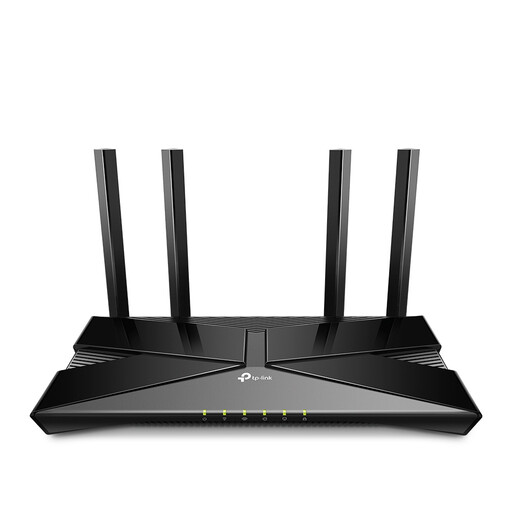 No image available
A good fit if you’re looking for a standalone router for a central setup; consider where the router will be positioned in relation to the rooms.
Version: dual-band (2,4 GHz/5 GHz) with Gigabit Ethernet.
 No image available
A good fit if you’re looking for a mesh setup with three points; check that the planned positioning and connection suit the rooms in your home.
Version: tri-band (2,4 GHz/5 GHz/6 GHz) Wi-Fi 6E.
Not necessarily: depending on your connection, you may be able to use your own router behind the existing modem. The ACM confirms that you’re free to choose your own router; check which provider settings are needed for your connection.
Test the connection in the rooms where you’re having problems. Positioning the router centrally, outside the meter cupboard, may improve coverage; walls and floors can weaken the signal. Then check whether one router reaches the rooms you use or whether you need extra Wi-Fi points.
No. Ubiquiti says the UniFi U6+ needs a router or gateway and uses PoE power. If you’re using several access points, also check which management and roaming features are available for your chosen setup.
Agree who will manage updates and the network, and check what power supply the chosen devices need. Also find out what support is available for the specific brand and model, rather than assuming it’s the same for every device.
Radio equipment newly placed on the market in the Netherlands must meet the applicable requirements of the Radio Equipment Directive and carry a CE mark. Since 1 August 2025, the applicable RED 3.3 cybersecurity requirements have also applied to internet-connected radio equipment, as explained by the Dutch Authority for Digital Infrastructure (Rijksinspectie Digitale Infrastructuur). Check the information for the specific version and hardware revision.