First, test your internet connection using a network cable, then check the Wi-Fi in the places where you take part in seminar calls. If the main issue is coverage on other floors, extra Wi-Fi access points may help. Where possible, connect them with cables; if that isn’t practical, consider wireless mesh. The number of simultaneous calls, the layout of the building and how the system connects to your provider’s router all help determine which set-up is right for you.
Who is this relevant for?
Callers on different floors
You need a reliable connection in workspaces above or below the router. If possible, you can run cables to extra Wi-Fi access points. The Dutch Consumers’ Association recommends using a wired connection for a speed test, while TP-Link explains how Ethernet backhaul connects Deco units.
Users who don’t want to run cables
You want coverage across several floors without installing new cables. If so, check whether the access points have a usable wireless signal between them in their planned locations. ASUS describes both wireless and Ethernet backhaul for the ZenWiFi AX (XT8).
Organisers of simultaneous calls
You want to know whether both your internet connection and Wi-Fi can handle the number of active seminar calls. The capacity you need depends, among other things, on the type of call and the video quality selected.
What should you look for when buying?
Keep your current router
Best if: your wired internet speed is good and Wi-Fi reaches the seminar locations after you adjust its position or settings.
The trade-off: you won’t need to install a new system, but moving the router won’t necessarily fix a weak signal through floors.
Wired Wi-Fi access points or mesh
Best if: you can run network cables to the other floors and your workspaces are spread out.
The trade-off: the access points connect via Ethernet, but running cables and arranging any power supply or switch will take some installation work.
Wireless mesh
Best if: you need extra coverage, running cables isn’t practical, and the access points still have a usable signal between them in their planned locations.
The trade-off: the connection between access points shares the wireless environment with other devices. A model with an extra backhaul band is no guarantee of coverage through floors.
Extend an existing FRITZ!Box
Best if: you already use a compatible FRITZ!Box and want extra coverage on another floor. According to FRITZ!, the FRITZ!Repeater 3000 AX can also connect via LAN.
The trade-off: a repeater extends an existing router; it isn’t a standalone replacement for a modem router.
| What to consider |
What to look for when buying |
Who is this important for? |
| Coverage through floors |
Test every call location and check that the number and placement of access points suit your building’s layout. Advertised coverage isn’t guaranteed in a specific building. |
If I work on different floors, I want to be able to make calls there without having to stay on the floor with the router. Around 36% of consumers prioritise coverage on other floors. |
| Connection between access points |
Check whether the system supports Ethernet backhaul and whether cables, network ports and any required power supplies are available. TP-Link describes wired backhaul for Deco systems. |
I want the Wi-Fi access points to have a usable connection to each other, even when they’re on different floors. Around 29% of consumers prioritise the connection between access points. |
| Simultaneous calls |
Measure your internet connection over a wired connection and work out how many participants will be sending and receiving video at the same time. Compare this with the requirements of your meeting software. |
When several calls are happening at once, I want to know whether both my internet connection and local Wi-Fi can handle them. Around 21% of consumers put this capacity first. |
| Connection and installation |
Check which router or access point modes you need, which network ports are available and how each access point will be powered. For PoE, check that the required power supply suits your set-up. |
I want a system that works with my existing provider’s router and has clear installation requirements. Around 14% of consumers prioritise compatibility and management. |
Common pitfalls
-
Assuming advertised coverage guarantees a signal on every floor
Actual Wi-Fi coverage also depends on building materials, obstacles and where your equipment is placed. A strong connection next to the router doesn’t necessarily mean you’ll get one at a seminar location behind several floors.
Test your intended call locations and the connection between access points before choosing a set-up.
If the signal is too weak in those locations, you may need extra access points or cabling.
-
Connecting an extra router without checking your current set-up
The selected mode determines how a mesh system or additional router works with your provider’s router.
Decide in advance whether your provider’s router will retain its router function and whether the new system needs to operate in access point mode.
Reconfiguring your set-up can take time. Depending on what you need, you may also need additional network equipment.
-
Assuming PoE support means a PoE power supply is included
The fact that a Wi-Fi access point can be powered via Ethernet doesn’t mean the necessary power supply is already in your home or included in the box.
Check what’s included with the specific kit and what power supplies are available before choosing a model.
Installation may require a suitable power supply, cables or additional connection equipment.
Brands to consider
TP-Link
Deco includes mesh systems, and the product information for the Deco X50-PoE mentions a 3-pack and PoE. This may be relevant if you want to spread Wi-Fi access points across different floors.
- According to TP-Link, the X50-PoE V2 we looked at supports PoE and each access point has two 2.5Gbps ports.
- These connection options don’t guarantee coverage or call quality in your home. Also check the hardware version and whether you have the required PoE power supply.
ASUS
The ZenWiFi AX (XT8) is a tri-band mesh system. ASUS describes both wireless and wired backhaul for this model.
- ASUS says the second 5GHz band can be assigned to backhaul, and that Ethernet backhaul is also supported.
- These are features of the model, not independent measurements of performance in a home in the Netherlands. Check the version and connection options.
FRITZ!
The FRITZ!Repeater 3000 AX is an option for extending coverage if you already use a compatible FRITZ!Box.
- FRITZ! lists two gigabit LAN ports and the option to connect the repeater to a FRITZ!Box via LAN.
- The repeater isn’t a standalone replacement for a modem router. Check that it’s compatible with the router you already use.
Wi-Fi products at Joybuy
These product choices focus on mesh Wi-Fi for workspaces in different parts of the home. Features and connection options vary by model.
 No image available
ASUS ZenWiFi BT8 (2-pack), tri-band Wi-Fi 7
A mesh system with two units to spread Wi-Fi across different areas.
Tri-band Wi-Fi 7 (2.4 GHz, 5 GHz and 6 GHz).
View at Joybuy
 No image available
ASUS ZenWiFi BD4, dual-band Wi-Fi 7
A mesh system with a stated wired backhaul option, for a set-up where you can use cables between Wi-Fi access points.
Dual-band Wi-Fi 7 (2.4 GHz and 5 GHz). Before buying, check how you can arrange the cabling and connections in your home.
View at Joybuy
 No image available
Linksys Velop Pro 7, tri-band Wi-Fi 7, 2 nodes
The product information lists two mesh nodes, designed to provide Wi-Fi in different areas.
Tri-band Wi-Fi 7; expansion with compatible mesh devices is mentioned. Check which devices are suitable for expanding the system.
View at Joybuy
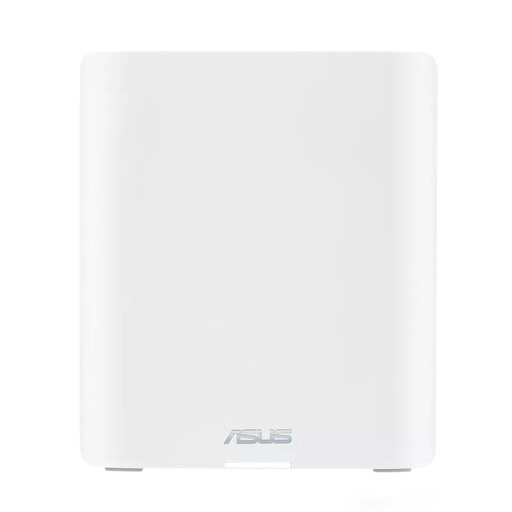 No image available
ASUS ZenWiFi BT10, tri-band Wi-Fi 7
A mesh system that supports expansion with compatible AiMesh nodes.
Tri-band Wi-Fi 7 (2.4 GHz, 5 GHz and 6 GHz); the product information lists Ethernet ports. Check how many connections your set-up needs.
View at Joybuy
 No image available
ASUS ZenWiFi BT10 (2-pack), tri-band Wi-Fi 7
A ZenWiFi mesh system in a 2-pack, for Wi-Fi access points in different locations.
Tri-band Wi-Fi 7; the product information mentions AiMesh expansion. Check which additional nodes are compatible with the set-up you want.
View at Joybuy
Frequently asked questions
Should I upgrade my internet package or buy a new router first?
First, test your internet connection with a computer connected by network cable, then check the Wi-Fi at your seminar locations. The Dutch Consumers’ Association recommends a wired speed test. This helps you tell the difference between an issue with your internet connection and a local Wi-Fi problem.
Can a mesh system work behind my provider’s router?
It can if the system offers an access point mode. TP-Link describes this mode for Deco as a way to add mesh to an existing router. Check the instructions and settings for your specific model and provider’s router.
How much internet capacity do seminar calls need?
It depends on the type of call and your video settings. Zoom recommends a download speed of around 600 kbps for webinar attendees when panellists have their video on. Follow the guidance that suits your role and the type of call.
Can I use my own router in the Netherlands, and do I need a licence for Wi-Fi?
ACM ConsuWijzer explains that you can choose your own router, but notes that this isn’t always the case, so check your provider’s terms. The Dutch Authority for Digital Infrastructure says that Wi-Fi can be used without a licence on designated frequencies, subject to the conditions of use, including for business purposes. This doesn’t mean interference can’t occur.
What should I look for in a router’s CE marking?
Check the version that’s actually being supplied. The Dutch Authority for Digital Infrastructure describes CE marking as a requirement for radio equipment that meets the applicable European requirements and is placed on the market in the EU. The marking doesn’t tell you whether the Wi-Fi will provide enough coverage in your home.


