
Vandaag of morgen in huis

Kwaliteit gegarandeerd

Welkomstaanbiedingen ontgrendelen: GRATIS bezorging | Tot 80% korting | Gratis 30 dagen JoyPlus-proefperiode
Download de app
Peace of mind at home is priceless. Whether you want to see who's at the door, keep an eye on your children or pets, or simply secure your property when you're away, a Wi-Fi security camera offers an accessible solution. However, the market is vast, and the specifications can be overwhelming.
This article serves as a practical guide. We cut through the marketing jargon and focus on what truly matters for most households: ease of use, clear features, and excellent value for money, preferably without mandatory monthly fees.
Before making a choice, it's helpful to consider a few key points. This will help you find the camera that fits your specific situation.
The camera's location is the first and most important decision. An indoor camera is designed for use inside the home and is not resistant to moisture or extreme temperatures. An outdoor camera, on the other hand, must be able to withstand the elements. Pay close attention to the IP rating. For example, a camera with an IP66 rating is dust-tight and protected against powerful water jets, making it suitable for most outdoor conditions.
Naturally, you want to see clearly what's happening. A resolution of 2K (approximately 3 megapixels) is now a great standard that delivers sharp and detailed images. Additionally, good night vision is essential. Many cameras use infrared LEDs for black-and-white images in the dark. Some advanced models also offer colour night vision, often activated by a built-in spotlight upon detecting motion.
This is a crucial point for those looking to keep costs down. Many people specifically search for a security camera without a subscription. These models store footage locally on a microSD card. You purchase the card once and have no recurring monthly fees. Most cameras offer cloud storage as an optional, paid service for those who want extra security. Always check if local storage is an option if you want to avoid subscription costs.
Based on the criteria above, we've highlighted a few popular choices for you. These cameras offer a combination of modern features, ease of use, and the option for local storage.
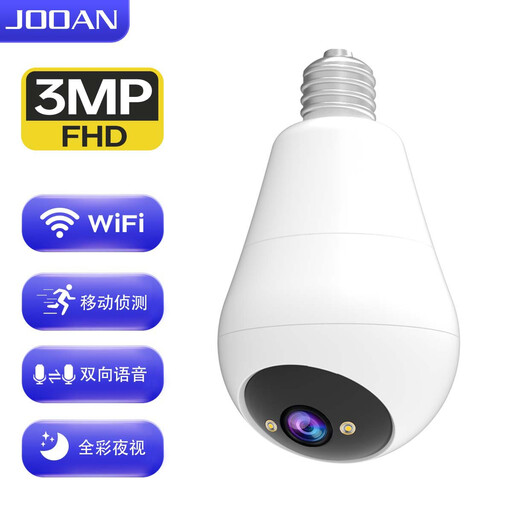
Why It Stands Out: This is a clever combination of a light bulb with a camera. You simply screw it into an existing E27 light socket, making installation a breeze. No fuss with cables or drilling.
Key Features:
Who Is It For? Ideal for renters or anyone looking for a discreet indoor camera without any drilling. Perfect for monitoring a living room, hallway, or nursery.
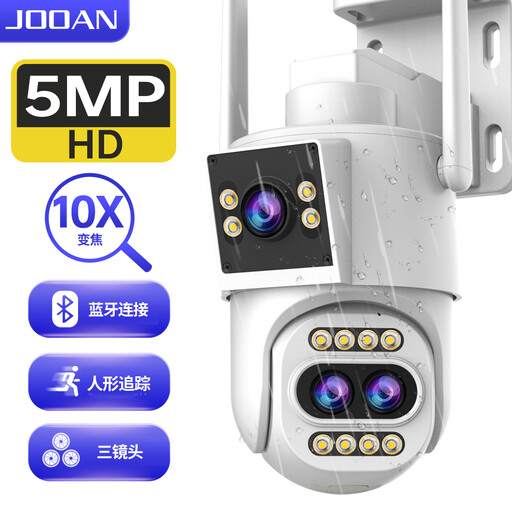
Why It Stands Out: This outdoor camera takes things a step further with a triple lens and 10x optical zoom. This allows you not only to survey a wide area but also to zoom in on distant details without losing quality.
Key Features:
Who Is It For? Suitable for homeowners with a larger property, such as a garden, driveway, or backyard. The zoom function is ideal for those who want to monitor specific spots, like a gate or shed, with precision.
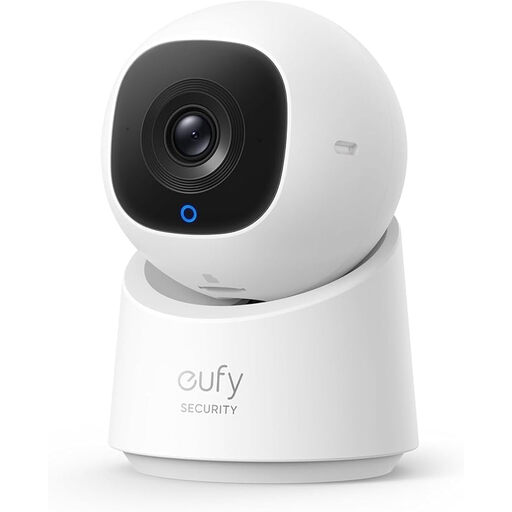
Why It Stands Out: This smart camera from eufy excels in intelligence and privacy. Its built-in AI can distinguish people from other movements, and the privacy mode retracts the lens with a single tap.
Key Features:
Who Is It For? An excellent choice for those looking for an IP camera to monitor pets or children. The smart features and focus on privacy make it highly suitable for indoor use.
The world of security cameras is broad and diverse. If the models above don't quite meet your needs, there are plenty of other options with different specifications and for various budgets.
Explore more essential security cameras
1. Do I need a subscription for a Wi-Fi security camera? No, it's not always necessary. Many cameras, including the models mentioned above, offer the option for local storage on a microSD card. This means you can record and review footage without monthly subscription fees. Cloud storage is often an optional, paid service for those who want to store footage externally.
2. How do I install a Wi-Fi security camera? Installation is usually simple and designed to be DIY-friendly. The process typically involves the following steps:
3. What is the difference between an IP camera and a Wi-Fi camera? An IP camera (Internet Protocol camera) is a digital camera that sends and receives data over a computer network and the internet. A Wi-Fi security camera is simply a type of IP camera that connects to your network wirelessly. In practice, the terms are often used interchangeably for cameras that you can view via an app on your phone.
