
Vandaag of morgen in huis

Kwaliteit gegarandeerd

Welkomstaanbiedingen ontgrendelen: GRATIS bezorging | Tot 80% korting | Gratis 30 dagen JoyPlus-proefperiode
Download de app
A wifi security camera provides peace of mind. Whether you want to see who's at the door, keep an eye on your children or pets, or simply know your home is secure when you're away. The market, however, is flooded with options, specifications, and marketing terms. This can make choosing the right one unnecessarily complicated.
As a Joybuy Product Recommendation Officer, my job is to help you make the right choice. In this article, we'll cut through the noise and focus on what really matters. We will discuss the key considerations and highlight a few popular choices that suit various situations in and around the modern home.
Before making a decision, it's helpful to consider a few practical factors. This will help you find a camera that truly fits your needs.
The most obvious question is where you want to place the camera. An indoor security camera has different features than an outdoor security camera.
How is the camera powered? This is a crucial factor in determining where you can place it.
wireless camera runs on a rechargeable battery. This gives you complete freedom in placement, without the hassle of cables.solar-powered camera is an excellent solution. A small solar panel ensures the battery is continuously recharged.Naturally, you want to see clearly what's happening. Therefore, pay attention to the resolution and performance in the dark.
camera with night vision is essential. Most models use infrared LEDs for black-and-white images in the dark. Some more advanced cameras offer 'Color Night Vision' or 'Starlight' sensors, which can display images in color even in very low light.Based on specifications and functionality, we have selected a number of TP-Link Tapo cameras that offer a great balance of price, ease of use, and performance.
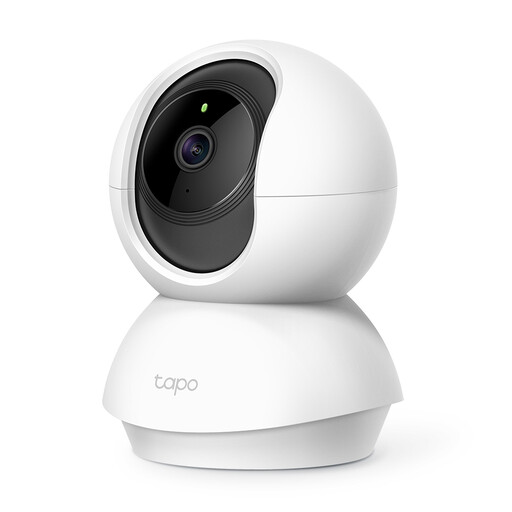
Why it stands out: The Tapo C210 is a versatile ip camera for indoor use. Its pan and tilt function, which allows the camera to rotate 360 degrees, ensures you won't miss a single corner of the room. You can easily control it via the app on your phone.
Advantages:
Who is it for? Ideal for renters or homeowners who want a complete view of a specific room, such as the living room or a nursery. It's also very practical for pet owners who want to see what their furry friend is up to.
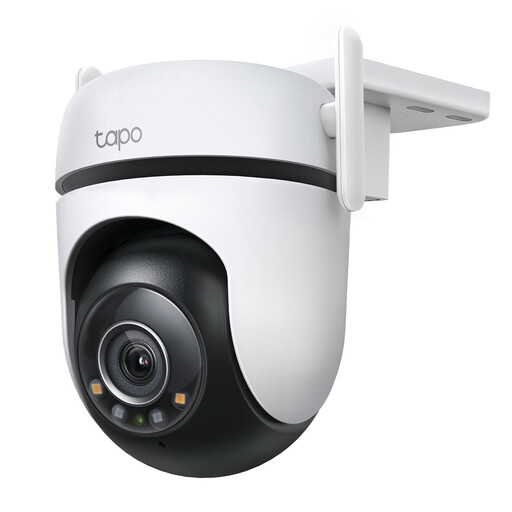
Why it stands out: This outdoor security camera combines very high image quality with smart features and weather resistance. The 2K QHD resolution ensures crystal-clear images, while the 'Starlight' sensor, according to TP-Link, can display bright colors even in low light.
Advantages:
Who is it for? For homeowners who want to keep a sharp eye on their driveway, garden, or the area surrounding their house. The smart AI detection helps filter out unnecessary alerts from things like moving branches.
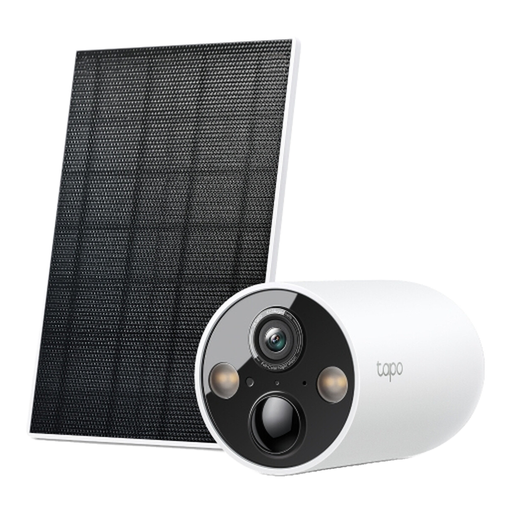
Why it stands out: No power outlet nearby? No problem. This solar-powered camera offers the ultimate freedom. The camera runs on a built-in battery that is continuously charged by the included solar panel. This makes it ideal for hard-to-reach places.
Advantages:
Who is it for? Perfect for securing a shed, a backyard, a driveway, or a holiday home where no direct power outlet is available. The installation is simple, and you are not tied down by cables.
View the TP-Link Tapo C425 Kit
The cameras mentioned above are focused on home security. If you are looking for a camera that you can discreetly place in nature to observe animals, or a model with camouflage, then another type of camera might be more suitable.
For robust and inconspicuous models, you can take a look at our category of trail cameras.
Discover more options for trail cameras for security
1. How does image storage work on an IP camera? Most smart cameras offer two options. You can store footage locally on a microSD card that you insert into the camera. This is a one-time purchase with no subscription fees. Additionally, many brands, including TP-Link with Tapo Care, offer a cloud storage service. You pay a monthly fee for this, but your footage is stored securely, even if the camera is stolen.
2. Do I need a subscription for a smart camera? Not always. For basic functions like live viewing, motion alerts, and local storage, a subscription is usually not required. The recommended TP-Link Tapo models even offer free AI detection. A subscription is often optional and intended for extras like long-term cloud storage of video footage.
3. Is a Wi-Fi security camera easy to install yourself? Yes, most modern Wi-Fi cameras are designed for easy installation. Typically, you download an app on your smartphone, create an account, scan a QR code on the camera, and follow the on-screen steps to connect the camera to your Wi-Fi network. For physical mounting, a drilling template and screws are often included.
