
Vandaag of morgen in huis

Kwaliteit gegarandeerd

Welkomstaanbiedingen ontgrendelen: GRATIS bezorging | Tot 80% korting | Gratis 30 dagen JoyPlus-proefperiode
Download de app
Keeping an eye on things has never been easier. Whether you want to check if the kids got home safely, make sure the dog isn't destroying the sofa, or simply monitor your driveway, a WiFi security camera offers a flexible solution. However, the market is vast, and the specifications can be overwhelming.
As a Joybuy Product Recommendation Officer, I'm here to help you cut through the marketing jargon. In this article, I'll provide practical guidance to help you make the right choice and highlight some popular models that suit various situations.
Before making a decision, it's wise to consider a few key factors. This will help you find a camera that truly meets your needs.
The place where you intend to use the camera is the most important factor.
Standard HD (1080p) is sufficient for many situations, but a higher resolution like 2K (1440p) delivers significantly sharper images. This can make all the difference when identifying faces or license plates.
For nighttime, there's an important distinction:
Modern cameras are more than just a lens. A smart camera with motion detection can distinguish between a person, an animal, a vehicle, or a swaying branch. This significantly reduces the number of unnecessary notifications on your phone.
For storing footage, there are typically two options:
Based on specifications and common user needs, we've selected a few cameras that excel in their respective categories.
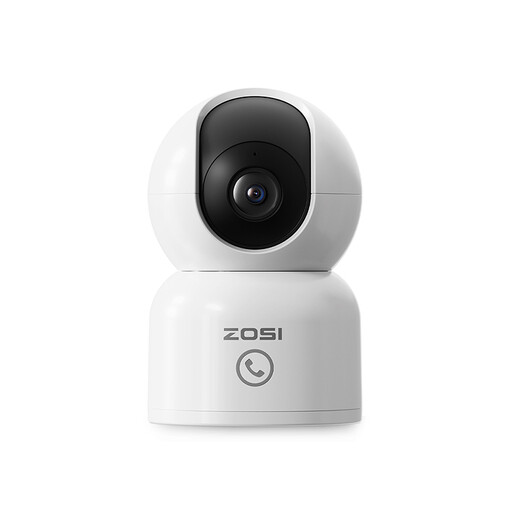
Why it stands out: This camera is a versatile indoor solution. The combination of 360-degree coverage and smart tracking makes it ideal for monitoring an entire room. A unique feature is the 'One-Touch Call' button, which allows children or the elderly to instantly send a call to your app.
Pros:
Who is it for? Ideal for new parents looking for a flexible baby monitor with a camera and app, or for pet owners who want to keep an eye on their four-legged friends.

Why it stands out: The ZOSI C680 solves a common problem: reflection when filming through glass. According to the manufacturer, its special anti-reflection technology ensures clear images, day and night, without the white glare from infrared lights. The drill-free installation makes it perfect for rental properties.
Pros:
Who is it for? For renters and apartment dwellers who want to monitor their driveway, front yard, or entryway without drilling holes in the walls.
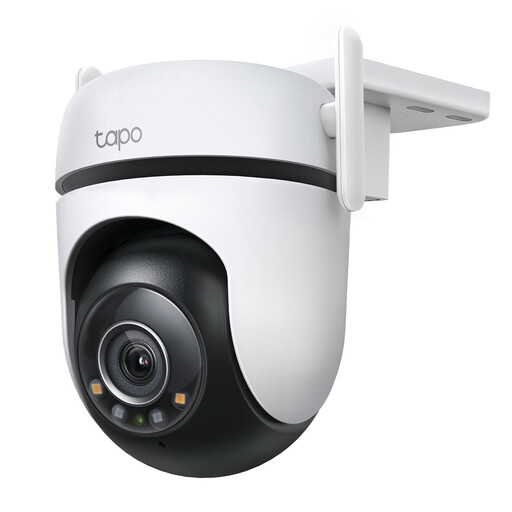
Why it stands out: This camera from TP-Link is a robust all-rounder for outdoor use. It combines a 360° horizontal range with a weatherproof IP66 design. According to TP-Link, its 'Starlight' sensor, paired with an F1.6 aperture lens, provides brighter color images in low light than many other cameras.
Pros:
Who is it for? For homeowners who want a complete overview of their garden, driveway, or yard with a single, durable outdoor WiFi camera.
The world of security cameras is vast. Are you specifically looking for a camera to observe wildlife in your garden, day and night? These models often have different specifications, such as camouflage and longer battery life.
? Check out our range of outdoor wildlife surveillance cameras here
1. How does a WiFi security camera work? A WiFi camera connects to your wireless home network. This allows you to watch a live feed, receive notifications, and review saved footage via an app on your smartphone or tablet, wherever you are. The camera only needs a power outlet and a stable WiFi signal.
2. Do I need a subscription for a WiFi camera? Not always. Most cameras, including the models mentioned above, support local storage on a microSD card. You don't need a subscription for this. A subscription is optional and provides cloud storage, which can be useful as a backup or for extra features.
3. Is installing a WiFi camera difficult? Generally, no. The installation process usually involves three steps: powering the camera, downloading the corresponding app, and following the in-app instructions to connect the camera to your WiFi network. Models like the ZOSI C680 don't even require tools for mounting.
