
Vandaag of morgen in huis

Kwaliteit gegarandeerd

Welkomstaanbiedingen ontgrendelen: GRATIS bezorging | Tot 80% korting | Gratis 30 dagen JoyPlus-proefperiode
Download de app
A Wi-Fi security camera can help you keep an eye on your home, garden, garage, shop or office remotely. However, many people buy a camera based on one eye-catching promise, such as ‘360-degree view’ or ‘smart detection’. Only after installation do they discover that the camera works on 2.4GHz only, does not have suitable storage or cannot withstand rain outdoors.
Joybuy Product Recommendation Officer filters the most important product specifications and sets out the most common pitfalls alongside practical choices for different situations.
A wireless security camera uses Wi-Fi for its connection, but often still needs a power adapter. So check whether the model runs on mains power, a battery or solar energy. For a camera mounted on a wall or in the garden, the location of the power socket is just as important as the Wi-Fi signal.
According to the product specifications, the TP-Link Tapo C400 uses a rechargeable battery and solar cells. The Tapo C425 can also be mounted wirelessly, but check the storage and power requirements for your installation location in advance.
A Wi-Fi camera with night vision can display infrared footage, but colour night vision usually requires enough ambient light or a built-in spotlight. According to the product description, models such as the Tapo C520WS use a starlight sensor. With other cameras, a light may be needed to make colours visible.
Also pay attention to the stated range. A camera with a 10-metre infrared range is not automatically suitable for recording a long driveway clearly.
Some cameras store clips temporarily in the cloud or offer additional features through a subscription. A camera with SD card storage can be an alternative, but a microSD card is not included with several models. Also check the maximum capacity and whether continuous recording is supported.
According to the product specifications, the JUANCLOUD Outdoor Wired Pan-Tilt Security Wi-Fi Camera stores cloud clips for 24 hours. You therefore need to save important footage manually in good time. For local storage, a microSD card of up to 256 GB can be used, but it must be purchased separately.
For a living room or nursery, 1080p may be sufficient. For a driveway, shop entrance or back garden, 2K or 4MP cameras provide more detail. Do not just look at the number of pixels; also consider the viewing angle and whether the lens can be moved.
A 360-degree security camera or pan-tilt camera can rotate horizontally and vertically. Check the exact figures: 360° horizontally does not mean that the camera can also provide a full vertical view. For example, the Tapo C520WS specifies a range of 360° horizontally and 130° vertically.
A basic camera with motion detection may react to leaves, shadows or pets. Models with person and pet detection try to distinguish between different types of movement. Be careful how you interpret this: according to the brands’ product information, these features are designed to reduce irrelevant alerts, but recognition can depend on lighting, distance and viewing angle.
Check whether you can set detection zones, sensitivity and notifications. This is particularly useful for a camera aimed at a busy street or shared access gallery.
For outdoor use, an IP rating is important. IP65 means protection against dust and water jets; IP66 provides, according to the classifications, additional protection against powerful water jets. This does not automatically make a camera resistant to immersion or protect a poorly sealed power connection.
Do not position a camera in a way that unnecessarily records neighbours’ homes, public areas or private spaces. Use privacy zones where the model supports them and inform people where this is necessary according to the circumstances. A security camera must also be mounted securely; loose brackets, cables and small parts can be dangerous for children.

Why it suits this profile: This indoor Wi-Fi camera offers 1080p, pan-tilt control, night vision up to 9 metres and an app for Android and iOS. That makes it suitable for anyone looking for a straightforward solution for a living room, hallway or home office.
Storage is local via microSD, so you can check in advance whether you need a subscription. According to the product specifications, the camera is intended for indoor use.
1080p footage, 360° horizontal and 114° vertical movement, two-way audio, and support for Alexa and Google Assistant.
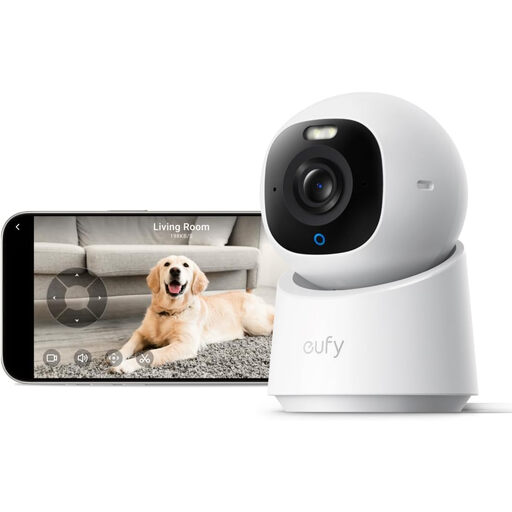
Why it suits this profile: This smart security camera is aimed at users looking for higher resolution and extensive integration indoors. According to the product description, the model offers 4K, 360° rotation, colour night vision, and compatibility with HomeKit, Alexa and Google Assistant.
Storage can be handled locally using an SD card purchased separately; however, check that HomeKit supports up to 1080p according to the product specifications.
4K UHD, automatic person and pet tracking, two-way audio and a physical privacy function according to the product information.
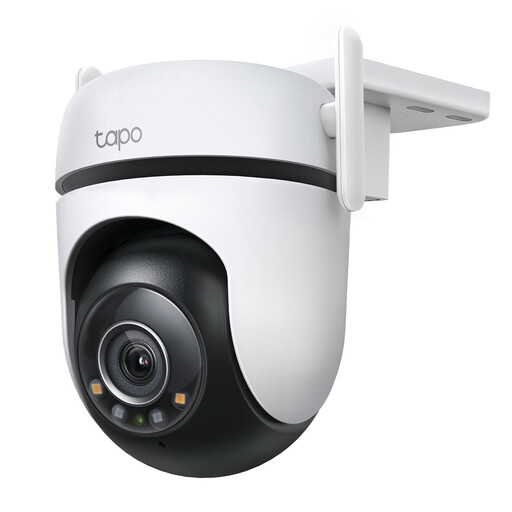
Why it suits this profile: For a garden, driveway, garage or small business, outdoor specifications are more important than high resolution alone. This model lists 2K QHD, IP66, 360° horizontal and 130° vertical coverage, and support for Wi-Fi or Ethernet.
The IP66 rating and Ethernet option provide extra control when mounting outdoors or working with a weak Wi-Fi signal. Cable connections must still be sealed against water properly.
2K QHD at up to 30 fps, person, pet and vehicle detection, microSD storage up to 512 GB, and colour night vision according to the product specifications.
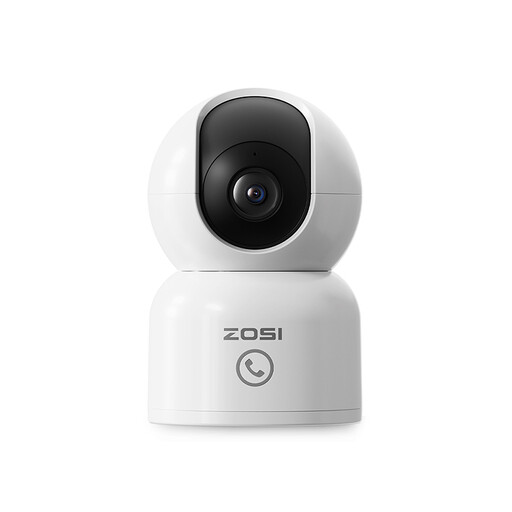
Why it suits this profile: According to the product description, this baby and pet monitor offers 2.5K footage, human detection, automatic tracking, two-way audio and a call function. This makes it suitable for monitoring a nursery, living room or pet area.
Privacy zones help keep sensitive parts of a room out of view. The microSD card up to 256 GB is not included, so remember to allow for this additional purchase.
360° tracking, night vision up to 10 metres, two-way audio and local or cloud storage according to the product information.
We have put together a complete, up-to-date list of products that fully meet these strict selection criteria and the applicable European safety regulations.
You usually need an internet connection for live viewing and remote notifications. Some models offer limited local access or recording to an SD card when the internet connection is lost. Check this for each app and model; Wi-Fi alone does not automatically mean that all functions will continue to work locally.
The purchase price is not the only cost to consider. Allow for electricity consumption, a microSD card and possible cloud storage. A camera with local storage can help limit subscription costs, while cloud storage may be convenient for backups. Always check which features are free and which require payment according to the manufacturer.
Place the camera securely, away from direct backlighting and within range of your router. Do not point it directly at a lamp or low sun. First test the Wi-Fi strength at the mounting location and, for outdoor models, check the IP rating and the protection around the power connection.
