
Vandaag of morgen in huis

Kwaliteit gegarandeerd

Welkomstaanbiedingen ontgrendelen: GRATIS bezorging | Tot 80% korting | Gratis 30 dagen JoyPlus-proefperiode
Download de app
A WiFi security camera provides peace of mind. Whether you're at work, on vacation, or just upstairs, an app on your phone lets you easily keep an eye on things. However, the market is flooded with options, and not every camera delivers on its promises. Many people fall for marketing traps that lead to unnecessary costs or a camera that becomes useless after a few months. Below, we discuss the most common pitfalls and what you should look out for.
Before you make a choice, it's important to be aware of a few common misconceptions and hidden drawbacks.
wireless security camera is often misleading. Although the camera connects to your network via WiFi (so without a network cable), most models still require a power cable. Completely wireless cameras run on a battery or rechargeable pack. This offers more placement flexibility but also means you have to charge the battery regularly. So, think carefully: is a nearby power outlet a problem?camera with night vision) shows black-and-white images, on which details are difficult to distinguish. Marketing terms promise a lot, but in practice, the image can be grainy and unclear. For situations where identification is important, a camera with better night vision, such as 'Starlight' or 'Color Night Vision', is a better consideration.To avoid a bad buy, focus on a few objective specifications. These determine whether a camera is suitable for your situation.
The image quality determines how useful your recordings are.
indoor security camera. It's sufficient for seeing general activities, but zooming in on details like faces at a distance is often difficult.outdoor security camera, where you might need to identify faces or license plates. An IP camera with 2K resolution simply gives you more usable details.Your footage needs to be stored somewhere. You typically have two choices:
For an outdoor camera, weather resistance is crucial. This is indicated by an IP rating.
Based on these criteria, we have selected a number of cameras that suit different user profiles.
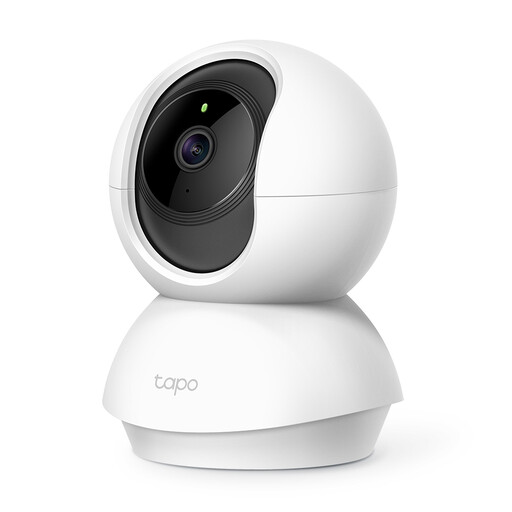
Why This Fits Their Persona: Ideal for those seeking a reliable indoor camera without breaking the bank. Perfect for monitoring a living room or as a simple baby monitor.
This camera supports a MicroSD card up to 256 GB, allowing you to completely avoid the cloud storage subscription trap.
3MP Resolution: Sharper images than standard 1080p. Pan/Tilt Function: Rotates 360° horizontally to see the entire room.
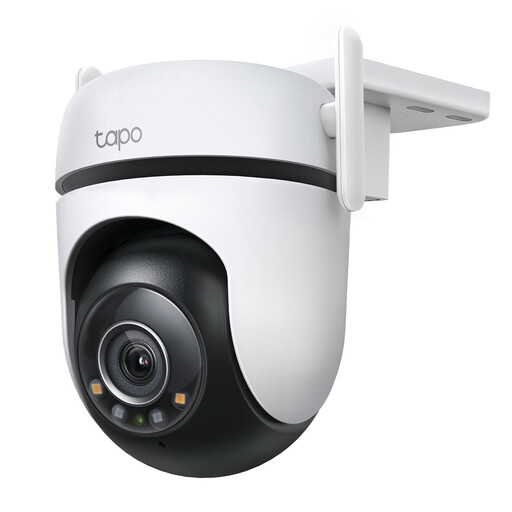
Why This Fits Their Persona: For those who want to secure their driveway, garden, or facade with a robust camera that doesn't miss a detail, even in the dark.
With a Starlight sensor, this camera delivers clear, full-color images in low light, avoiding the pitfall of useless night vision.
2K QHD Resolution: Extra-sharp image for better identification. IP66 Weatherproof: Designed to withstand harsh weather conditions.
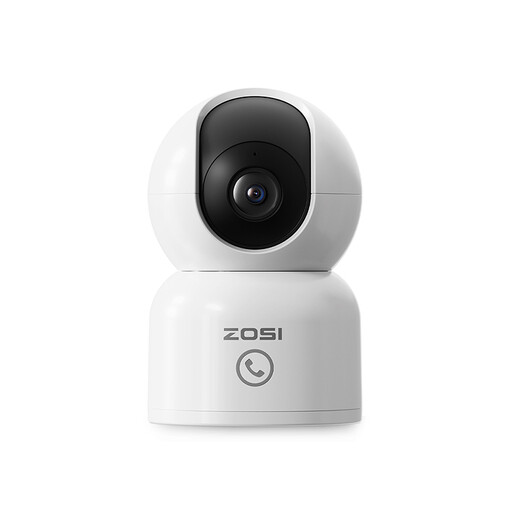
Why This Fits Their Persona: An ideal `pet camera` or for connecting with children or elderly relatives at home. The focus is on interaction and smart detection, not just security.
The unique "One-Touch Call" button offers a clear feature that isn't locked behind a paywall, unlike many vague AI functions from other brands.
One-Touch Call: Children or elderly relatives can send a call to your app with a single press of the button. AI Human Tracking: The camera automatically follows moving people.
We've compiled a complete, up-to-date list of products that meet these selection criteria and local regulations.
Yes, but there are rules. Depending on your region (e.g., under GDPR in Europe), you are permitted to film your own property. However, you must not aim the camera at public roads or your neighbors' property (their garden, front door, windows). If this is unavoidable, you must limit the filmed area as much as possible. It is also often mandatory to indicate the presence of camera surveillance with a sticker or sign.
Data usage depends heavily on the resolution, frame rate (fps), and how much motion is recorded. A camera that records continuously in 1080p can use several gigabytes per day. However, most cameras only record when motion is detected (camera with motion detection), which significantly reduces data consumption. If you only store footage locally on an SD card, the camera only uses data when you are live-viewing through the app.
Yes, there are alternatives. Some cameras can record footage directly to an SD card without an internet connection. You can then only view the footage by removing the SD card from the camera. There are also systems that work with their own base station (NVR) or cameras that use a 4G SIM card, but for most households, a WiFi security camera is the simplest and most affordable solution.
