What should you look for when choosing?
Keep your current provider equipment
Choose this when: your wired upload speed is too low, or Wi-Fi is already good enough at your workspace after improving the router’s position.
Bear in mind: the signal may still be weak in rooms further away.
Standalone router or wired access point
Choose this when: your wired connection works well, but Wi-Fi at your workspace is not good enough, and one well-placed point can reach the rooms you need.
Bear in mind: one router won’t necessarily solve coverage problems across multiple floors or behind obstacles.
Mesh with multiple Wi-Fi points
Choose this when: connections tend to drop in rooms further away and you can place multiple points in suitable locations.
Bear in mind: you’ll need multiple devices and suitable places to position them; mesh won’t increase the upload speed of your internet package.
First, compare upload speeds using a wired connection and Wi-Fi at your workspace. This will help you work out whether the main issue is your internet connection, Wi-Fi coverage or device compatibility.
| What to consider |
What should you check? |
Who is this important for? |
| Upload speed at your workspace |
First, measure it using a network cable, then compare it with Wi-Fi where you work. Also check the connection to your provider’s equipment. |
If I upload portfolios, I want to know whether the delay is already caused by the internet connection; around 33% of consumers put reliable upload speeds at the top of their list. |
| Coverage between rooms |
Test Wi-Fi in the rooms that matter and try moving the router before choosing an additional access point or mesh. |
If I also need a usable connection in other rooms, I want to know whether one point will provide enough coverage; around 27% of consumers give coverage beyond their current Wi-Fi zone top priority. |
| Mix of devices |
Check the Wi-Fi standards and bands supported by your existing devices, and see which cable ports you need. |
If several devices are connected at once, I want my existing devices to keep working; around 27% of consumers prioritise compatibility and simultaneous use. |
| Security and management |
Check whether firmware updates are available for the exact model and whether you can change the default login details. |
If you manage your home network yourself, updates and secure settings matter; around 13% of consumers make security and maintenance their main purchasing priority. |
Router and mesh options at Joybuy
These products include standalone Wi-Fi routers and a mesh set for households that upload portfolios and connect multiple devices. Choose your solution only after checking wired upload speed and coverage in the areas that matter.
 No image available
ASUS RT-AX52 AX1800
A standalone router to consider if one Wi-Fi point will provide the coverage you need and you have devices from different generations of Wi-Fi.
Dual-band (2.4 and 5 GHz) and Wi-Fi 6. This model is listed as supporting AiMesh expansion, OFDMA, MU-MIMO and three gigabit Ethernet ports.
View at Joybuy
 No image available
TP-Link Deco X50 (3-pack)
A mesh set with three units to consider if you need Wi-Fi in multiple places around your home.
Dual-band Wi-Fi 6 (802.11ax). Each unit is listed with three gigabit Ethernet ports; the description also mentions OFDMA, MU-MIMO and WPA3.
View at Joybuy
 No image available
Huawei eKit OptiX FG736 BE3600
A dual-band mesh router to compare if you’re considering a router with mesh functionality.
The product name specifies Wi-Fi 7 and dual-band operation.
View at Joybuy
 No image available
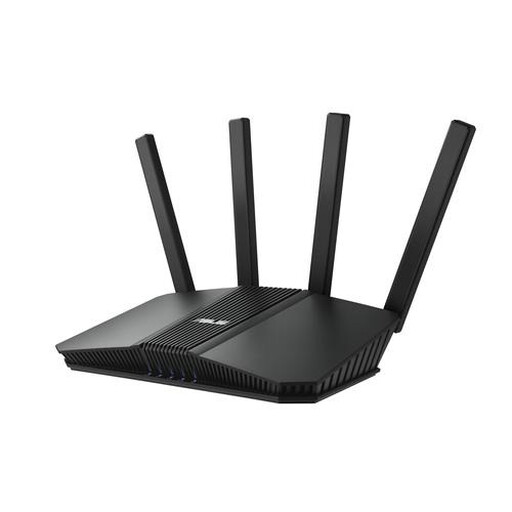
ASUS RT-BE82U BE6500
A standalone router to consider if one Wi-Fi point will provide enough coverage and you want to compare both Wi-Fi and wired connections.
Dual-band Wi-Fi 7. The description lists 2.5-gigabit Ethernet, four Ethernet ports and WPA3-Personal.
View at Joybuy
 No image available
ASUS RT-AX52 Pro AX3000
A standalone router to consider for a household with multiple Wi-Fi devices, if one Wi-Fi point provides enough coverage.
Dual-band Wi-Fi 6 with gigabit Ethernet. The description mentions OFDMA, MU-MIMO and AiMesh compatibility.
View at Joybuy
Frequently asked questions
How can you tell whether your router is slowing down portfolio uploads?
First, measure upload speed on a computer connected via a network cable, then compare it with Wi-Fi at your workspace. If the wired connection is also too slow, look into your internet connection or package first; a new Wi-Fi router won’t fix that limitation by itself.
Can you use your own router in the Netherlands?
Yes. ACM ConsuWijzer states that you’re free to choose your own router. A provider may refuse to allow your device, for example, if it’s unsafe. For a direct connection, you’ll need the correct provider settings; also check that a device intended to replace a modem is compatible with your network type.
Do you need a licence for ordinary home Wi-Fi?
According to the Dutch Authority for Digital Infrastructure, you don’t need a licence for home Wi-Fi if you use the designated frequencies and comply with the conditions of use. Licence-exempt frequency use doesn’t require notification or registration.
What should you do after installation to manage your router properly?
Change the default login details, use a strong password and disable access from outside your home if you don’t need it. Keep your device up to date; the Dutch Data Protection Authority recommends strong passwords and appropriate settings for smart devices.
Is a manufacturer’s warranty the same as a legal guarantee?
No. ACM ConsuWijzer distinguishes between manufacturer’s or seller’s warranties and the legal guarantee. There’s no fixed period for the legal guarantee in the Netherlands: it depends on what you could reasonably expect from the product. If a fault is covered by the legal guarantee, the seller is your point of contact.


