
Studying in a shared room
You share a workspace with others using laptops and phones, and want a reliable connection and, where needed, separate guest access.


Start with where you study: a standalone router may suit one workspace with sufficient coverage, while mesh or an additional wired access point may be worth considering if coverage is poor in several areas. Also check guest access, updates and compatibility with your existing internet equipment. A higher advertised Wi-Fi speed does not guarantee better access to your study portal.
You share a workspace with others using laptops and phones, and want a reliable connection and, where needed, separate guest access.
You move between workspaces or floors with varying Wi-Fi coverage. Router placement and the option to add extra Wi-Fi points are factors to consider.
You want to connect your own router and manage guest access and updates yourself. Your internet provider’s connection requirements and settings need to be compatible.
A good fit when: the shared workspace is within good range of a single router.
Bear in mind: advertised Wi-Fi speeds do not tell you how quickly the study portal will work at your workspace.
A good fit when: study areas are spread across several rooms or floors and one Wi-Fi point does not provide enough coverage.
Bear in mind: you will need to place more equipment. Check how many nodes are included and whether a wired connection is possible.
A good fit when: the problem occurs mainly in one study area and you want to check coverage or possible sources of interference first.
Bear in mind: an extra device will not necessarily fix a problem with your internet connection or the study portal itself.
| What to consider | What to look for when buying | Who is this important for? |
|---|---|---|
| Simultaneous use | Check the options for multiple simultaneous connections and an Ethernet port. | If several people are using laptops or phones at the same time, I want to know whether the connection will remain reliable at my workspace. Around 33% of consumers prioritise simultaneous use. |
| Coverage in your study area | Check how many mesh nodes you need and whether the nodes can be connected to each other by cable. | If you study in different rooms or on different floors, you want sufficient coverage in every workspace. Around 27% of consumers prioritise coverage in different areas. |
| Guest access and updates | Check the guest network settings and how firmware updates are carried out. | If other people share your connection, I want to be able to manage guest access and know who is responsible for updates. Around 20% of consumers put management and guest access first. |
| Connection and equipment | Check that the WAN connection is compatible with your setup and how many devices are included in a mesh package. | If you do not want to buy more equipment than necessary, you will want to check your connection requirements and the number of nodes you need in advance. Around 20% of consumers prioritise a suitable connection and keeping purchases to a minimum. |
An advertised Wi-Fi speed is a product specification, not a measurement of your connection to the study portal. Router placement and possible sources of interference can also play a part.
Check the connection in your study area and find out where interruptions occur before choosing a product based solely on a higher speed rating.
The Deco X50 is available in different package sizes, and the number of nodes matters for the areas you want to cover.
Compare what is included in the package with the rooms where you actually need coverage.
You may need specific settings from your internet provider to connect your own equipment.
Decide in advance whether you will keep or replace your existing equipment, and ask your provider for the necessary connection settings if needed.
The Archer AX55 is a standalone Wi-Fi 6 router, while the Deco X50 is an expandable mesh system. This distinction may help you choose between one central workspace and workspaces in several areas.
The RT-AX57 is a standalone Wi-Fi 6 router worth comparing if AiMesh compatibility or built-in VPN features are important to you.
According to the manufacturer, the FRITZ!Box 4050 combines Wi-Fi 6 with a gigabit WAN connection, mesh expansion and telephony features.
The RAX10 is a standalone AX1800 Wi-Fi 6 router.
This product selection includes standalone Wi-Fi routers and mesh systems for a shared study area, from a single central Wi-Fi point to connections across several areas. When buying in the Netherlands, also check that the radio equipment on offer meets the applicable requirements and carries a CE mark, as described by the Dutch Authority for Digital Infrastructure.
 Image unavailable
May suit you if you are considering mesh expansion for several study areas. The product information lists one node included, so check whether that is enough for your space.
Wi-Fi 7 (802.11be); dual-band (2.4 GHz / 5 GHz).
 Image unavailable
May suit you if you are looking for a standalone router for one central workspace and want to compare the option of expanding via AiMesh.
Dual-band (2.4 GHz / 5 GHz); black.
 Image unavailable
May suit you if you want to place Wi-Fi points in several study areas; check that three nodes are right for your home’s layout.
Wi-Fi 6 (802.11ax); dual-band (2.4 GHz / 5 GHz); white.
 Image unavailable
May suit you if you want to compare mesh solutions for a shared workspace.
Dual-band; Wi-Fi 7.
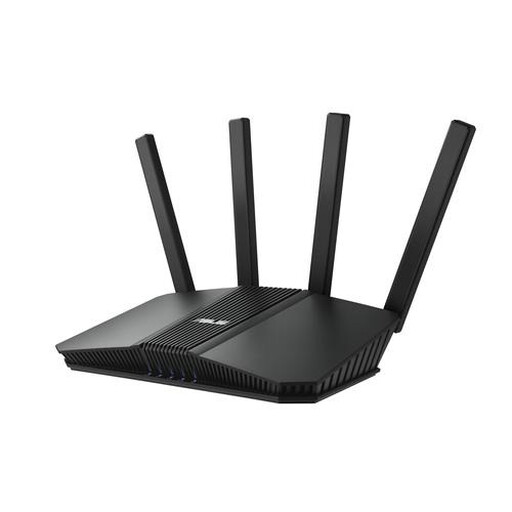 Image unavailable
May suit you if you are looking for a standalone router and want to compare a wired connection for your study computer.
Wi-Fi 7; dual-band (2.4 GHz / 5 GHz); black.
Yes. ACM ConsuWijzer explains that you can choose your own router in the Netherlands. Before connecting it, check the necessary settings with your provider and keep the router up to date.
Check how your router receives firmware updates and install them. Veilig Internetten lists the supplier’s app or website as the usual way to do this; you can also check which guest network settings are available.
No. According to ACM ConsuWijzer, the legal guarantee applies alongside a manufacturer’s or seller’s guarantee: with normal use, a product must meet what you could reasonably expect from it. For an online purchase, you generally have 14 days from delivery to change your mind, subject to legal exceptions.
The Dutch Authority for Digital Infrastructure explains that radio equipment placed on the market in Europe must meet the applicable requirements and carry a CE mark. Since 1 August 2025, the applicable RED 3.3 cybersecurity requirements have also applied to certain categories of internet-connected radio equipment; the requirements that apply depend on the type of device.