Joybuy products
This selection includes standalone Wi-Fi routers and mesh routers for using multiple devices at once and improving coverage at home. Before buying, check the connection, the coverage you need and the version.
 No image available
ASUS RT-AX52 AX1800 AiMesh dual-band Wi-Fi router
A standalone dual-band router for a home network with multiple devices.
The product title lists Wi-Fi 6, Gigabit Ethernet and 2.4 and 5 GHz frequency bands. The product description mentions MU-MIMO, OFDMA and AiMesh expansion.
Joybuy
 No image available
TP-Link Deco X50 (3-pack)
A mesh system with three units for spreading Wi-Fi across several areas of your home.
The system features dual-band Wi-Fi 6. The product description lists three gigabit ports per unit; TP-Link lists optional Ethernet backhaul for Deco X50.
Joybuy
 No image available
Huawei eKit OptiX FG736 BE3600 Dual-Band WiFi 7 Mesh Router
A mesh router for anyone looking to create a wireless mesh network. Check that this version suits your coverage needs and existing equipment.
The product title lists dual-band and Wi-Fi 7.
Joybuy
 No image available
Huawei eKit OptiX FG630 AX3000 Dual-Band WiFi 6 Mesh Router
A dual-band mesh router to compare if you’re looking for a mesh network for multiple devices.
The product title lists AX3000 and dual-band Wi-Fi 6.
Joybuy
 No image available
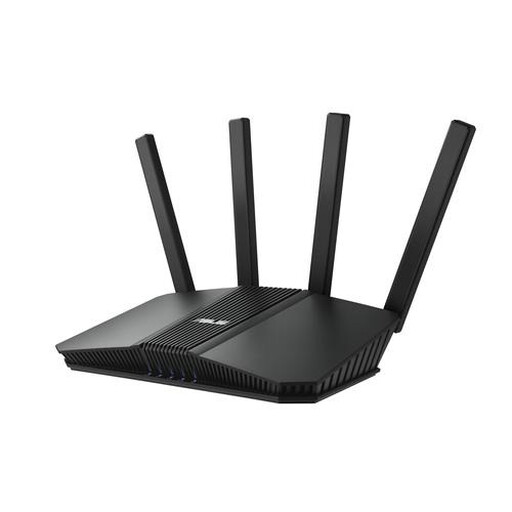
ASUS RT-BE82U BE6500 dual-band Wi-Fi router
A standalone dual-band router to compare for a home network with multiple devices.
The product title lists Wi-Fi 7. The product description mentions OFDMA and four Ethernet ports.
Joybuy
Frequently asked questions
Do I need Wi-Fi 7 to stream a live concert and make video calls?
No, Wi-Fi 7 isn’t essential just for these activities. The Consumentenbond says Wi-Fi 6 is generally a good-value option for multiple devices, but the Wi-Fi version alone doesn’t determine performance. First, test your connection and coverage, and check which Wi-Fi versions your devices support.
How can I test whether a new router will help?
First, test your connection on a computer using a network cable, then check Wi-Fi where you watch and make calls. The Consumentenbond recommends a wired speed test to measure your connection. If your wired connection is consistently too slow, look into your provider’s connection. If the problem is mainly in distant rooms, consider router placement, wired connections or extra access points.
What internet speed should I aim for?
It depends on the concert service, picture quality, video-calling app and number of people using the connection at once. For its own service, Netflix recommends, among other speeds, 5 Mbps for Full HD and 15 Mbps for 4K. Zoom lists separate upload and download speeds for an HD group call. These are examples specific to each service, not universal minimum speeds; check your upload speed too.
Can I connect my own router in the Netherlands?
Yes, ACM ConsuWijzer confirms that you’re free to choose your own router. If you replace equipment supplied by your provider, check the relevant safety requirements, connection type and settings. Ask your provider which connection details you’ll need.
Do I need a permit or registration to use Wi-Fi at home?
In the Netherlands, you don’t need to notify anyone or register to use the designated licence-exempt frequencies, provided you follow the conditions of use. The Rijksinspectie Digitale Infrastructuur makes clear that this isn’t general permission to use every frequency or non-compliant radio equipment.
Does the warranty in the Netherlands always end after two years?
No, there’s no fixed two-year period for the Dutch statutory guarantee. According to ACM ConsuWijzer, it depends on what you can reasonably expect from the product with normal use. A manufacturer’s or seller’s guarantee has its own term; for the statutory guarantee, contact the seller.


