Joybuy products for a compact home office
This selection includes Wi-Fi routers and Deco mesh systems for a home office with limited space. Compare the space needed for each unit and consider whether you need a single router or extra nodes. Check the CE marking and applicable requirements for the specific version; the product name alone doesn’t confirm this.
 Image unavailable
ASUS RT-AX52 AX1800 AiMesh dual-band Wi-Fi router
A dual-band Wi-Fi 6 router to compare for a wireless home office.
The product title lists Gigabit Ethernet and dual-band (2.4 GHz / 5 GHz). The product description mentions expansion using AiMesh with compatible ASUS routers.
View at Joybuy
 Image unavailable
TP-Link Deco X50 Wi-Fi 6 (3-pack)
A set of three mesh units to compare if you need Wi-Fi in several parts of your home.
The product description lists three gigabit Ethernet ports per unit and dimensions of 110 × 110 × 114 mm per unit.
View at Joybuy
 Image unavailable
ASUS RT-AX52 Pro AX3000 dual-band Wi-Fi router
A dual-band router to compare for a wireless home office.
The product title lists Gigabit Ethernet and dual-band (2.4 GHz / 5 GHz); the product description mentions use in home networks and home offices.
View at Joybuy
 Image unavailable
TP-Link Deco X50 Wi-Fi 6 (2-pack)
A set of two mesh units to compare if a single router doesn’t provide the coverage you need at home.
The product description lists three gigabit Ethernet ports per unit and optional Ethernet backhaul between Deco units.
View at Joybuy
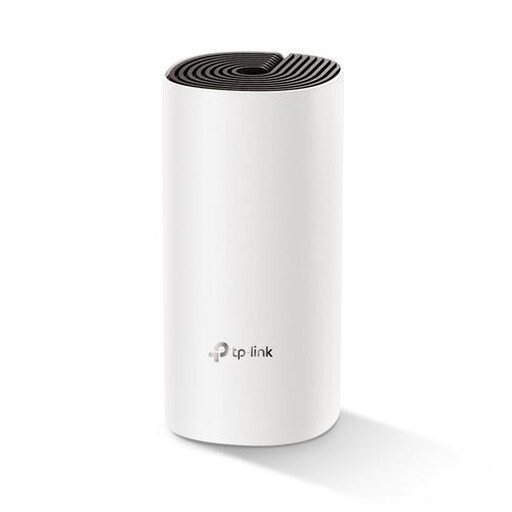 Image unavailable
TP-Link Deco M4 Wi-Fi 5 (1-pack)
A mesh unit to compare for home or office use if wired connections matter too.
The product information lists Wi-Fi 5, two Ethernet ports and dimensions of 190 × 90,7 × 90,7 mm.
View at Joybuy
Frequently asked questions
Can I use my own router in the Netherlands?
Yes. According to ACM ConsuWijzer, you have the freedom to choose your router. A provider may refuse to allow your own device, for example if it’s unsafe; ask them for the connection settings you need. If you’re using a fibre-optic modem, you should also confirm the network type.
Can a Deco X50 work behind my existing router?
Yes. TP-Link describes using the Deco X50 in access point mode. The main router must then handle DHCP, and some advanced features aren’t available in the Deco app.
Where should I put a router on a small shelf?
Where possible, choose an open spot near the area where you need Wi-Fi. TP-Link advises against placing the router in a cupboard or behind metal obstacles. Also allow for the cables and follow the safety instructions for the specific version.
Which conformity requirements are relevant when buying in the Netherlands?
According to the Dutch Authority for Digital Infrastructure (RDI), radio equipment sold in Europe must meet the applicable requirements and carry a CE marking. Since 1 August 2025, the RED 3.3 cybersecurity requirements have applied to equipment within their scope. The RDI says that more extensive cybersecurity requirements under the Cyber Resilience Act will apply from December 2027. Check the specific version; the model name alone doesn’t confirm compliance.
Is the statutory warranty in the Netherlands always exactly two years?
No. According to ACM ConsuWijzer, there’s no set statutory period of exactly two years: you’re entitled to expect a product to last a reasonable amount of time with normal use. If a product is faulty, contact the seller about your statutory warranty.


