
Designer uploading large files
You work in one fixed location and want to find out whether your broadband connection or local network is limiting upload speeds. ACM ConsuWijzer explains the minimum upload and download speeds providers must state.


Start by checking the upload speed included in your broadband package, then test your connection using Ethernet. A new Wi-Fi router won’t increase an upload speed that’s limited by your broadband connection. Next, choose a solution based on the bottleneck: a wired connection for a fixed workspace, mesh Wi-Fi for poor coverage, or configurable traffic prioritisation when other people at home are using the connection at the same time. Before buying, also check that the product is the Netherlands version and meets the applicable requirements.
You work in one fixed location and want to find out whether your broadband connection or local network is limiting upload speeds. ACM ConsuWijzer explains the minimum upload and download speeds providers must state.
You work further from your connection point and mainly need a stable connection at your workspace. The Consumers’ Association (Consumentenbond) points out that distance and obstacles can weaken the Wi-Fi signal.
You upload files while other people are using the connection and want to be able to control how network traffic is shared.
Choose this if: your workspace is close enough to the connection point and you can connect your computer via Ethernet.
Bear in mind: a gigabit port doesn’t guarantee a particular upload speed; your broadband connection and other equipment also play a part.
Choose this if: your workspace is on another floor or behind obstacles, and the Wi-Fi signal is weak there.
Bear in mind: the number of units and where you place them matter. Ethernet backhaul is an option if you can connect the mesh points using Ethernet.
Choose this if: uploads or video calls are disrupted when several people use the internet at the same time.
Bear in mind: QoS manages the available bandwidth, but doesn’t increase the capacity of your broadband package.
Choose this if: your broadband connection and modem can actually deliver more than gigabit speeds, and you want the ports on your equipment to match.
Bear in mind: a 2.5-gigabit WAN port won’t automatically make other ports or your internet upload speed faster.
Your package’s upload speed and the connection at your workspace are separate links in the chain. Start by testing with Ethernet. If your Wi-Fi is weak, try repositioning your router before adding mesh points.
| What to consider | What should you check? | Who is this important for? |
|---|---|---|
| Upload capacity and wired connection | Compare the upload speed in your package with wired test results. Also check the ports on your router and computer. | I want to know whether my broadband connection or local network is slowing down my design file before replacing any equipment; around 40% of consumers give upload capacity and a wired connection top priority. |
| Wi-Fi at your workspace | Test the connection where you work and try moving your router first; then decide whether you need mesh Wi-Fi. | I work a distance from the router or behind obstacles and need a usable connection there; around 30% of consumers prioritise coverage at their workspace. |
| Multiple people using the network | Check whether the exact router version lets you set priorities for the devices or applications you use. | I upload files while other people at home are using the internet and want to control which traffic takes priority; around 20% of consumers give traffic management top priority. |
| Security and management | Check that it’s the Netherlands version, meets applicable product requirements, has update support and offers guest network options if needed. | I want to connect my work devices to a network that receives updates and, if necessary, give visitors separate access; around 10% of consumers put security and management first. |
Your broadband connection’s upload speed is different from a router’s advertised Wi-Fi speed. A faster router won’t solve a low upload speed in your package.
Test your connection using Ethernet first, then compare the result with the upload speeds in your package.
Distance and obstacles can weaken Wi-Fi, but repositioning your existing router could also make a difference.
Test the connection at your workspace and try moving the router before deciding how many mesh points you need.
On the FRITZ!Box 4060, the stated WAN port speed is different from the speed of the individual LAN ports.
Check the ports on your modem, router and work computer, and compare them with the speed of your broadband package.
The Archer AX55 is a standalone Wi-Fi 6 router, while the Deco X50 is a mesh range for extending coverage to more areas.
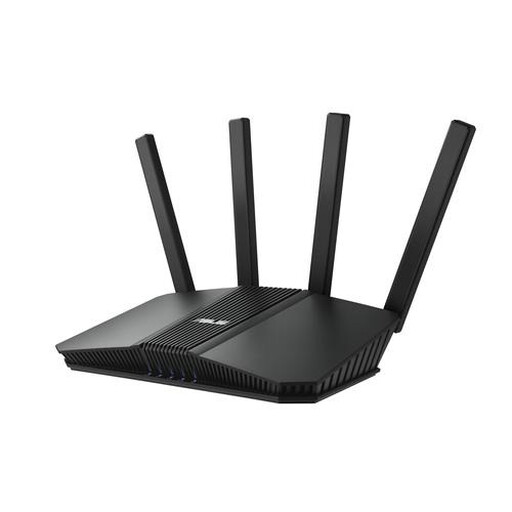
The RT-AX58U is worth considering if you want to compare configurable network prioritisation with adding mesh points.
The FRITZ!Box 4060 is a router worth comparing if you need a 2.5-gigabit WAN connection.
This selection includes standalone routers for a fixed workspace and mesh products for extending Wi-Fi coverage to more areas. Before buying, check that the specific product is the Netherlands version and meets the applicable CE and cybersecurity requirements.
 No image available
An option to compare for a fixed workspace where a wired connection is important.
Wi-Fi 6; AiMesh; Gigabit Ethernet; dual-band (2.4 GHz / 5 GHz).
 No image available
A mesh option to compare if you need coverage in several areas of your home.
Wi-Fi 6; dual-band (2.4 GHz / 5 GHz); 3-pack.
 No image available
A mesh router to compare if you’re considering a mesh solution for this situation.
BE3600; dual-band; Wi-Fi 7.
 No image available
A mesh router to compare if extending your Wi-Fi coverage suits your needs.
AX3000; dual-band; Wi-Fi 6.
 No image available
A router to compare for a wired workspace if you also want to factor network ports into your decision.
2.5-gigabit Ethernet; dual-band (2.4 GHz / 5 GHz).
No, not if the upload speed of your fixed broadband connection is the bottleneck. Check the upload speeds in your package and test your connection using Ethernet, with a computer close to the connection point. If the main issue is weak Wi-Fi at your workspace, look into router placement, using a cable or extending coverage.
Yes. ACM ConsuWijzer confirms that you can choose your own router in the Netherlands. Additional technical requirements may apply if you use your own modem, and a provider may refuse an insecure device. If you’re replacing equipment, ask your provider which connection settings you’ll need.
Keep the firmware up to date and change the default login details. Check whether automatic updates are available. You could also use a separate guest network if your chosen model supports one.
Radio equipment must meet the applicable European requirements and carry the required CE marking. The Dutch Authority for Digital Infrastructure (Rijksinspectie Digitale Infrastructuur) states that, since 1 August 2025, applicable European cybersecurity requirements also apply to internet-connected radio equipment. Check the specific Netherlands version; an older declaration of conformity alone doesn’t demonstrate that all current requirements have been met.
QoS can prioritise network traffic, but it doesn’t add upload capacity to your package. Check whether the exact router version supports prioritisation for the devices or applications you want to use.