
A studio with limited shelf space
You want to put the router somewhere with little room to spare, so take account of the casing, cables and the model’s installation instructions.


Start by counting the wired workstations and deciding what network access visitors need. Then check whether the router, plugs and cables will fit in the space available. Wall mounting can free up shelf space, while a compact router with few LAN ports may mean you need extra equipment. Also check that the model will work behind your existing provider equipment.
You want to put the router somewhere with little room to spare, so take account of the casing, cables and the model’s installation instructions.
You want to give visitors internet access without automatically giving them access to devices on the local studio network.
You want to connect computers or other devices by cable, and weigh up the number of LAN ports, any extra network equipment and the space available.
First, count the devices that need a wired connection at the same time and decide what access visitors need. Then measure the space, including room for plugs and cables, and check that the router is compatible with your existing internet setup.
| What to consider | What should you check? | Who should pay attention to this? |
|---|---|---|
| Positioning with limited shelf space | Measure the casing and the space needed for connections; check the installation instructions for the exact model. | If you want to keep the shelf clear, there also needs to be room for plugs and cables. Wall mounting is only an option if the manual allows it in that location. Around 30% of consumers say positioning is their main concern when buying. |
| Wired workstations | Count the devices and distinguish LAN ports from WAN ports; check the connection speeds. | If your fixed workstations need a wired connection, you’ll want to know how many devices can be connected directly. Around 30% of consumers say wired connections are their top priority. |
| Visitor access | Check whether the guest network restricts access to the local network; decide whether VLAN or subnet segmentation is needed. | If visitors need internet access but shouldn’t automatically be able to access studio devices, look for network separation. Around 20% of consumers say visitor access is their main concern when buying. |
| Connection and maintenance | Decide whether you’ll keep your modem; check provider settings and how firmware updates are made available. | If you want to use your own equipment behind an existing modem, it needs to work with your setup, and you’ll want to be able to keep it updated. Around 20% of consumers put connection and maintenance above their other concerns when buying. |
The casing may fit, but there might not be a convenient place for plugs, cables or a required network switch. A very small router with few built-in ports may mean you need extra network equipment.
Measure the space with the cables connected and count your wired devices in advance. If you’re wall mounting the router, check the instructions for the exact model too: ASUS does not permit the RT-AX59U to be ceiling-mounted or mounted higher than 2 metres.
An extra switch also needs space for the device, its power supply and cables.
The wireless speed shown on the packaging is not the speed you’ll get at every workstation. Wi-Fi 6-compatible devices are also needed to make use of Wi-Fi 6 features.
Compare the connections and wireless features with the devices your studio actually uses, and take account of where you’ll place the router.
On 3 September 2026, TP-Link reported security issues affecting the Archer AX55 V4 and identified firmware version 1.2.1 Build 20260527 as the corrected version. This notice applies specifically to the hardware version named.
If you’re considering an Archer AX55, check which hardware version it is and which firmware applies to it.
Checking and installing the right firmware takes time.
The RT-AX59U is a Wi-Fi 6 router to consider if wall mounting and guest access are important to you.
The UniFi Express 7 is a compact option if network segmentation and a small casing are important to you.
The WRX560 is worth considering if flexible connectivity matters more to you than having the smallest possible casing.
The FRITZ!Box 4050 may suit a setup with an existing modem and a need for telephony features.
The Archer AX55 is a Wi-Fi 6 option, but you’ll need to pay attention to the exact hardware version.
This selection includes routers for wireless connections and wired devices in a studio. Before buying, check that the connections, network features and dimensions suit your setup.
 No image available
May suit you if you need four wired connections and a guest network.
Wi-Fi 4 on a single 2,4GHz band; four Fast Ethernet LAN ports (10/100 Mbit/s). The wireless band and port speed are important factors when choosing.
 No image available
May suit you if Wi-Fi 6 and wired connections are important for your studio.
Dual-band Wi-Fi (2,4 GHz and 5 GHz), Wi-Fi 6 and three gigabit Ethernet ports.
 No image available
May be worth considering if you’re looking for a dual-band Wi-Fi 7 mesh router.
Dual-band Wi-Fi 7 mesh router.
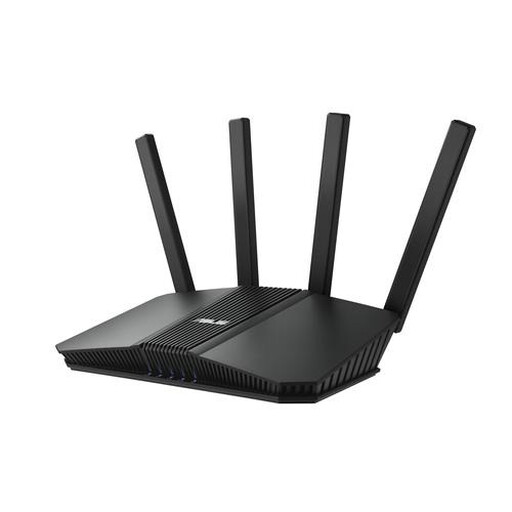 No image available
May suit you if you want to compare dual-band Wi-Fi 7 with wired connection options.
Dual-band Wi-Fi 7; four Ethernet ports, including one 2.5-gigabit port.
 No image available
May suit you if Wi-Fi 6 for several wireless devices and wired connections are important.
Dual-band Wi-Fi 6 and gigabit Ethernet ports.
Yes. The ACM also describes freedom of modem choice for business connections, provided the device is safe. The provider must make the necessary connection settings available and may refuse an unsafe device.
Follow the installation instructions for the model you choose. ASUS says the base of the RT-AX59U can be used as a bracket, but the router must not be ceiling-mounted or mounted higher than 2 metres.
Check for firmware updates for the exact hardware version and enable automatic updates if the device supports them. On 12 August 2026, ASUS released firmware with security improvements for the RT-AX59U. For the Archer AX55 V4, TP-Link identified version 1.2.1 Build 20260527 as the corrected firmware.
No. FRITZ! offers a five-year manufacturer’s warranty for the FRITZ!Box 4050. ACM ConsuWijzer explains that consumer protection does not automatically apply when a purchase is used mainly or exclusively for business. Check the terms that apply to your purchase.
Radio equipment must meet the applicable European requirements and carry CE marking. The Digital Infrastructure Inspectorate states that the manufacturer applies the marking once all requirements have been met. Check the marking and documentation for the specific version on offer; a specifications page alone does not prove that it complies.