You don’t automatically need a new router. First, check the connection on the screen and whether your phone and screen can find each other on the same local network. Google Cast Help recommends checking that devices are on the same Wi-Fi network and aren’t separated by client isolation when troubleshooting casting issues. Then choose based on the cause: a wired connection for a screen that needs a more stable connection, a single router for a room with good coverage, or mesh if coverage is poor in several areas.
Who is this relevant to?
Users of a shared casting screen
They want phones or laptops to be able to find the screen in the lounge. Google Cast Help recommends putting devices that cast together on the same Wi-Fi network and checking that client isolation isn’t blocking the connection.
Households with a busy evening network
They use the screen at the same time as other devices online and want to know whether their connection and any traffic prioritisation are suitable. Netflix Help Center recommends a stable connection of 15 Mbit/s or higher for one 4K UHD stream. This isn’t a general guideline for other services or multiple streams.
Households with a hard-to-reach lounge
They experience problems because of the distance or obstacles between the router and screen, and want to weigh up a wired connection against adding Wi-Fi access points. Consumentenbond explains that Wi-Fi extenders are placed where extra signal is needed.
What should you consider when choosing?
| What to consider |
What to look for |
Who is this important to? |
| Being able to find the screen |
Check how the screen casts and whether the router offers the local network settings it needs. If necessary, keep guests who don’t need to cast on a separate network. |
If I want to control the screen from a phone, it needs to be able to find it on the local network. Around 31% of consumers prioritise a casting connection. |
| Using the network on busy evenings |
Test the connection on the screen while other devices are in use. Then check the connections and any traffic prioritisation offered by the specific router model. |
When several devices are online at once, I want to know whether the screen will still work well, rather than relying only on the advertised Wi-Fi speeds. Around 31% of consumers give simultaneous use top priority. |
| Coverage in the lounge |
Test the signal where the screen is, then compare a cable, a better-positioned router and a mesh system with the number of points you need. |
If the screen is in a room that’s hard to reach, I want to tackle the cause rather than simply choosing a faster model. Around 25% of consumers prioritise coverage where the screen is located. |
| Connection and setup |
Decide whether to keep your provider’s router or use your own. Check the setup requirements and security update options offered by the specific model. |
If I want to connect and maintain my network easily, I want to know in advance what configuration is needed. Around 13% of consumers prioritise easy setup and management. |
Common mistakes
-
Assuming a higher advertised Wi-Fi speed means a faster connection on the screen
Advertised Wi-Fi speeds don’t automatically tell you what connection the screen is actually receiving. A new router won’t automatically fix a problem with your internet connection or the screen’s own connection.
First, test the connection on the screen, preferably during a busy evening. Then check the router’s position, whether you can use a cable and your internet connection.
-
Putting a casting screen on an isolated guest network
With Google Cast, client isolation can stop a phone and screen from finding each other.
Put devices that need to cast together on a suitable local network. If you like, keep guests who don’t need access to the screen on a separate network.
-
Buying mesh without planning where the points will go and how they’ll connect
How useful mesh is depends on where you need a connection. An ethernet backhaul between points also requires a suitable cable route.
Map out the areas with problems and compare running a cable to the screen with setting up mesh using the number of points you need.
Brands to compare
TP-Link
The Archer AX55 is a standalone dual-band Wi-Fi 6 router, while the Deco X50 is an expandable mesh system for multiple areas.
- TP-Link Netherlands lists advertised band speeds of 2402 Mbit/s on 5 GHz and 574 Mbit/s on 2.4 GHz for the Archer AX55. These are specifications, not measured speeds where your screen is located.
- TP-Link lists three Gigabit ports per point and optional ethernet backhaul for the Deco X50.
- Advertised speed and expandability don’t guarantee a particular level of coverage in your home. Check which version you’re choosing and how many points you need.
ASUS
The RT-AX58U is a standalone router to compare if you want to consider traffic settings and the option to expand with AiMesh.
- ASUS Netherlands lists Adaptive QoS, a guest network and AiMesh for this model.
- A feature name doesn’t prove that prioritisation will make a noticeable difference in every home. Check the exact hardware version and configuration.
FRITZ!
The FRITZ!Box 4060 is a network router to consider if wired devices and FRITZ! mesh options are relevant to you.
- According to FRITZ!, the 4060 has a 2.5 Gigabit WAN port and three Gigabit LAN ports, and works behind a modem.
- The advertised Wi-Fi speed doesn’t guarantee a particular streaming speed, and not every household needs the additional features.
NETGEAR
Nighthawk models are worth comparing if traffic prioritisation is one of your buying criteria.
- NETGEAR Support describes QoS as a feature that can prioritise network traffic for certain applications.
- This guidance doesn’t automatically apply to every Nighthawk model, and notes that QoS may be switched off by default. Check the settings for the full model number.
Products for this situation
This selection includes mesh systems and standalone routers for a shared screen, with coverage and simultaneous use in mind.
 No image available
ASUS ZenWiFi BD4 Dual-Band Wi-Fi 7 (White, 2 Internal)
An option to consider if you’re looking for mesh coverage for multiple devices and want to explore a wired connection between points.
Dual-band; Wi-Fi 7.
View at Joybuy
 No image available
TP-Link Deco X50 3-Pack Dual-Band Wi-Fi 6
The three-point set suits situations where you need coverage in several areas. Check in advance where you can position the points.
Dual-band; Wi-Fi 6 (802.11ax).
View at Joybuy
 No image available
Huawei eKit OptiX FG630 AX3000 Dual-Band Wi-Fi 6 Mesh Router
A mesh router to consider if coverage where the screen is located is your main selection priority.
Dual-band; Wi-Fi 6; AX3000.
View at Joybuy
 No image available
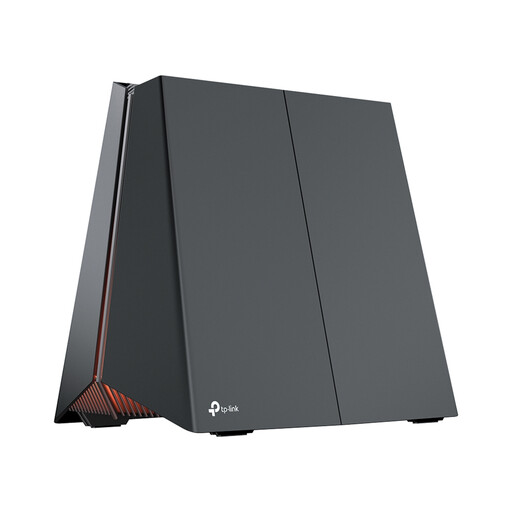
TP-Link Archer GE550 Tri-Band Router, 2.5 Gigabit Ethernet
A standalone router to compare if you want to consider wired connections and tri-band as selection criteria.
Tri-band; 2.5 Gigabit Ethernet.
View at Joybuy
 No image available
TP-Link Deco X50-PoE 2-Pack Dual-Band Wi-Fi 6
This two-point mesh set is worth comparing if you’re weighing up coverage across several areas and wired placement.
Dual-band; Wi-Fi 6 (802.11ax); PoE.
View at Joybuy
Frequently asked questions
Why can’t your phone see the shared casting screen?
With Google Cast, your phone and screen need to be on the same Wi-Fi network, and client isolation mustn’t separate them. Also check whether the app has access to the local network. These tips don’t identify the cause when using other screen protocols.
How can you check whether your connection is fast enough for 4K streaming?
Netflix recommends a stable connection of at least 15 Mbit/s for one 4K UHD stream. Test the connection on the screen itself, including while other devices are in use. This recommendation doesn’t automatically apply to other video services or multiple streams.
Can you use your own router in the Netherlands?
Yes. ACM ConsuWijzer confirms that consumers in the Netherlands have the freedom to choose their router. Before installing your own, check which provider settings and connection type your service requires.
What should you consider when it comes to router security and maintenance?
Check for the CE marking and keep your own router up to date. The Dutch Authority for Digital Infrastructure states that stricter digital security requirements apply to certain wireless equipment first placed on the EU market from 1 August 2025. This date refers to when the product is first placed on the market, not simply when it is sold.
What should you check before buying a mesh system?
Check how many points are included in the version you’ve chosen and where you can place them. If you want to connect the points using ethernet backhaul, you’ll need a suitable cable route between those locations.


