What to consider when making video calls and sharing files at the same time
First, find out where the connection is falling short. Then decide whether you need traffic prioritisation, a suitable connection to your storage or better coverage.
| What you need |
What to look for when buying |
Who it’s for |
| Video calls during cloud uploads |
Test your internet connection over a wired connection and check whether QoS on the exact model can prioritise traffic by device or application. |
If I upload large files to the cloud during calls, I want to avoid overloading the connection. Around 31% of consumers prioritise calls during uploads. |
| Local project files |
Work out where the files are stored and check the LAN ports, USB sharing function and user permissions on the exact model. |
If my files are on a NAS or other local storage, I want a suitable, accessible connection between my devices and the files. Around 25% of consumers give local file transfers top priority. |
| Coverage across several workspaces |
Test Wi-Fi in each workspace and see whether you can run a cable to an additional mesh unit or access point. |
If I work from different rooms, I mainly need a reliable connection in all of them. Around 19% of consumers prioritise coverage across several workspaces. |
| Protecting work documents |
Check which storage options your organisation allows, and look at access permissions, updates and local network security. |
For sensitive work documents, I want to know who can access them and whether the storage complies with my organisation’s rules. Around 13% of consumers prioritise document security. |
| A suitable, straightforward purchase |
Compare a wired speed test with Wi-Fi at your workspace, and check your provider settings before replacing any equipment. |
If I want to find out whether settings or router placement will solve the problem first, I don’t want to replace my router without a clear reason. Around 12% of consumers prioritise simplicity and avoiding an unnecessary upgrade. |
Joybuy products for work files and video calls
This selection of Joybuy products includes a router with QoS and mesh options for workspaces that need wired or wireless coverage extensions.
 Image unavailable
ASUS ZenWiFi BD4 Dual-band Wi-Fi 7
A mesh option for workspaces spread across several rooms, where you can connect the units using a cable.
The product specifications list two 2.5 Gbit/s Ethernet ports per unit and QoS.
View at Joybuy
 Image unavailable
ASUS RT-AX52 AX1800 AiMesh
A standalone router for situations where the coverage is sufficient and you want to be able to set up QoS.
The product specifications list QoS and AiMesh compatibility for potential future expansion.
View at Joybuy
 Image unavailable
TP-Link Deco X50 3-pack Wi-Fi 6
A mesh system for workspaces in several rooms and devices that can be connected by cable.
The product details list three Gigabit Ethernet ports per unit and WPA3.
View at Joybuy
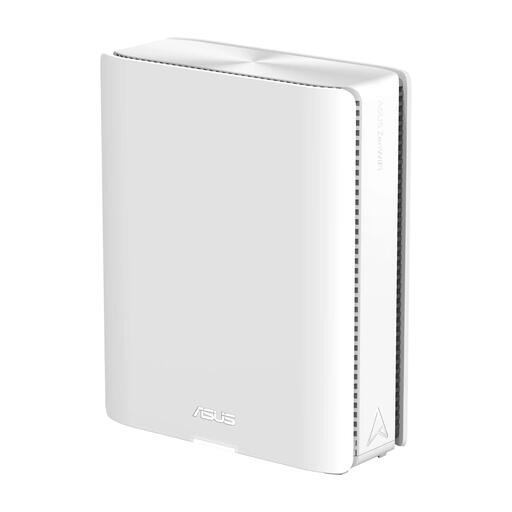 Image unavailable
ASUS ZenWiFi BQ16 Quad-band Wi-Fi 7
A router option for a workspace that can be covered by a single router, with the option to add AiMesh nodes later.
The product specifications list two 10 Gbit/s Ethernet ports.
View at Joybuy
 Image unavailable
Linksys Velop Pro 7 Tri-band Wi-Fi 7
A mesh option for coverage across several areas, with QoS settings available.
The product details list QoS, a 2.5 Gbit/s Ethernet port and two mesh nodes included.
View at Joybuy
Frequently asked questions
Will a router with a higher Wi-Fi speed always help if a video call keeps stuttering?
No. First, test your internet connection over a wired connection to see if that’s the bottleneck, then check the Wi-Fi in your workspace. QoS can prioritise traffic when the connection is busy, but it won’t make your internet connection faster.
Can you use your own router instead of the one supplied by your internet provider?
According to ACM ConsuWijzer, you’re free to choose your router. If you’re also replacing your modem, ask your provider which connection settings and network requirements apply.
Do you need a licence to use Wi-Fi at home?
According to the Dutch Authority for Digital Infrastructure, you don’t need a licence to use Wi-Fi at home if you use the designated frequencies and follow the conditions of use. Also check that the equipment is suitable for the Dutch market and has the correct CE marking.
How can you share work files securely?
For sensitive work documents, it’s best to use your organisation’s secure environment. If local router storage is allowed, check whether the exact model supports access permissions and enable secure access.
Who is responsible for router updates, and does the legal guarantee end after two years?
If you use your own router, check how firmware updates are handled; ACM ConsuWijzer advises keeping your own equipment up to date. In the Netherlands, the legal guarantee doesn’t have a fixed two-year term: what you could reasonably expect from the product’s lifespan and normal use are what matter. The retailer is your point of contact.


