
Seminar attendee who needs to stay connected
You want a reliable connection for speaking and screen sharing. In its guidance for connections with limited bandwidth, Zoom recommends prioritising audio and screen sharing over video.


First, choose a connection that works where you’ll be taking your seminar: if possible, test an Ethernet cable before buying another router. A compact router may fit on a small shelf, but you’ll also need to position it well. If reception is poor in another room, an additional access point or mesh system may be a better fit. Check how it connects to your modem, how many ports it has and how you’ll manage updates. Specifications can’t guarantee an uninterrupted call in your home.
You want a reliable connection for speaking and screen sharing. In its guidance for connections with limited bandwidth, Zoom recommends prioritising audio and screen sharing over video.
You want a router that fits, but it also needs to be positioned where the Wi-Fi signal can spread. ASUS recommends keeping it away from metal obstructions.
You’ll need to decide whether one router in a better position will be enough or whether you need an additional network point. TP-Link describes the Deco X50 as a system with multiple units and optional Ethernet backhaul.
Test the connection where you’ll be taking your seminar, then decide whether you mainly need a cable, a compact router or extra coverage.
| What to consider | What should you check? | Who is this important for? |
|---|---|---|
| Stable calls | Test Wi-Fi and, if possible, Ethernet where you make calls. Also check that your internet connection itself is working well enough. | If I don’t want to drop out during a seminar, I’ll first test whether a cable makes a difference; around 31% of consumers prioritise call stability. |
| Shelf space | Measure the available width and depth, including room for plugs and cables. Check the dimensions and ports of the exact model. | For a narrow shelf, I’m looking for a suitable device that doesn’t need to be tucked behind obstructions; around 25% of consumers give shelf space top priority. |
| Coverage at a distance | Check reception in the seminar room. Before choosing additional wireless units, find out whether you can run a cable to an access point. | If my seminar space is in another room, I want to know whether I need extra network coverage there; around 19% of consumers prioritise range. |
| Connection and management | Check whether the router connects behind your existing modem or replaces it, which settings are required and how firmware updates are installed. | If I want to spend as little time as possible on installation and maintenance, I’ll check the connection method and updates in advance; around 13% of consumers give easy management top priority. |
| Avoiding unnecessary upgrades | Test your existing setup first. Then compare how many units, ports and cables you’ll need. | If one cable or a better position solves the problem, I don’t want to buy extra network points; around 12% of consumers prioritise avoiding unnecessary upgrades. |
An advertised Wi-Fi speed doesn’t prove how well a seminar call will work where you are. A router also won’t fix interference or limited capacity in your internet connection itself.
Test the connection during similar use, and check Wi-Fi and your internet source separately.
A device may fit on the shelf, but obstructions such as metal can interfere with wireless reception.
Allow room for connections too, and choose an open spot if possible.
A mesh system distributes Wi-Fi across several locations; a direct Ethernet connection is another option for a single computer.
Test a cable first, then check whether other rooms really need extra wireless coverage. A multi-point setup needs space and power in several locations, and may also need cables.
The RT-AX57 Go is a compact router worth considering if you have limited shelf space and want to be able to choose between router and access point modes.
The Deco X50 range includes sets with one, two or three units for situations where you need coverage across several locations.
The FRITZ!Box 4050 is a router that connects to an existing fibre, cable or DSL modem.
According to its manual, the Beryl AX (GL-MT3000) is a travel router that can use an existing Ethernet or Wi-Fi connection.
This selection includes standalone routers and Deco systems for seminar spaces with limited room or a need for coverage across several locations.
 No image available
An option to consider if you’re looking for a router with Wi-Fi and wired connections.
Single-band 2.4 GHz and Wi-Fi 4; dimensions are 173 × 118 × 33 mm. The router has an Ethernet WAN connection and four RJ-45 ports; the Fast Ethernet ports support 10/100 Mbit/s.
 No image available
A compact router to consider if space is limited and you want to use Wi-Fi in one location.
The stated Wi-Fi band is 2.4 GHz and the router supports Wi-Fi 4. Its single network port supports up to 100 Mbps.
 No image available
An option if you’re looking for a router to connect to a modem, with connections for several wired devices.
Dual-band Wi-Fi 6 with one WAN port and three gigabit Ethernet ports. The stated dimensions are 190 × 126 × 45 mm; the model supports AiMesh.
 No image available
A mesh set to consider if you want to spread coverage across several locations.
Dual-band 2.4 GHz/5 GHz and Wi-Fi 6 (802.11ax), with three gigabit ports per unit. Ethernet backhaul is optional. Each of the two units needs a suitable location and a power supply.
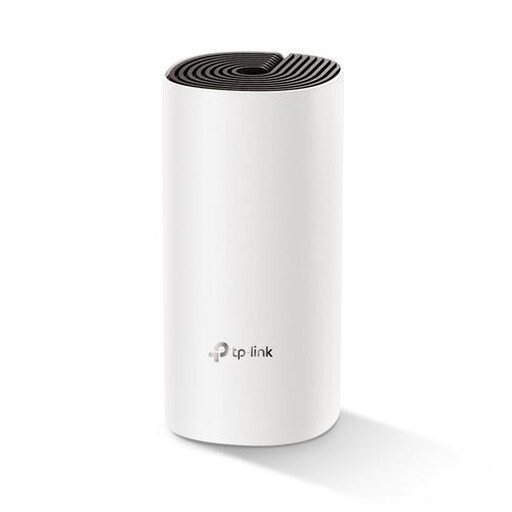 No image available
A single unit to consider if you’re looking for a mesh model and want to start by setting up one device.
Dual-band Wi-Fi 5 (802.11ac), with an Ethernet WAN connection and two Ethernet ports. The stated dimensions are 190 × 90,7 × 90,7 mm.
No. First check the connection where you make calls and, if possible, compare Wi-Fi with a network cable. A new router won’t fix interference or insufficient capacity from your internet source.
Don’t just check whether the device fits. ASUS recommends keeping it away from metal obstructions; leave room for cables and the power supply too. An enclosed spot can affect Wi-Fi reception.
Yes. ACM ConsuWijzer explains that you can choose your own equipment. To connect it directly, it must meet the applicable network and safety requirements, and you’ll need the correct connection settings. Ask your provider which connection and settings apply to your service.
Install firmware updates and check how the model you choose receives updates before you buy it. ACM ConsuWijzer highlights the importance of security and up-to-date software when using your own equipment.
No. According to ACM ConsuWijzer, statutory warranty in the Netherlands doesn’t have a fixed two-year term; the expected lifespan under normal use is taken into account. A manufacturer’s warranty may have its own terms and duration.