Who is this relevant for?

Seminar attendees with calls that keep cutting out

If your video or audio keeps stuttering, you’ll want to find out whether the cause is your wired connection or the Wi-Fi where you take calls. Microsoft Support and ACM ConsuWijzer explain how to check your connection.

Renters with an existing router from their provider

If you want to keep your provider’s router and add your own Wi-Fi, check which connection method and settings are compatible with your current set-up. ACM ConsuWijzer provides advice on using your own router.

People with a tricky spot for taking calls

If the Wi-Fi signal is weak or unreliable in a particular spot at home, you’ll want to know whether moving the router will be enough or if you need an extra Wi-Fi point. Microsoft Support discusses the choice between Wi-Fi frequency bands, while the Consumers’ Association notes that coverage can vary between mesh systems.

What should you look for when buying?

What to consider What should you check? Who is this important for?
Call stability Compare the connection using an Ethernet cable at the connection point with Wi-Fi where you take calls. Also check your upload speed and contract details. If I want to fix interruptions before my next seminar, I need to know whether the wired connection or the Wi-Fi is the cause. Around 36% of consumers put call stability first.
Connection and mode Check which connection is available, whether you’ll be keeping your provider’s router, and whether the model has the router or access point mode you need. If I want to keep my provider’s set-up, I’m looking for a router that works with it, without replacing equipment unnecessarily. Around 29% of consumers make compatibility their top priority.
Wi-Fi coverage where you take calls First, try placing the router somewhere else and compare 2.4 GHz and 5 GHz. Only consider extra Wi-Fi points after testing coverage. If the signal is weak mainly where I usually take seminars, I want to know whether a better position will be enough. Around 21% of consumers put coverage in that spot first.
Cost and management Check which features you need, how firmware updates are managed and who to contact if the product is faulty. If I have to manage the router myself, I don’t want to pay for features I won’t use, and I want to know how updates are handled. Around 14% of consumers make cost and management their main priority.

Common buying mistakes

  • Assuming a high Wi-Fi speed rating guarantees smooth seminars

    A product’s stated maximum speed doesn’t, by itself, predict how stable a call will be. Your wired connection and where you take calls also make a difference.

    First, test the connection with an Ethernet cable, then try it where you normally take calls. Don’t use the stated Wi-Fi speed as an indication of call quality.

  • Adding your own router without considering your provider’s router

    Adding a router is different from replacing a modem, and the available operating modes vary between models.

    Before you buy, decide which equipment you’ll keep and check that your chosen router has the router or access point mode you need.

  • Buying a mesh system before checking whether you have a coverage problem

    An extra Wi-Fi point won’t automatically fix an internet connection problem. In a compact home, simply moving the router could improve the connection where you take calls.

    First, test the connection in that spot and try moving the router. Only add extra points if coverage is still poor.

Brands to consider

TP-Link

The Archer AX55 is an example of a standalone dual-band Wi-Fi 6 router for anyone considering a single Wi-Fi point.

  • TP-Link lists 2.4 and 5 GHz Wi-Fi and gigabit ports for this model.
  • The stated Wi-Fi speeds are product specifications, not a measure of seminar quality in a rented home. Check the exact version and connection mode.

ASUS

The RT-AX57 Go is a compact router for anyone who needs a portable set-up or a choice of connection modes.

  • ASUS lists router, access point and WISP modes, one gigabit WAN port and one gigabit LAN port among this model’s specifications.
  • With just one LAN port, the number of devices you can connect by cable is limited. Having a choice of modes doesn’t guarantee uninterrupted video calls.

FRITZ!

The FRITZ!Box 4060 is a standalone router for anyone weighing up Wi-Fi, multiple wired connections or telephone features.

  • The manufacturer lists a 2.5 Gbit/s WAN port, three gigabit LAN ports and a DECT base station.
  • These extra features aren’t essential for every small rented home, and the manufacturer’s description isn’t an independent real-world test.

Joybuy products

This selection includes dual-band and mesh routers for anyone considering their own Wi-Fi set-up. First, work out whether one Wi-Fi point will be enough or if you need to extend your coverage.
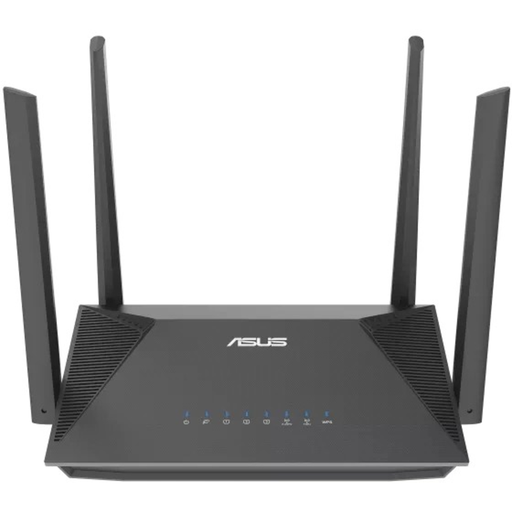
ASUS RT-AX52 AX1800 dual-band router

ASUS RT-AX52 AX1800

An option to consider if you’re looking to create your own dual-band Wi-Fi set-up and also need a wired connection.

Dual-band (2.4 GHz/5 GHz); Gigabit Ethernet; Wi-Fi 6; AiMesh compatibility.

Joybuy
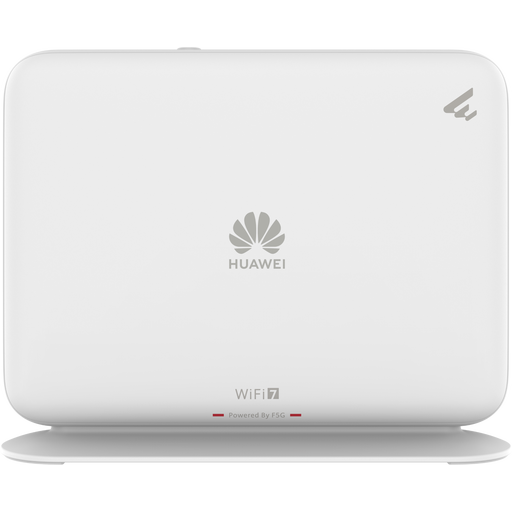
Huawei eKit OptiX FG736 BE3600 dual-band mesh router

Huawei eKit OptiX FG736 BE3600

A mesh router to consider if you’re thinking about a set-up with multiple Wi-Fi points.

Dual-band Wi-Fi 7 mesh router.

Joybuy
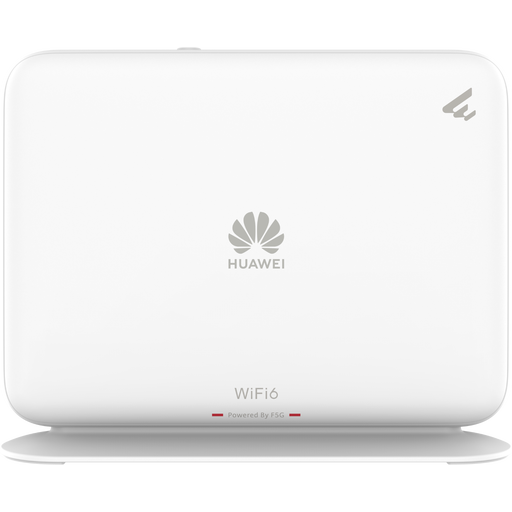
Huawei eKit OptiX FG630 AX3000 dual-band mesh router

Huawei eKit OptiX FG630 AX3000

A mesh router to consider if you’re thinking about a set-up with multiple Wi-Fi points.

Dual-band Wi-Fi 6 mesh router.

Joybuy
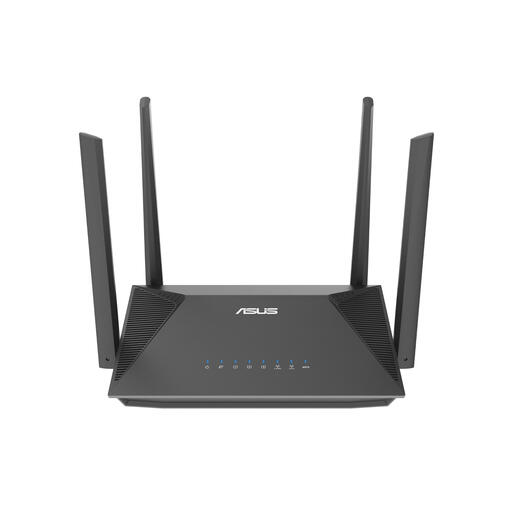
ASUS RT-AX52 Pro AX3000 dual-band router

ASUS RT-AX52 Pro AX3000

An option to consider if you’re looking to create your own dual-band Wi-Fi set-up and also need a wired connection.

Dual-band (2.4 GHz/5 GHz); Gigabit Ethernet; Wi-Fi 6; AiMesh compatibility.

Joybuy
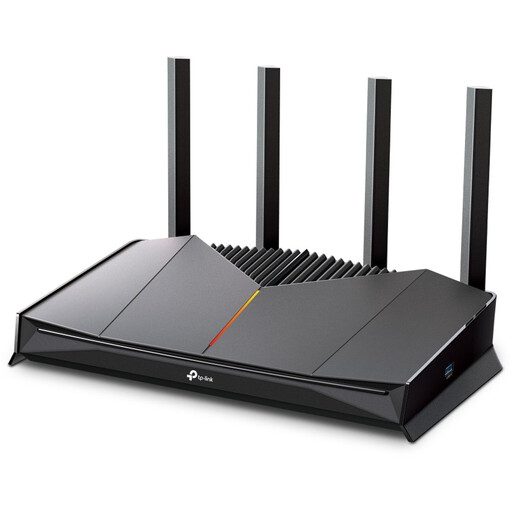
TP-Link Archer GE230 dual-band router

TP-Link Archer GE230

A dual-band router to consider if you want your own Wi-Fi set-up and may need to extend it later.

Dual-band (2.4 GHz/5 GHz); 2.5Gigabit Ethernet; Wi-Fi 7; EasyMesh compatibility; managed via the Tether app.

Joybuy

Frequently asked questions

Should you buy a new router straight away if your online seminar keeps cutting out?

No. First, test the connection with an Ethernet cable at the connection point, then compare it with Wi-Fi where you take calls. If the wired connection is poor, check your contract and contact your provider. A different Wi-Fi router won’t fix that connection.

Can you use your own router in the Netherlands?

According to ACM ConsuWijzer, you’re free to choose your router. Before buying, check which type of connection you have and which settings you’ll need, especially if you’re keeping or replacing equipment supplied by your provider.

How do you maintain your own router?

Keep the firmware up to date and change the default login details. If you use your own equipment, you’ll need to check how to manage updates and Wi-Fi settings yourself.

Does a Wi-Fi router need a CE mark?

Yes. The Radiocommunications Agency Netherlands states that radio equipment must carry the correct CE marking. The additional RED 3.3 cybersecurity requirements have applied since 1 August 2025, so check the specific version being sold, not just the model name.

Are you limited to the manufacturer’s warranty for your statutory guarantee?

No. ACM ConsuWijzer explains that your statutory guarantee applies alongside any seller’s warranty and depends on what you could reasonably expect from the product’s lifespan. If a product is faulty, the seller is responsible for providing an appropriate solution.
