Who is this relevant for?

Families with lessons and video calls happening at the same time

If several family members use laptops or tablets at the same time, the priority is a reliable connection for everyone, not just an advertised top speed. The Consumers' Association explains that video calls depend on both upload and download speeds.

Study areas with a weak Wi-Fi signal

If the connection drops out mainly in your study area, consider the router's position, obstacles and whether an extra Wi-Fi access point might help. The Consumers' Association points out that walls and ceilings can interfere with the signal.

Families who want to manage one network

If you want to keep your existing connection, look for features such as guest access, parental controls and updates for the model you choose. ACM ConsuWijzer explains that you can choose your own router; available features vary by device.

What should you look for?

What to consider What should you check? Who should pay particular attention?
Being online at the same time Compare the Wi-Fi generation, support for multiple connections and Ethernet ports. Also bear in mind your internet connection's upload and download speeds. If several family members are having lessons or making video calls at the same time, I want the connection to remain reliable for everyone. Around 36% of consumers prioritise simultaneous use.
Signal in the study area Test the connection in the study area and see whether you can move the router before choosing an extra Wi-Fi access point. If my study area is a long way away or behind walls, I want to get a reliable signal there first. Around 29% of consumers give signal strength in that area top priority.
Network management Check which updates, guest access and parental control features are included with the exact model. If our family shares the network, I want to tailor access and management to our needs. For around 21% of consumers, network management is the main consideration.
Connection and cost Decide whether the router will connect to your existing modem or whether you want to replace the modem. If you do, ask your provider for the necessary settings. If I want to keep using my existing equipment, I want to know in advance how the new device will connect to it and what else I might need. Around 14% of consumers prioritise connection and cost.

Common buying pitfalls

  • Assuming a higher Wi-Fi speed guarantees better coverage

    Distance and obstacles can weaken the signal in your study area. The Wi-Fi version number alone doesn't tell you how well the connection will work there.

    First, test the signal in the study area and compare moving the router with adding an extra Wi-Fi access point.

  • Assuming a router can replace any modem

    If you replace your modem, you'll need to consider your provider's connection, the required settings and, for fibre, the network technology.

    Before buying, decide whether the router will connect to your existing modem. If you want to replace the modem, ask your provider which settings you'll need.

  • Choosing Wi-Fi 7 just because of the version number

    Your devices need to support the newer standard to benefit from its improvements. The Consumers' Association notes that Wi-Fi 7 doesn't automatically offer the average user more than Wi-Fi 6.

    Only choose a more advanced Wi-Fi 7 system if its coverage, compatible devices and features suit your needs.

Brands to consider

TP-Link

Offers standalone Wi-Fi routers, including the Archer AX55, for study areas with sufficient coverage.

  • TP-Link lists OFDMA and gigabit ports for the Archer AX55.
  • These specifications don't guarantee coverage or call quality in a particular home. A standalone router isn't the same as an extra Wi-Fi access point.

FRITZ!

The Mesh Set 4200 is an example of a system that extends Wi-Fi through an existing router or fibre modem.

  • For the two-piece set, FRITZ! lists guest access, parental controls, automatic updates and LAN connectivity.
  • Check that two units and the connection method suit your home. The Consumers' Association notes that the test result shown for the two-piece version is based on the three-piece version.

ASUS

The range includes the ZenWiFi BT8, a Wi-Fi 7 mesh system, and the RT-AX58U, a standalone router.

  • ASUS lists tri-band Wi-Fi 7 and two 2.5-gigabit ports for the BT8; the RT-AX58U is listed as AiMesh-compatible.
  • The Consumers' Association notes that Wi-Fi 7 doesn't automatically offer the average user more. Check the features of the exact models and consider the devices you use.

Netgear

The Orbi 770 RBE773 is an example of a three-piece Wi-Fi 7 mesh system for covering multiple areas of your home.

  • The Consumers' Association lists a guest network, parental controls and four Ethernet ports for the RBE773.
  • Claimed speeds don't tell you what speed you'll get in your study area at home.

Products at Joybuy

This selection includes standalone routers and mesh systems for simultaneous use and extending Wi-Fi coverage around a study area.

ASUS RT-AX52 Pro AX3000 dual-band Wi-Fi 6 router

ASUS RT-AX52 Pro AX3000 dual-band Wi-Fi 6 router

A standalone router for a study area where several devices connect at the same time.

The product information lists OFDMA, MU-MIMO, gigabit Ethernet ports and AiMesh compatibility.

View at Joybuy
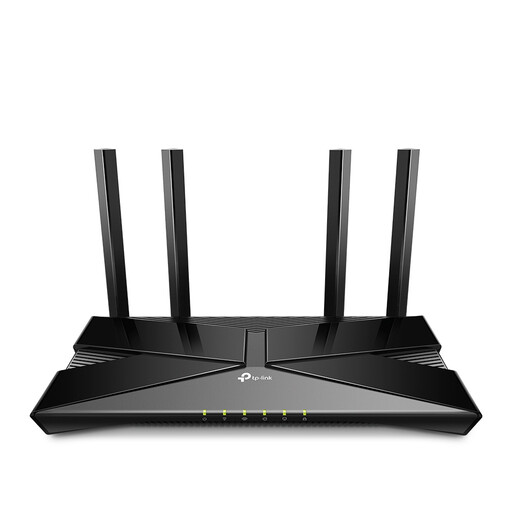
TP-Link Archer AX53 dual-band Wi-Fi 6 router

TP-Link Archer AX53 dual-band Wi-Fi 6 router

A standalone router to consider if your study area already has sufficient coverage and several devices need to connect.

The product information lists OFDMA, gigabit Ethernet ports, Beamforming and HomeShield.

View at Joybuy
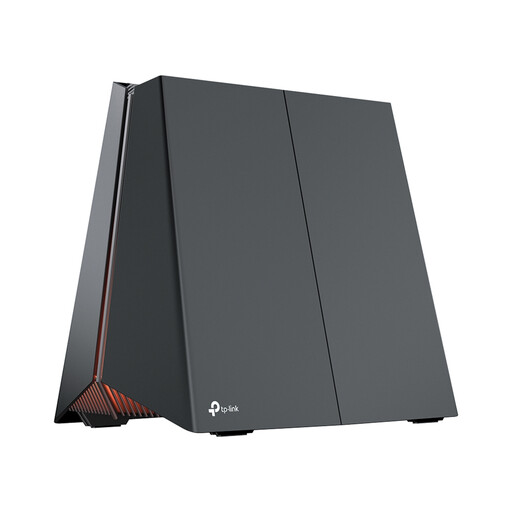
TP-Link Archer GE550 tri-band Wi-Fi 7 router

TP-Link Archer GE550 tri-band Wi-Fi 7 router

An option for anyone who needs the features of a standalone router with tri-band Wi-Fi 7.

The product information lists a 5 Gbps WAN port, 2.5 Gbps LAN ports and QoS for prioritising traffic.

View at Joybuy

TP-Link Deco XE75 tri-band Wi-Fi 6E mesh system, 3-pack

TP-Link Deco XE75 tri-band Wi-Fi 6E mesh system, 3-pack

A mesh system to consider if you need Wi-Fi in several areas of your home, including the study area.

The product information lists three units, three gigabit Ethernet ports per unit, guest access and QoS.

View at Joybuy

TP-Link Deco X50 white dual-band Wi-Fi 6 mesh system, 2-pack

TP-Link Deco X50 white dual-band Wi-Fi 6 mesh system, 2-pack

A two-piece mesh system to consider if you want to extend Wi-Fi to several areas.

The product information lists three gigabit ports per unit and HomeShield with parental controls.

View at Joybuy

Frequently asked questions

Can I use my own router in the Netherlands?

Yes. ACM ConsuWijzer confirms that you can choose your own router. Connecting a router to your existing modem is different from replacing that modem; if you replace it, the connection settings and device compatibility may be important.

Should I get a faster router or a more expensive broadband package if video calls keep dropping out?

Not straight away. First, test your internet connection using a computer connected by an Ethernet cable, then check the Wi-Fi coverage in your study area. This will help you work out whether the issue is mainly with the connection or the wireless signal. Both upload and download speeds matter for video calls.

Can I connect a mesh system to my existing router?

That depends on the system and the connection. FRITZ! says the Mesh Set 4200 can be connected via LAN to an existing router or a fibre modem/ONT. Check the installation instructions for the model you choose and make sure the necessary ports are available.

What should I look for in CE marking and radio equipment requirements?

The Dutch Authority for Digital Infrastructure (RDI) states that radio equipment must carry the correct CE marking. Since 1 August 2025, the RED 3.3 cybersecurity requirements have applied to the specified categories of radio equipment, including internet-connected radio equipment for the relevant requirements. Check the marking and documentation for the model you intend to buy.

What support and extra equipment should I compare?

Check the update and warranty terms for the exact model, and work out whether you need Wi-Fi access points or Ethernet cables as well as a router. FRITZ! lists regular updates and a five-year warranty for the Mesh Set 4200; these don't automatically apply to other models.
