Joybuy product picks
This Joybuy selection includes standalone routers for use with multiple devices and mesh systems for Wi-Fi coverage in different parts of your home.
 No image available
ASUS ZenWiFi BD4 Wi-Fi 7, dual-band, white
A mesh system for situations where you need Wi-Fi points in several parts of your home.
The product description lists wired backhaul as an option and setup via the ASUS Router app.
Dual-band: 2.4 GHz and 5 GHz.
View at Joybuy
 No image available
ASUS RT-AX52 AX1800 AiMesh router
A standalone router for a setup where several devices connect at the same time.
The product description lists OFDMA, MU-MIMO and the option to expand with AiMesh-compatible routers.
Dual-band: 2.4 GHz and 5 GHz; Gigabit Ethernet.
View at Joybuy
 No image available
TP-Link Deco X50 Wi-Fi 6, 3-pack
A mesh pack with three points for a setup that needs Wi-Fi in several places.
Dual-band: 2.4 GHz and 5 GHz. The stated Wi-Fi throughput and coverage don’t guarantee performance in a specific home.
View at Joybuy
 No image available
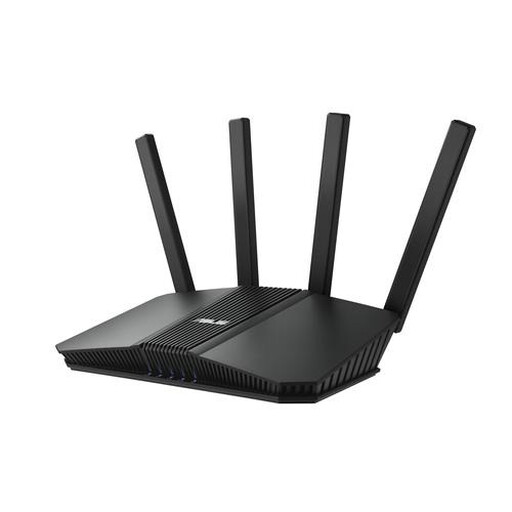
ASUS RT-BE82U BE6500 router
A standalone router for a home network with wireless and wired devices.
Wi-Fi 7 and dual-band: 2.4 GHz and 5 GHz.
The product description lists OFDMA and Ethernet ports, including 2.5-gigabit Ethernet.
View at Joybuy
 No image available
ASUS RT-AX52 Pro AX3000 AiMesh router
A standalone router for network activity from several devices at once, with the option to expand your network using AiMesh-compatible ASUS routers.
Wi-Fi 6, OFDMA and MU-MIMO.
Dual-band: 2.4 GHz and 5 GHz; Gigabit Ethernet.
View at Joybuy
Frequently asked questions
How can you tell whether your router or internet plan is making your film buffer?
First, measure your connection over a wired connection and compare the result with Wi-Fi where you watch. Netflix recommends a stable connection of at least 15 Mbps for one 4K stream on its service; assess other activities happening at the same time and a weak Wi-Fi signal separately.
Do you need to buy a new router straight away if the Wi-Fi is poor in one room?
No. First, try moving the router to a better, more central position and test the Wi-Fi in that room again. If coverage is still insufficient, compare using a cable, an extra access point or mesh.
Can you use your own router in the Netherlands?
Yes. According to ACM ConsuWijzer, you have the freedom to choose your router. Check the connection method and settings required by your provider if you want to connect your own equipment directly.
What should you check about CE marking and digital security when buying in the Netherlands?
For the specific model, check which requirements for radio equipment apply and whether it has the correct CE marking. The Dutch Authority for Digital Infrastructure says that, since 1 August 2025, stricter digital security requirements have also applied to equipment placed on the market under the relevant rules. A declaration for a different hardware version doesn’t automatically confirm that the model you’re considering complies.
What are your rights if a router bought online isn’t suitable or turns out to be faulty?
ACM ConsuWijzer explains that online purchases come with a statutory cooling-off period, usually lasting until 14 days after delivery, subject to applicable exceptions. You’re also entitled to a product that works as it should; the statutory guarantee is not the same as the length of a manufacturer’s warranty.


