What should you look for?
First, test your internet connection over Ethernet, then check reception where you watch and work. Only then decide between a single router and multiple Wi-Fi access points. Consider traffic prioritisation if activities are genuinely competing for limited bandwidth.
| What to consider |
What to look for when buying |
Who is this important for? |
| Watching concerts without interruptions |
Test over Ethernet; check reception where you watch and whether you can connect your screen via LAN. |
If I want to watch a concert without interruptions while sharing my internet with others, I’ll first check the connection to my screen. Around 36% of consumers say uninterrupted concert viewing is their top buying priority. |
| Watching concerts and working |
Check download and upload speeds when the connection is being used by several people at once; only consider QoS if there is actual congestion. |
If other people need to make video calls or work online while someone is watching, connection capacity during simultaneous use matters. Around 29% of consumers prioritise work traffic while watching concerts. |
| Coverage across several rooms |
Test reception in the places you use; check where mesh nodes can go and whether Ethernet backhaul is possible. |
If my work and viewing spaces are in different rooms, I want to know whether the connection will be usable there too. Around 21% of consumers name coverage across several rooms as their top buying priority. |
| Streaming live yourself |
Test your upload speed and encoder settings in advance; check whether you can connect the encoder by cable. |
If I’m streaming live video while others are using the internet, I’ll check the upload speed and run a test stream beforehand. Streaming live yourself is the top buying priority for around 14% of consumers. |
Router and mesh options at Joybuy
This selection includes standalone Wi-Fi routers for use around a single connection point, and mesh systems for work and viewing spaces in several rooms.
 No image available
ASUS RT-AX52 AX1800
A standalone router for viewing and work spaces close to the connection point.
Wi-Fi 6; dual-band at 2.4 GHz and 5 GHz; three gigabit ports; QoS and AiMesh expansion with compatible routers.
View at Joybuy
 No image available
TP-Link Deco X50 (3-pack)
A mesh system for work and viewing spaces in different parts of your home. Check where you can place the units before buying.
Wi-Fi 6, dual-band at 2.4 GHz and 5 GHz, and three gigabit ports per unit. Ethernet backhaul is optional and requires an Ethernet connection between the units.
View at Joybuy
 No image available
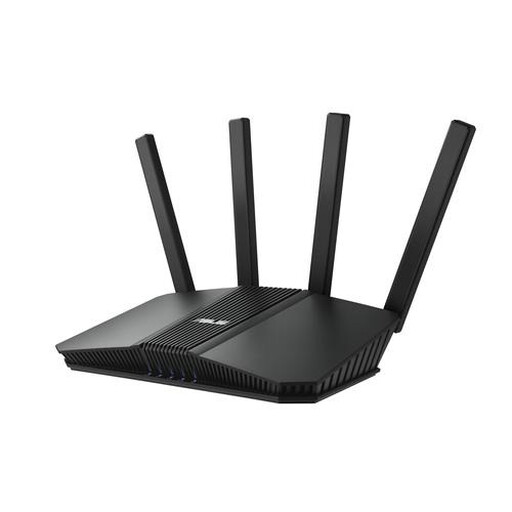
ASUS RT-BE82U BE6500
A standalone router to compare if you need several wired connections as well as Wi-Fi.
Wi-Fi 7, dual-band at 2.4 GHz and 5 GHz, and four Ethernet ports, including 2.5-gigabit Ethernet.
View at Joybuy
 No image available
TP-Link Deco XE75 Pro (3-pack)
A mesh system for work and viewing spaces in different locations. Decide where you need to place the units for your space.
Tri-band Wi-Fi 6E at 2.4 GHz, 5 GHz and 6 GHz; each unit has two gigabit ports and one 2.5-gigabit port.
View at Joybuy
 No image available
TP-Link Deco X50 (2-pack)
A mesh system with two units for work and viewing spaces across several rooms.
Wi-Fi 6, dual-band at 2.4 GHz and 5 GHz, and three gigabit ports per unit. Ethernet backhaul is optional.
View at Joybuy
Frequently asked questions
For a live concert, should you check your download or upload speed?
For watching, your available download speed is relevant; if you’re streaming live yourself, your tested upload speed matters. The Netflix Help Centre recommends 15 Mbps or more for watching in 4K, but this isn’t a general requirement for every concert platform. YouTube Help recommends testing your upload speed and running a test stream with your chosen settings before a livestream.
How can you tell if you need a new router?
First, test your internet speed using a computer connected by Ethernet. Consumentenbond recommends this wired test. If the connection is good but Wi-Fi is weak in your workspaces, try placing the router somewhere more central, then consider whether extra Wi-Fi access points would help.
Can you connect your own router in the Netherlands?
ACM ConsuWijzer explains your freedom to choose a router, but the connection and settings depend on your provider. Ask which settings you’ll need if you want to replace the provider’s equipment, and check the relevant requirements for your device.
Do you need a permit to use Wi-Fi in a shared workspace?
According to the Dutch Authority for Digital Infrastructure, designated licence-exempt frequencies can be used privately or for business, provided you follow the conditions of use. Licence-exempt doesn’t mean interference can’t occur.
What can you do if your router breaks down too soon?
In the Netherlands, statutory consumer rights apply in addition to any manufacturer’s warranty. ACM ConsuWijzer explains that, subject to the applicable conditions, the seller must repair, replace or refund a product free of charge if it doesn’t perform as you could reasonably expect under normal use. There isn’t one fixed statutory warranty period for every router.


