What should you look for when choosing?
First work out whether the issue lies with your internet connection, Wi-Fi where you watch or your playback device. Then decide whether to optimise your setup, use a cable or add Wi-Fi equipment.
Keep your existing provider router
Choose this if: the documentary streams smoothly, or repositioning the router, changing a setting or using a cable is enough to help.
Bear in mind: optimising your setup may not solve a persistent weak signal over a long distance.
Standalone Wi-Fi router by your modem
Choose this if: Wi-Fi is the weak link and you have a suitable place for an additional router.
Bear in mind: a standalone router doesn’t automatically replace your modem. It needs the right connection and configuration.
Mesh for wider coverage
Choose this if: Wi-Fi is good by your modem, but the signal struggles to reach where you watch because of walls or another floor.
Bear in mind: multiple units mean extra equipment and installation. Check how many units are included and whether wired backhaul is supported.
Ethernet to your playback device
Choose this if: your device stays in one place and you can run a cable to it.
Bear in mind: you’ll need an available Ethernet port and a practical way to run the cable.
| What to consider |
What should you look for? |
Who should prioritise this? |
| Coverage where you watch |
Test the signal where you watch; compare repositioning the router, using Ethernet and, if needed, the number of mesh units. |
If Wi-Fi is good by the modem but my stream keeps buffering in my home office, I want to know whether moving the router or using a cable will be enough. Around 40% of consumers prioritise coverage where they watch. |
| Reliable streaming when others are online |
Check the connection on your playback device and your streaming service’s requirements. A stated Wi-Fi speed isn’t the same as the streaming speed measured in your home. |
If other people in my household are online at the same time, I want to know whether the connection and Wi-Fi can handle the load. Around 27% of consumers cite reliable streaming during simultaneous use as their main reason. |
| Connections and settings |
Check the WAN and LAN connections, router or access point mode, and your provider’s settings. |
If I want to connect my own router, I want to be sure it will work with my existing modem. Around 13% of consumers prioritise connections, settings and maintenance. |
| Need and cost |
Test your existing connection first; then compare what’s included in a router or mesh kit and which features or conditions apply. |
If changing a setting or repositioning the router is enough to get the stream working, I don’t want to buy an extra device without a good reason. Around 20% of consumers want to avoid an unnecessary purchase. |
Wi-Fi routers and mesh systems at Joybuy
This selection includes standalone routers and mesh kits for home offices where Wi-Fi coverage where you watch needs extra attention. For a specific router, check that it has the correct CE marking and review the product information; the Dutch Authority for Digital Infrastructure lists Wi-Fi routers as equipment that must carry a CE marking.
 No image available
ASUS ZenWiFi BD4 Wi-Fi 7 (2,4 GHz / 5 GHz)
A mesh option to compare if the place where you watch is out of range of a single Wi-Fi point.
The product information lists Wi-Fi 7 and an option for wired backhaul. Check the CE marking and details for the specific version.
Joybuy
 No image available
ASUS RT-AX52 AX1800 dual-band router
A standalone router to compare if Wi-Fi where you watch is the weak link and you have a suitable place for extra equipment.
The product information lists Wi-Fi 6, gigabit Ethernet ports and AiMesh compatibility. Check the connection and CE marking for the specific version.
Joybuy
 No image available
TP-Link Deco X50 3-pack Wi-Fi 6 (2,4 GHz / 5 GHz)
A three-unit mesh kit to compare if the place where you watch needs more than one Wi-Fi point.
The product information lists gigabit ports on each unit and optional Ethernet backhaul. Check that the kit and CE marking are right for the specific version.
Joybuy
 No image available
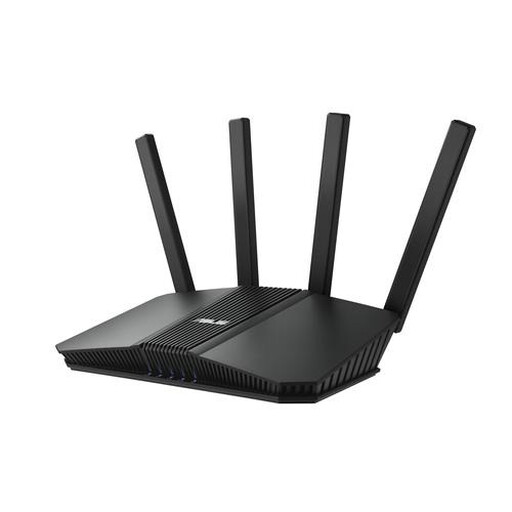
ASUS RT-BE82U BE6500 dual-band router
A standalone router to compare if you’re looking for extra Wi-Fi equipment for your home office.
The product information lists Wi-Fi 7, four Ethernet ports and a 2.5-gigabit Ethernet port. Check the connection and CE marking for the specific version.
Joybuy
 No image available
ASUS RT-AX52 Pro AX3000 dual-band router
A standalone router to compare if you want to extend Wi-Fi coverage in your living room or home office.
The product information lists Wi-Fi 6 and gigabit Ethernet. Before buying, check the connection and CE marking for the specific version.
Joybuy
Frequently asked questions
How do you know if you need a new router to watch a documentary?
Test the connection where you watch and compare it with the connection by your modem. Also check the requirements of your streaming service, subscription and playback device. Netflix Help Centre recommends 5 Mbps or higher for FHD and 15 Mbps or higher for UHD 4K on Netflix; a higher router speed rating won’t fix a problem with your internet provider’s connection.
Can you use your own router in the Netherlands?
Yes. ACM ConsuWijzer says that you’re free to choose your own router. Check your provider’s connection settings before connecting equipment, and keep your router up to date; ACM ConsuWijzer highlights the importance of updates for security.
How do you connect an additional router?
First decide whether your provider’s device will continue to act as both modem and router, and whether the additional router will work as a router or an access point. Use the appropriate connection and provider settings, and check which operating modes your chosen model supports.
What should you check on a Wi-Fi router’s CE marking?
For a specific Wi-Fi router sold in the Netherlands, check the CE marking and the accompanying product information. The Dutch Authority for Digital Infrastructure lists Wi-Fi routers as equipment that must carry a correct CE marking.
What should you do if your router is faulty?
Report a faulty product to the retailer. According to the Dutch government, there’s no fixed statutory guarantee period in the Netherlands; a manufacturer’s guarantee is in addition to your legal right to a product that works as it should.


