Products for repeater and access point use
These Joybuy products include wireless repeaters for extending coverage from a suitable midway point, and access points for situations where an approved network cable is available to your work area.
 No image available
TP-Link TL-WA850RE 300 Mbps Universal
A wireless extender may be suitable if there’s still a strong enough connection to the router at a midway point.
The product name states 300 Mbps; this isn’t a guaranteed download speed in your work area.
View at Joybuy
 No image available
WiFi Repeater Pro Black
This product is designed to extend your wireless signal as a repeater; place it where the connection to your router is still usable.
View at Joybuy
 No image available
TP-Link TL-WA801N Wireless Access Point/WiFi Network Extender
The product name lists both an access point and a Wi-Fi extender; check which mode suits your connection to your work area.
The product name lists N up to 300 Mbps, 2 antennas, WPS and Passive PoE. For wireless repeater use, you’ll need to place the device somewhere it can still receive a strong enough signal from the router.
View at Joybuy
 No image available
TP-Link EAP725-Wall 5012 Mbit/s White with Power over Ethernet (PoE)
An access point is designed for a setup with a usable network connection where you need Wi-Fi.
The product name lists 5012 Mbit/s and Power over Ethernet (PoE). Check that the cable connection and power supply are suitable for your setup.
View at Joybuy
 No image available
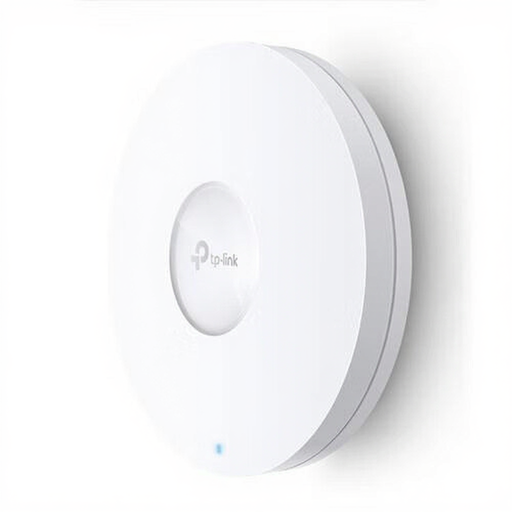
TP-Link Omada EAP620 HD Wireless Access Point 1201 Mbit/s White PoE
This access point is suitable for a work area where a compatible, approved network cable is available.
The product name lists Wi-Fi 6, 1201 Mbit/s and Power over Ethernet (PoE). Check that the network connection and power supply are suitable for where you plan to install it.
View at Joybuy
Frequently asked questions
Where should you place a wireless repeater in a long corridor?
Place it somewhere it can still receive a strong signal from the router, usually between the router and your work area. Check the placement indicator or app, then test the download at the end of the corridor.
Will a repeater help if lesson files are slow to download even near the router?
Not necessarily. First, compare the same download near the router and at the end of the corridor. If it’s also slow near the router, the problem may be with your internet connection. Better Wi-Fi coverage won’t fix that on its own.
Can you connect your own repeater to eduroam or another education network?
It depends on your institution’s rules and technical setup. Eduroam uses personal institution credentials, so ask your network administrator whether you’re allowed to use your own device and which sign-in method is supported. General compatibility with routers doesn’t confirm that it will work.
What are your rights if you’re unhappy with a repeater bought online or it breaks too soon?
For an online consumer purchase, you generally have up to 14 days after delivery to change your mind, subject to legal exceptions. You’re also covered by the statutory guarantee: if a product doesn’t do what you could reasonably expect under normal use, the seller is responsible for providing an appropriate solution. ACM ConsuWijzer explains these consumer rights.
Which Dutch product regulation should you know about when buying?
Radio equipment sold in the Netherlands must meet the applicable European requirements and carry a CE mark. The Dutch Authority for Digital Infrastructure explains these requirements; a CE mark on its own doesn’t prove that a particular advert or product version has been checked further.


