
Home worker who can run a cable
Wants a stable connection in their loft workspace and can run an Ethernet cable to an access point or mesh node. TP-Link describes Ethernet backhaul as an option for connecting Deco units by cable.


First, measure your internet connection using an Ethernet cable and compare it with the Wi-Fi signal in the loft; the Consumentenbond recommends a wired connection for a speed test. If you can run a cable to the loft, a wired access point or mesh node avoids sending a wireless signal through thick walls. Without a cable, mesh depends on having a suitable spot in between, while powerline depends on your home's electrical wiring. A higher stated Wi-Fi speed alone does not guarantee coverage in the loft.
Wants a stable connection in their loft workspace and can run an Ethernet cable to an access point or mesh node. TP-Link describes Ethernet backhaul as an option for connecting Deco units by cable.
Wants to extend Wi-Fi wirelessly and can place a mesh node somewhere in between where the existing network is still usable. The Consumentenbond advises placing Wi-Fi points where there are as few obstacles as possible.
Cannot run a cable and cannot find a suitable spot in between for a wireless connection. In this case, powerline may be an alternative worth trying, but performance depends on the electrical wiring and the sockets you use.
First, work out whether you can run a cable to the loft. If not, check whether there is a suitable spot for a wireless mesh node; test powerline using the sockets you actually plan to use.
| What to consider | What should you check? | Who is this important for? |
|---|---|---|
| Stability with a cable | Check whether you can run an Ethernet cable to the loft, whether the device can work as an access point, and what connections and power supply it needs. | If I work in the loft and need a stable connection, a wired route is my priority. Around 40% of consumers making this choice put that first. |
| Wireless coverage | Try a spot in between where the mesh node still has a usable connection to the router; the Consumentenbond advises minimising obstacles as far as possible. | If I can't run a cable, I want to know whether Wi-Fi reaches a spot in between before choosing an extra node. Around 30% of consumers prioritise wireless coverage. |
| Powerline via wall sockets | Try the adapters in the intended wall sockets. Devolo recommends plugging them directly into a wall socket rather than using a multi-plug adapter or extension lead. | If a wired connection isn't an option and there isn't a suitable spot for mesh, I want to know whether powerline will work in my home. Around 20% of consumers prioritise this cable-free alternative. |
| Keeping your existing equipment | Compare a wired measurement with Wi-Fi in the loft, then check whether you can move or extend your existing router. | If the internet connection works well over a cable, I want to make the most of my existing router before replacing it. Around 10% of consumers make keeping their equipment their first priority. |
Walls and ceilings can disrupt the signal. A stated speed or coverage area therefore won't necessarily tell you how the connection will perform in your loft.
First, measure your internet connection using an Ethernet cable, then test Wi-Fi at your workspace before choosing a solution.
A new main router may be an unnecessary purchase if the main problem is poor Wi-Fi coverage in the loft.
The mesh node needs to be able to connect to the existing network itself. If you put it in the spot with the weakest coverage, it may also get a weak connection.
Try a position in between and check the connection using the setup app or connection indicator.
Devolo lists the choice of socket and sources of electrical interference as factors that can affect performance.
Test the adapters where you intend to use them. Devolo recommends plugging them directly into wall sockets.
An access point with PoE needs a compatible PoE power supply. You also need to make sure it has the right connection to your existing router.
Before buying, check the cable route, ports, power supply and access point mode.
Running cables may involve extra work; PoE requires suitable power-supply equipment.
The Dutch Deco range includes mesh nodes that can connect wirelessly or via Ethernet backhaul, depending on the model.
According to devolo, its Magic powerline products use your home's electrical wiring for the network connection and can provide Wi-Fi on another floor.
The FRITZ!Repeater 1200 AX is designed to extend an existing network and, according to FRITZ!, has a gigabit LAN port.
This selection includes access points and mesh systems for a possible cable route, as well as powerline and Wi-Fi extenders. For wireless equipment, check that the specific version has the correct CE marking; the Dutch Authority for Digital Infrastructure explains the requirements for radio equipment.
 No image available
Worth considering if you're looking for a mesh setup with the option of wired backhaul and can run an Ethernet cable to the loft.
The product name specifies Wi-Fi 7 and dual-band on 2.4 GHz and 5 GHz.
 No image available
Worth considering if you can't run a long Ethernet cable and want to test powerline using the sockets in your home.
The product name specifies a starter kit; the connection depends on your home's electrical wiring and the wall sockets you use.
 No image available
Worth considering if you can run an Ethernet cable to an access point in the loft and arrange the required power supply.
The product name specifies Power over Ethernet (PoE); check that the available PoE power supply is suitable for your chosen setup.
 No image available
Worth considering if you want to try mesh and have a spot in between where the previous node still gets usable coverage; a cable route makes Ethernet backhaul possible.
The product name specifies a set of two mesh units and Wi-Fi 6.
 No image available
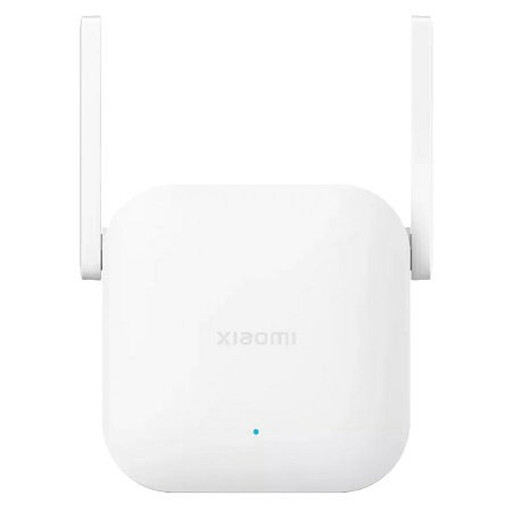
Worth considering if you want to extend your existing Wi-Fi; place the extender where the router's signal is still usable, rather than automatically putting it where the signal has already dropped out.
The product name identifies this model as a Wi-Fi range extender.
Not necessarily. First, compare a wired measurement with Wi-Fi in the loft. If the main issue is poor Wi-Fi coverage, consider the router's position or adding another Wi-Fi point before replacing the main router.
Choose a spot where the mesh node still has a usable connection to the previous node, rather than automatically putting it in the loft room with the weakest coverage. Check the connection using the setup app or indicator, and reduce obstacles where possible.
Test the adapters in the wall sockets you want to use and check the connection in the loft. Devolo recommends plugging them directly into a wall socket; sources of electrical interference can affect performance.
Yes. ACM ConsuWijzer explains that you have the freedom to choose your router. However, check that the connection settings and technical compatibility are right; a provider can refuse an unsafe device.
Check that the specific version has the correct CE marking. The Dutch Authority for Digital Infrastructure explains that radio equipment must meet the applicable requirements; a product range description alone does not confirm that every item offered carries the marking.