Start by checking whether the internet connection itself is slow or whether the Wi-Fi signal in the loft is the main issue. If there’s an Ethernet cable running upstairs, a wired access point or mesh system with Ethernet backhaul could be a good fit. Without a cable, a wireless mesh point may help if it’s placed somewhere it can still get a usable connection. Don’t automatically replace your main router if the problem could be solved by changing its position or adding another Wi-Fi point.
Joybuy products
These Joybuy products are mesh routers and mesh systems for anyone looking to organise home Wi-Fi coverage with one or more points. Check the number of units and connection options for each version to make sure they suit your home.
 No image available
TP-Link Deco X50 (3-pack)
An option if you want to use several Wi-Fi points and may be able to connect the units using Ethernet backhaul.
The set contains three units and supports Wi-Fi 6, dual-band (2.4 GHz and 5 GHz) and optional Ethernet backhaul. According to the product information, each unit has three Gigabit ports.
View at Joybuy
 No image available
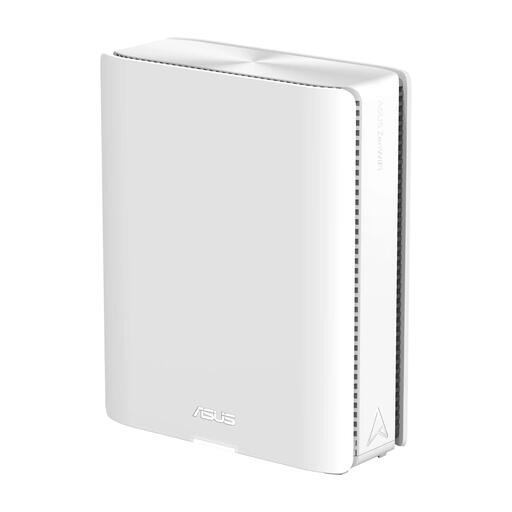
ASUS ZenWiFi BQ16
Suitable for a mesh setup that you may want to expand later with compatible AiMesh points.
The product title lists Wi-Fi 7 and quad-band. The product information describes expansion with AiMesh nodes and Ethernet ports.
View at Joybuy
 No image available
Linksys Velop Pro 7
An option if you’re looking for a mesh system with several points and may want to add compatible points later.
According to the product information, the set contains two nodes and supports Wi-Fi 7 and tri-band. The description mentions expansion with additional Velop Pro 7 nodes or compatible Linksys Cognitive Mesh devices.
View at Joybuy
 No image available
TP-Link Deco X50-PoE (2-pack)
Suitable for a mesh setup where PoE power works with the way you want to install your Wi-Fi points.
The set contains two units and supports Wi-Fi 6 and PoE. The product information lists two Ethernet ports per unit; check the power supply you need and the exact version.
View at Joybuy
 No image available
TP-Link Deco XE75 (3-pack)
An option if you’re considering a mesh system with several units for Wi-Fi coverage in different parts of your home.
The set contains three units and supports Wi-Fi 6E and tri-band (2.4 GHz, 5 GHz and 6 GHz). The product information lists three Gigabit ports per node.
View at Joybuy
Frequently asked questions
Do you need to replace your provider’s modem for better Wi-Fi in the loft?
No, not necessarily. First, test your internet connection using an Ethernet cable and, if needed, try repositioning your router or adding an access point. ACM ConsuWijzer confirms that you can choose your own router in the Netherlands; when replacing a modem, you’ll also need to consider your provider’s technical requirements and settings.
How can you tell whether a slow video connection is caused by Wi-Fi or your internet connection?
Compare a speed test using an Ethernet cable with the connection in the loft. Consumentenbond recommends a wired test to assess your internet connection, because a Wi-Fi test also measures Wi-Fi limitations. For traffic between devices in your home, it also matters where the video files and playback devices are located.
Can a mesh point work in the loft without an Ethernet cable?
Yes, if you have a system that supports a wireless connection and place the extra point somewhere it can still receive a usable signal. The Deco X50 and the FRITZ! extension mentioned above also offer a wired connection option; check that it’s compatible with your existing equipment.
Who is responsible for security updates on a router you own?
Check how the device you choose receives updates and install any that are available. VeiligInternetten explains how to check for updates through the app or manufacturer; provider-supplied routers are generally updated by the provider.
Can you choose your own router in the Netherlands?
Yes, ACM ConsuWijzer confirms that you’re free to choose your router. Your own modem must also meet security and network requirements; if you’re replacing it, ask your provider which settings you need and, for fibre broadband, which network type applies.


