
Watching from behind a thick wall
You mainly want a stable connection in one fixed viewing spot, and may be able to run a cable there. TP-Link recommends placing a repeater where it still has a good connection to the router.


First, decide how the signal will get from your router to the extra Wi-Fi point. A wireless repeater only works if it still receives a good signal from the router where you place it. You can run a network cable through the wall to install an access point on the other side, or, if running a cable isn’t practical, try powerline with Wi-Fi as an alternative. None of these options guarantees an uninterrupted livestream, so test the connection where you’ll be watching.
You mainly want a stable connection in one fixed viewing spot, and may be able to run a cable there. TP-Link recommends placing a repeater where it still has a good connection to the router.
You can’t run a network cable, so you’re comparing a repeater placed where it can still receive a good router signal with powerline, which carries the signal through your home’s electrical wiring. devolo says this connection depends on the electrical installation.
You use other devices as well as streaming concerts, so you’ll want to consider coverage, connections and the link between Wi-Fi points. The Consumers’ Association lists features and ease of use among the factors included in its Wi-Fi extender tests.
Suitable when: you can’t run a cable and can find a spot before the wall where the repeater still gets a good connection to the router.
Trade-off: the repeater still relies on its wireless connection back to the router. Placing it in a Wi-Fi dead zone won’t fix that weak connection.
Suitable when: you can run a network cable beyond the thick wall and want to provide Wi-Fi there.
Trade-off: running the cable and installing the equipment take extra work. Check that your chosen device has an access point or LAN bridge mode.
Suitable when: running a cable isn’t practical, there are suitable sockets by the router and viewing spot, and a wireless repeater can’t maintain a good connection to the router there.
Trade-off: the connection over your mains wiring can vary from socket to socket and be affected by electrical interference. Test the sockets you plan to use.
Suitable when: you want to cover several rooms or floors and can position the Wi-Fi points so they maintain a good connection with each other.
Trade-off: mesh won’t automatically fix a weak wireless connection between points separated by thick walls. Also check compatibility with your router.
| What to consider | What to look for when buying | Who this matters to |
|---|---|---|
| Stable connection | Test the signal where the extra Wi-Fi point will go, and test the stream where you’ll actually be watching. | If I’m watching from behind a thick wall, I want the connection to stay stable in my viewing spot during a live concert. Around 36% of consumers in this situation put stability at the top of their list when buying. |
| Installation without a network cable | Check the router signal where you plan to put the repeater. If you’re using powerline, test the sockets you actually want to use. | If I can’t run a network cable, I’m looking for an option that works in my home without one. Around 29% of consumers in this situation prioritise installation without a cable. |
| Connections and shared use | Count the Ethernet ports you need and check that the mesh system is compatible with your router. | If I want to connect my TV by cable while other devices at home are online, I look at the ports and coverage. Around 21% of consumers in this situation prioritise connections and shared use. |
| Total cost and support | Compare how many adapters or Wi-Fi points are included, power consumption and support. Keep your statutory rights separate from the manufacturer’s warranty. | If I’m choosing a solution for long-term use, I want to know in advance what’s included in the set and what support is available. Around 14% of consumers in this situation prioritise total cost and support. |
The repeater still needs to receive a usable signal from the router. An Ethernet port for your TV won’t fix a poor wireless connection back to the router.
First, check the signal at a midway point. If it’s too weak there, look into running a cable or using powerline.
If the repeater doesn’t work in that spot, you may still need an extra device or a different type of connection.
Some mesh features are brand-specific and may require a compatible router. TP-Link says OneMesh on the RE605X requires a OneMesh router; ASUS specifies an AiMesh-compatible router for AiMesh.
Before buying, check which mesh system your router uses and whether it works with the model you’ve chosen.
If your router isn’t compatible with the mesh feature you want, you may need a different router or Wi-Fi system.
Actual performance depends on factors including placement and, for powerline, your electrical installation and sources of interference.
Test the stream where you’ll be watching instead of comparing only the quoted Wi-Fi or powerline speeds.
According to TP-Link’s Dutch product pages, the RE605X and RE705X are Wi-Fi 6 repeaters with a gigabit port and access point mode.
FRITZ! says the FRITZ!Repeater 1200 AX has a gigabit LAN connection and is designed for use with a FRITZ!Box, but can also work with other routers.
The Magic powerline range uses adapters to carry the signal through your electrical wiring. The Magic 2 WiFi 6 next Starter Kit provides Wi-Fi at the second point.
ASUS describes the RP-AX58 as a Wi-Fi 6 range extender that works with many routers and also has an access point mode.
This selection includes mesh with Ethernet backhaul, powerline Wi-Fi, a wireless repeater and wired access points. Check the CE mark on the specific model: the Dutch Authority for Digital Infrastructure lists this as a requirement for wireless equipment sold in the Netherlands.
 No image available
A good fit for a mesh setup where you can run an Ethernet connection between the two Wi-Fi points.
Wi-Fi 6; set of 2 Deco units; Ethernet backhaul listed.
Wired backhaul requires an Ethernet connection between the Deco units.
 No image available
A good fit if the connection between adapters will use your existing electrical wiring and you need Wi-Fi in another spot.
Powerline Wi-Fi kit; the product name lists 1200 Mbit/s and 2 units.
The quoted speed hasn’t been measured in your home. Performance can vary between sockets and be affected by electrical interference.
 No image available
A good fit for extending your Wi-Fi wirelessly, provided the device still receives a good signal from the router where you place it.
2.4 GHz; up to 300 Mbps according to the product name; 2 antennas; 10/100 Mbit/s Ethernet ports; passive PoE listed.
Don’t place a repeater in a Wi-Fi dead zone where the connection to the router has already dropped out.
 No image available
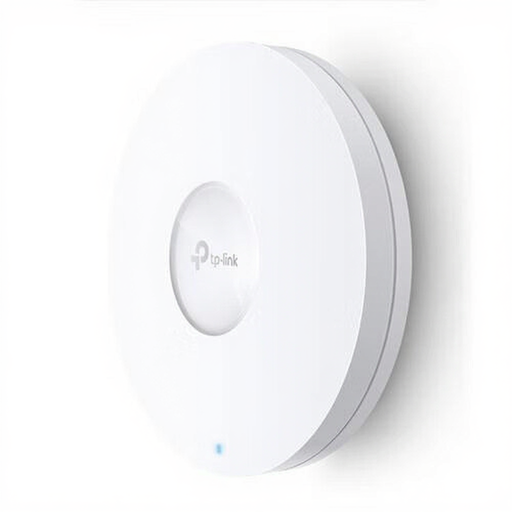
A good fit for an access point setup where you can run an Ethernet connection to the Wi-Fi point.
Dual-band Wi-Fi; 1201 Mbit/s according to the product name; PoE listed.
The product description lists ceiling or wall mounting and PoE power.
 No image available
A good fit for a wired Wi-Fi point beyond a wall, if you can install a suitable Ethernet and power connection.
Wi-Fi 6; 1775 Mbps according to the product name; PoE and DC power options listed.
The product description lists ceiling or wall mounting. Check that the power supply and installation suit your setup.
Place it between the router and your viewing spot, somewhere it still gets a good signal from the router. This is TP-Link’s placement advice, but it doesn’t guarantee a good connection in every home. If the signal is too weak there, look into a wired access point.
Test it on the device you’ll actually be watching on, in the place you’ll be watching, ideally while your other usual devices are in use. Check the streaming service’s requirements too: Netflix recommends a stable connection of at least 5 Mbps for 1080p and 15 Mbps for 4K for its own live events. These figures don’t automatically apply to other services.
Test the adapters in the sockets you actually plan to use. If performance is disappointing, devolo recommends trying a wall socket directly and checking nearby devices, such as power supplies or dimmers, as possible sources of interference.
No. According to ACM ConsuWijzer, your statutory rights are separate from any manufacturer’s or retailer’s warranty. If a product breaks sooner than you could reasonably expect under normal use, the retailer is responsible for providing an appropriate solution. There isn’t one fixed statutory warranty period for every repeater.
You don’t need a licence or registration for normal Wi-Fi use on designated licence-exempt frequencies, provided you follow the conditions of use, according to the Dutch Authority for Digital Infrastructure. Wireless equipment sold in the Netherlands must have the correct CE mark; check the specific device.