Products for connecting to your garden office
These Joybuy products include mesh kits, Ethernet access points and a powerline kit. The right option depends, among other things, on your existing network, your electrical wiring and the connection at your place of work.
 No image available
TP-Link Deco BE68 2-pack
Could suit you if you’re looking into extending a Deco mesh connection to your garden office; you’ll need to check the connection at your place of work yourself.
The product description lists tri-band Wi-Fi 7, two units and wired or wireless backhaul.
WAN/LAN ports are listed on each unit for wired devices.
Joybuy
 No image available
Ubiquiti UniFi AP U7 Long-Range
Could suit you if you can run an Ethernet connection to your garden office and want to connect an access point there.
The product description lists Wi-Fi 7, a 2.5 GbE port and PoE+ (802.3at).
For outdoor mounting, it is only suitable for a suitably protected location; it requires PoE+ (802.3at) power.
Joybuy
 No image available
TP-Link TL-WPA7517 KIT powerline starter kit
Could suit you if you want to use your electrical wiring as a network connection and need Wi-Fi at the office end; test the connection on site.
The product description lists network extension through your electrical wiring and Wi-Fi.
The connections and electrical wiring determine whether this option will work in your situation.
Joybuy
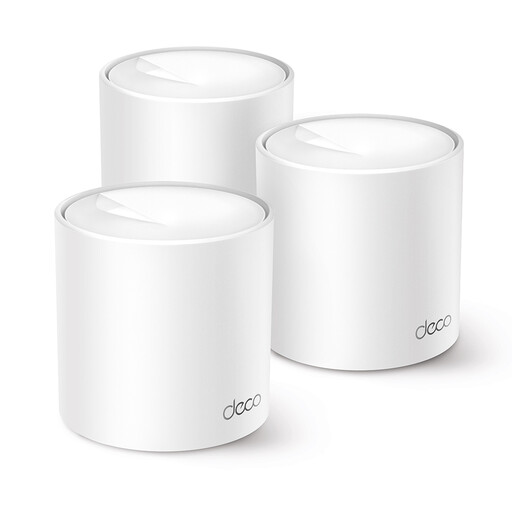 No image available
TP-Link Deco X10 Dual-Band Wi-Fi 6 (802.11ax), 2 Intern
Could suit you if you want to extend an existing Deco mesh network; check compatibility and the connection where you work.
The product information lists Wi-Fi 6 (802.11ax), Ethernet ports and management through the Deco app.
The description also mentions a guest network.
Joybuy
 No image available
TP-Link Omada EAP613
Could suit you if you can run Ethernet to your office and are looking for an access point within an Omada setup.
The product description lists Wi-Fi 6, an Ethernet connection, and PoE, passive PoE and DC power.
Mesh, seamless roaming and central management through Omada SDN are also mentioned.
Joybuy
Frequently asked questions
Do I need a new router if I already have a modem router at home?
Not necessarily: a compatible access point or mesh node can extend your existing network. If you want to connect your own router directly to the connection, router freedom applies in the Netherlands. However, check your provider’s connection and security requirements.
Can I hang an outdoor unit anywhere on the wall?
No. The unit and mounting method you choose must be suitable for the intended location. TP-Link lists IP65 and PoE or AC power for the Deco X50-Outdoor; this doesn’t determine how well the connection will pass through the wall of your office.
What should I keep doing after installation?
Check for router and access point updates, and test whether you can access the archive from your place of work. The Digital Trust Center points out that router updates can also fix security vulnerabilities.
Do I need a Wi-Fi permit or registration in the Netherlands?
You don’t need a permit for Wi-Fi at home or in a building if you use designated frequencies in accordance with the terms of use. The Dutch Authority for Digital Infrastructure also states that licence-exempt frequency use does not require notification or registration; follow the device’s frequency settings.
What might I need in addition to a single Wi-Fi device?
It depends on the option you choose: a building bridge may need an access point at the office end, powerline uses adapters, and a wired setup requires a suitable cable and connection. Check which components are included in the exact kit and what your network already has.


