Who is this choice relevant to?

Video caller with an unreliable connection

Your main requirement is for video and audio to remain clear during calls. So assess the connection at your workstation, not just the advertised maximum speed. Zoom publishes recommended figures for group calls, which vary according to the video quality selected.

User with a garden office far from the house

You need to bridge the distance, and possibly an external wall too. Check whether there’s still a usable signal where you plan to put a wireless node, or compare this with a wired connection.

User without an Ethernet cable

You don’t want to run an Ethernet cable to the garden office, so you’re comparing a wireless solution with powerline using your existing sockets. The connection at the final location is what matters.

What should you look for when buying?

What to consider What should you check? Who should weigh this more heavily?
Stability during calls Test video and audio at your workstation. For a 720p HD group call, Zoom gives peak figures of 2.6 Mbps upload and 1.8 Mbps download; these are guidelines for Zoom, not a guarantee for other services. If I want to take part in meetings without interruptions, I focus on the connection in the garden office itself. Around 33% of consumers prioritise stable video calls.
Range to the garden office Check the signal where you plan to place a node. A wireless repeater or mesh node still needs a working connection to your home network. If my garden office is far from the router, I want to know whether the signal can reach it through the distance and external wall. Around 27% of consumers prioritise range between the house and office.
Installation without an Ethernet cable Compare the wireless connection with powerline using the sockets you’ll actually use. With powerline, the electrical wiring and the position of the adapters matter. If I don’t want to run a cable to the garden office, I’m looking for a connection that works with my sockets. Around 20% of consumers prioritise installation without running a new Ethernet cable.
Compatible system and purchase Check mesh compatibility, the adapters you need, connections and power requirements for the exact model. Don’t compare devices solely by Wi-Fi generation or theoretical speed. If I want to combine equipment that connects to my existing network, I first check compatibility and what I’ll need for installation. Around 20% of consumers prioritise system compatibility and their choice of equipment.

Common buying mistakes

  • Assuming a theoretical Wi-Fi speed guarantees call quality

    Actual throughput and coverage can vary due to factors such as obstacles, network traffic and connected devices.

    Test upload and download speeds at your workstation, then make a real video call there before deciding the installation is working as it should.

  • Placing a wireless node where the home signal has already dropped out

    A repeater or wireless mesh node also needs a working connection to your home network where it’s placed.

    Check the incoming signal first. If it’s not strong enough, compare moving the device with using a wired connection.

  • Testing powerline with unsuitable sockets

    Certain sockets or nearby electrical appliances can affect data transmission.

    Test both adapters in their final positions. devolo recommends plugging them directly into wall sockets, not into a multi-socket extension or extension lead.

  • Treating an indoor repeater as weatherproof outdoor equipment

    Outdoor suitability and installation requirements vary by model. A device designed for indoor use isn’t automatically suitable for unprotected outdoor installation.

    Check the documentation for the exact model and follow the specified installation requirements.

    An outdoor setup may also require a suitable access point, power supply and mounting equipment.

Brands to compare

TP-Link

The Deco X50-Outdoor is an outdoor mesh option if you need an outdoor unit. This doesn’t mean all TP-Link repeaters are suitable for outdoor use.

  • According to TP-Link, the Deco X50-Outdoor has an IP65 rating and can be powered via PoE or mains, and connected wirelessly or by cable.
  • For a wireless connection, the unit still needs to receive a usable signal. TP-Link recommends placing the nearest Deco close to the outdoor unit.

FRITZ!

The FRITZ!Repeater 1200 AX is an indoor repeater with a LAN port. It may be relevant if you already have compatible FRITZ! equipment or can find a suitable indoor location.

  • According to FRITZ!, the model can connect wirelessly or via its gigabit LAN port.
  • The FRITZ! mesh integration described requires compatible FRITZ! equipment. The product information doesn’t confirm that the model is suitable for unprotected outdoor installation.

devolo

The Magic 2 WiFi 6 next Starter Kit is a powerline option to try if you want to send the connection through your electrical wiring.

  • According to devolo, the starter kit contains two adapters, and the Wi-Fi adapter has two gigabit ports.
  • devolo warns that certain sockets and nearby electrical appliances can reduce performance. So the final connection also depends on the electrical wiring at your property.

Ubiquiti

The European U6 Mesh is an outdoor access point for an installation where you provide the connection and power supply yourself.

  • Ubiquiti lists PoE and IPX5 for the U6 Mesh.
  • According to Ubiquiti, the weather resistance applies when the device is installed with the LED side facing upwards and using the supplied mounting component.

Joybuy products for your garden office

This selection includes powerline Wi-Fi, a wireless repeater and indoor or wired networking equipment for connecting to your garden office. Check the positioning, connections and power requirements for each model.

TP-LINK TL-WPA7517 KIT Powerline Adapter Starter Kit

TP-LINK TL-WPA7517 KIT Powerline Adapter Starter Kit

An option if you want to try powerline with Wi-Fi instead of running a new Ethernet cable to your garden office.

Test the connection using the sockets you actually plan to use; performance can depend on your electrical wiring.

View at Joybuy

WiFi Repeater Pro Black

WiFi Repeater Pro Black

Worth considering if you can place the repeater somewhere it still receives a usable signal from the router.

A repeater extends an existing wireless network, but it can’t restore a connection where there’s no usable incoming signal.

View at Joybuy

TP-Link Deco XE75 Pro 3-Pack Tri-Band Wi-Fi 6E

TP-Link Deco XE75 Pro (3-Pack) Tri-Band Wi-Fi 6E

A mesh system for sharing Wi-Fi across several rooms indoors, including a garden office that can be reached from inside the house.

The product name lists three bands: 2.4 GHz, 5 GHz and 6 GHz, and Wi-Fi 6E (802.11ax). The product information describes indoor use; don’t place the units outdoors without protection.

View at Joybuy

TP-Link TL-WA801N Wireless Access Point

TP-Link TL-WA801N Wireless Access Point

An access point to consider if you can run an Ethernet connection to your garden office.

The product name lists speeds of up to 300 Mbps, two antennas, WPS and Passive PoE. Check in advance that the cabling and power supply are suitable for your setup.

View at Joybuy
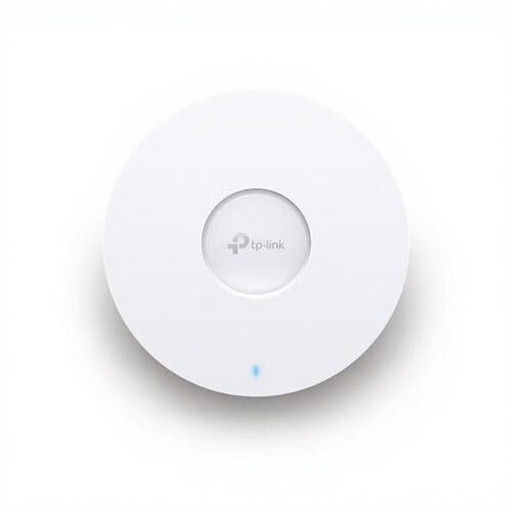
TP-LINK Omada EAP670 Wireless Access Point

TP-LINK Omada EAP670 Wireless Access Point

A good fit for a wired access point setup if you can run Ethernet to your garden office.

Before buying, check which connection and power method are right for your network and setup.

View at Joybuy

Frequently asked questions

What speed do I need for a video call?

It depends on the video conferencing service, resolution and settings. For a 720p HD group call, Zoom gives peak figures of 2.6 Mbps upload and 1.8 Mbps download; you should also test the connection at your workstation. These Zoom guidelines don’t automatically apply to other video services.

Where should I place a wireless repeater?

Place a wireless repeater somewhere it still receives a usable signal from the router, rather than automatically putting it where the signal has already dropped out. Then test the connection in your garden office with a call.

What can I do if powerline performance varies?

Test the adapters using the sockets you actually plan to use, and follow devolo’s advice to plug them directly into wall sockets, not into a multi-socket extension or extension lead. Assess the connection during real use.

Do I need a licence for Wi-Fi in the Netherlands?

According to the Dutch Authority for Digital Infrastructure, using Wi-Fi on designated frequencies without a licence doesn’t require notification or registration. Do follow the conditions of use, and check that the exact model has the required CE marking when you buy it.

What should I check besides the device itself?

Check whether your chosen setup also requires a second powerline adapter, a suitable power supply or cabling. Also check the warranty terms for the exact model and seller.
