
Reader with a weak signal in the garden
You want to download digital magazines in your garden office and may be able to place an intermediate device somewhere that still gets Wi-Fi reception.


A wireless Wi-Fi extender can be enough for downloading in your garden office if you can place it somewhere it still receives a usable Wi-Fi signal and can reach the office from there. If that wireless connection is too weak, compare an Ethernet cable with an access point against powerline using your existing electrical wiring; test powerline using the sockets you intend to use. For outdoor installation, you need an outdoor access point designed for the job, not just an indoor repeater.
You want to download digital magazines in your garden office and may be able to place an intermediate device somewhere that still gets Wi-Fi reception.
The signal from your home doesn’t reach the office reliably, and you want to find out whether a network cable or the existing electrical wiring can carry the connection.
Your network device will be mounted outdoors, so its housing, installation and power supply may need to be different from those of an indoor repeater.
Choose this option: if there’s still a spot between the router and your garden office with usable Wi-Fi reception.
Bear in mind: distance and obstacles; the extender still needs to receive the existing signal. The Consumers’ Association advises keeping the number of obstacles between Wi-Fi points to a minimum.
Choose this option: if you can run a suitable network cable to your garden office.
Bear in mind: you’ll need to install the cable and provide a suitable power supply for the access point.
Choose this option: if you don’t want to run a new Ethernet cable and both locations have suitable power sockets.
Bear in mind: the connection depends on your existing electrical wiring, so test the kit using the sockets you intend to use.
Choose this option: if the network device needs to be installed outdoors.
Bear in mind: check the protection rating, cabling and power supply requirements for the exact model. For example, TP-Link lists IP55 and PoE for the EAP225-Outdoor.
Start with how you’ll get the connection to the office: is there a suitable spot for a wireless link, can you run a cable, or would you like to test the electrical wiring?
| What to consider | What should you check? | Who is this important for? |
|---|---|---|
| Usable range | Find an intermediate spot where Wi-Fi is still usable, then test it where you read and download. | If you want to extend the range without a cable, find somewhere the extender can still receive the network. Around 36% of consumers prioritise having a usable wireless connection between the two points. |
| Wired connection | Check whether you can install a cable and whether your chosen device has access point mode and a suitable network connection. | If Wi-Fi from your home doesn’t reliably reach the office, you may prefer to use Ethernet for the connection, even if that means installing a cable. Around 29% of consumers prioritise this kind of wired connection. |
| Powerline | Check that you’re buying a complete kit and test the connection using the sockets you intend to use. | If you don’t want to run a new network cable, your existing electrical wiring could be an alternative worth testing. Around 21% of consumers prioritise a powerline connection. |
| Installation location | Decide whether the device will be installed indoors or outdoors. For outdoor installation, check the exact model’s protection rating and power requirements. | If you need to mount equipment outdoors, its housing and installation must be suitable for that location. This is the top priority for around 14% of consumers. |
A wireless extender can only rebroadcast the signal it receives from the router. If you place it where the original signal has already dropped out, the connection may not be good enough for your garden office.
Test possible locations first. If reception is too weak, compare a cable with an access point against powerline.
Your actual connection also depends on how the Wi-Fi point gets its signal, where it’s placed and any obstacles in the way. A stated Wi-Fi standard or maximum speed doesn’t tell you what you’ll get where you read.
Compare the possible connection options and test your chosen set-up where you’ll download your magazines.
You need adapters both where the router is and at the receiving location. What’s more, different powerline product ranges aren’t always compatible with one another.
Check what’s included in the kit and whether the adapters will work with your existing equipment. For example, Devolo says that Magic and the older dLAN range can’t form a single powerline network.
Outdoor suitability and power requirements depend on the specific model; they aren’t features of every Wi-Fi extender.
Decide where you’ll install the device in advance. For outdoor installation, check the protection rating and power requirements of the model you choose.
TP-Link offers the RE705X for wireless or wired indoor use, as well as the EAP225-Outdoor outdoor access point.
The FRITZ!Repeater 1200 AX is an indoor repeater that can also be connected via LAN.
The Magic 2 WiFi 6 next Starter Kit uses powerline to carry Wi-Fi to another location through your electrical wiring.
The EAX15 is an indoor Wi-Fi 6 extender that can be used with an existing router.
These Joybuy products cover three ways to connect to a garden office: powerline via your existing electrical wiring, a wireless repeater placed where Wi-Fi is usable, and access points for a wired connection.
 Image unavailable
Suitable for a garden office where you want to carry the network over your existing electrical wiring instead of running a new network cable.
The product description mentions powerline and Wi-Fi; the connection depends on the electrical wiring at your property.
 Image unavailable
Suitable if there’s still a spot between your home and garden office where the repeater can receive the existing Wi-Fi network.
The connection still depends on placement and obstacles, so test it where you’ll download your magazines too.
 Image unavailable
Suitable if you’re running a wired network connection to your garden office and want Wi-Fi from an access point there.
The product name mentions Power over Ethernet (PoE); check that your set-up has a suitable power supply.
 Image unavailable
Suitable for a set-up with a wired connection to the office; the product name also mentions a Wi-Fi extender function.
The product name lists up to 300 Mbps, two antennas, WPS and Passive PoE. Check which power supply suits your chosen set-up.
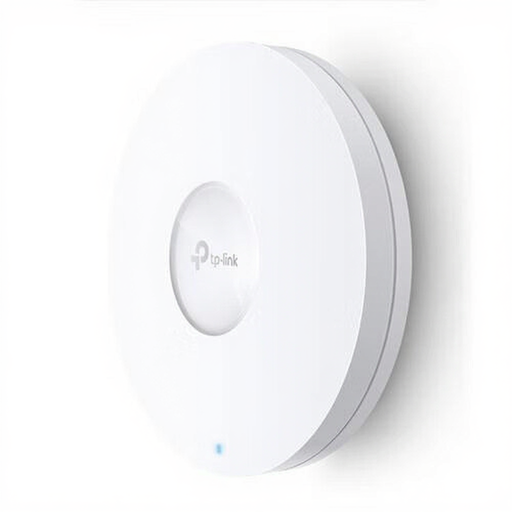 Image unavailable
Suitable for a garden office where you can run a network cable to the access point to provide Wi-Fi there.
The product name lists 1201 Mbit/s and Power over Ethernet (PoE); check that your wired connection and power supply are suitable.
Put the extender somewhere it still gets a good signal from the router and can reach your garden office. The Consumers’ Association advises keeping the number of obstacles between Wi-Fi points to a minimum; then check the connection where you’ll be reading.
No, Wi-Fi 6 isn’t essential just for downloading digital magazines. The Consumers’ Association notes that the Wi-Fi version alone doesn’t determine performance, and older devices won’t benefit from Wi-Fi 6 improvements. Prioritise a reliable connection to your garden office over a higher version number.
Don’t assume a device is suitable for outdoor use just because it’s called an extender; check the intended use of the exact model. TP-Link lists the EAP225-Outdoor as suitable for outdoor use, with an IP55 housing and PoE power. These features don’t automatically apply to other models.
Check that you’re choosing a complete kit with one adapter by the router and another at the receiving location, then test the connection using the sockets you intend to use. Also check whether the adapters are compatible with your existing powerline equipment; devolo says that Magic and the older dLAN range don’t form a shared powerline network.
In the Netherlands, Wi-Fi on designated frequencies and under the applicable conditions of use is licence-exempt. The Dutch Authority for Digital Infrastructure states that no notification or registration is required. You should also check that the equipment carries the mandatory CE marking.