What should you consider when choosing?
Start by checking whether there's still a usable Wi-Fi signal between your router and garden office. Then choose between wireless coverage, a cable or powerline.
| Consideration |
What to look for |
Who is this important for? |
| Reliable connection |
Check whether there's still a router signal at a potential midway point; consider a cable if the wireless connection can't cover the distance. |
I want to access my study portal from the garden office, so I'm focusing on the signal reaching my workspace. Around 36% of consumers prioritise a reliable connection. |
| No network cable to run |
An extender still needs a Wi-Fi signal of its own; powerline uses adapters at both ends and your existing electrical wiring. |
I'd rather not run a new network cable to the office, so I'm comparing wireless coverage with powerline. Around 29% of consumers put avoiding cable installation at the top of their list. |
| Placement and compatibility |
Check compatibility with your router and mesh system, as well as the mounting and power requirements. Also look for the correct CE marking, as required by the Dutch Authority for Digital Infrastructure for equipment sold in the Netherlands. |
I want the Wi-Fi access point to work with my router and be suitable for the chosen location. Around 21% of consumers prioritise installation and compatibility. |
| Complete solution |
Compare everything the setup needs, such as adapters or a network cable, and check the seller's terms and conditions. |
I want to know in advance what components and support my complete setup will need, not just which device to choose. Around 14% of consumers prioritise the total cost and support. |
Joybuy products for Wi-Fi in the garden office
This selection from Joybuy includes powerline Wi-Fi, wireless repeaters and wired access points or mesh units for a garden office.
 No image available
TP-LINK TL-WPA7517 KIT Powerline Starter Kit
A powerline Wi-Fi kit for anyone who wants to try networking over their existing electrical wiring instead of running a new network cable.
Claimed maximum data transfer rate: 1000 Mbit/s; LED indicators.
Performance in your garden office depends on your own electrical wiring.
Joybuy
 No image available
WiFi Repeater Pro Black
A wireless repeater for a spot that still receives a usable signal from the router; bear in mind the distance and any obstacles.
2.4 GHz; claimed maximum: 300 Mbps.
Joybuy
 No image available
TP-Link TL-WA801N Wireless Access Point
The extender and access point modes described offer a wireless coverage option or the choice to connect it via a network cable.
2.4 GHz; claimed maximum: 300 Mbps; Ethernet; Passive PoE.
For wireless extension, the device needs to receive a signal from the router; wired use requires a network cable.
Joybuy
 No image available
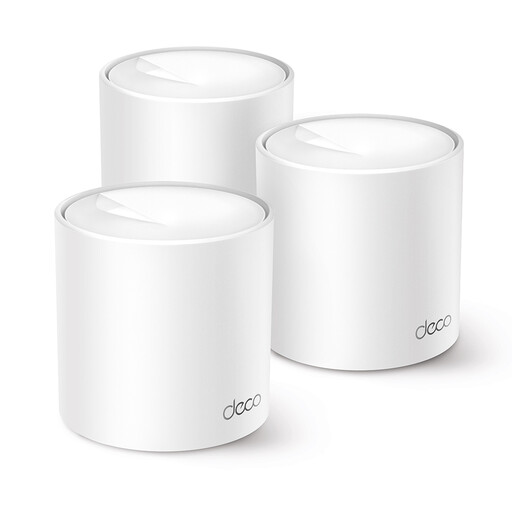
TP-Link Deco X10 Dual-Band Wi-Fi 6
A mesh option using Deco units; the expansion with extra units described is part of the Deco system.
Wi-Fi 6; 2.4 and 5GHz bands; two Ethernet ports per unit.
Joybuy
 No image available
TP-Link Omada EAP613 Wireless Access Point
A wired access point to consider if you can run a network cable to your garden office.
Wi-Fi 6; 2.4 and 5GHz bands; Ethernet; PoE or DC power.
The mesh and roaming features described are part of an Omada setup.
Joybuy
Frequently asked questions
Where should you place a wireless Wi-Fi extender?
Place it somewhere that still gets a good signal from the router, rather than automatically putting it in the garden office itself. The Consumentenbond recommends choosing a spot with as few obstacles as possible; according to TP-Link, the RE605X has a signal indicator to help you find the right location.
Can you install a standard indoor extender outdoors?
Don't assume you can: check whether the exact model is designed for outdoor use. For the Deco X50-Outdoor, TP-Link specifies an IP65 enclosure and separate requirements for outdoor mounting and power.
What should you check if the study portal still keeps buffering after installation?
Compare the connection at the router, at the Wi-Fi access point and in the garden office. Move a wireless access point if it receives a weak signal from the router; update your router and Wi-Fi devices, and secure your network with a strong password.
What are your rights when buying online in the Netherlands?
For applicable online consumer purchases, you generally have a 14-day cooling-off period, according to the Dutch government. You're also entitled to a product that works properly; in the Netherlands, there is no fixed statutory warranty period for all products. If something is faulty, contact the seller.


